
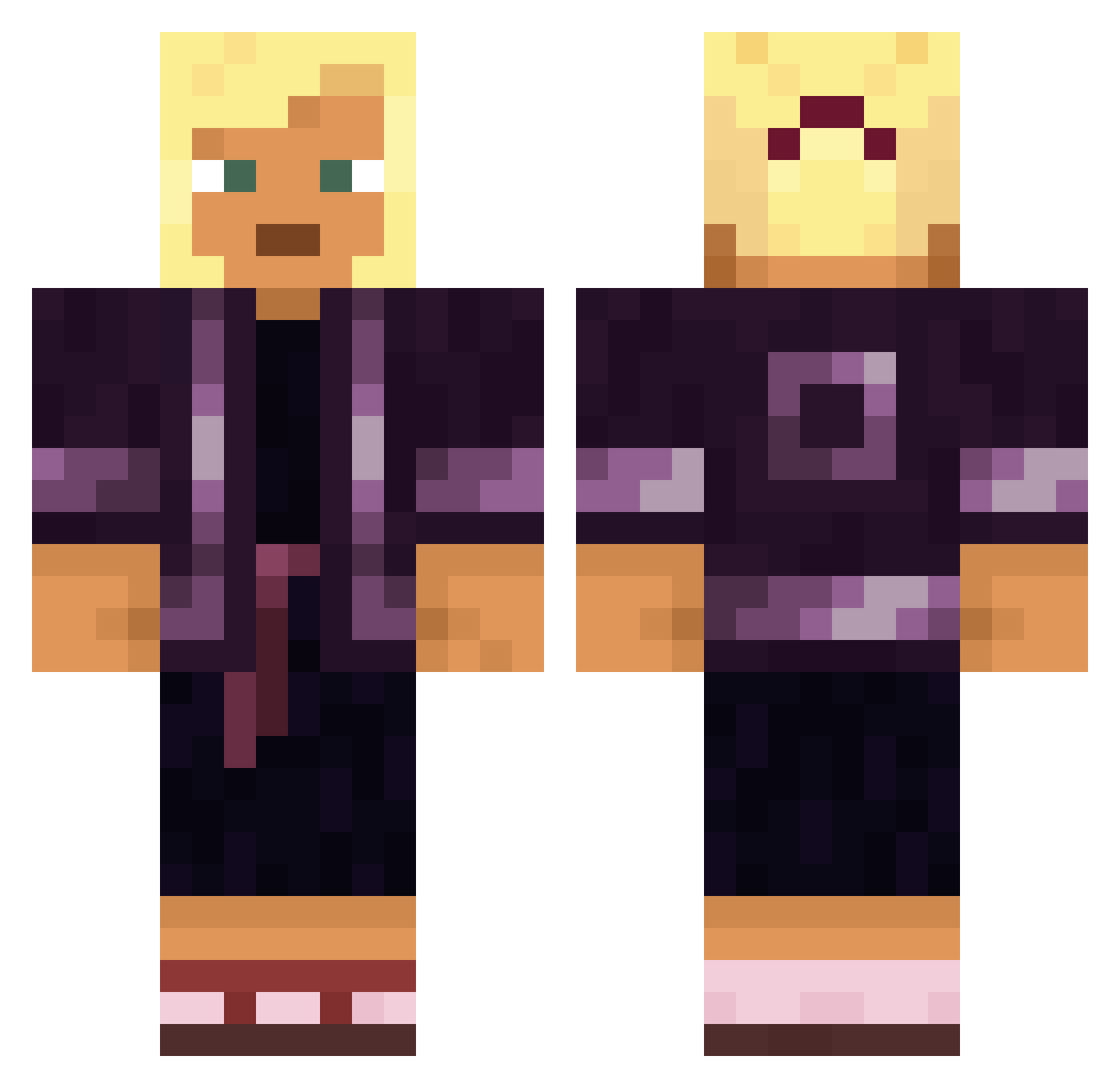
Current Minecraft skin of the player usnea, loaded from the official Mojang API. Rotate the 3D model with your mouse or finger, then download the skin as a PNG file and use it in Minecraft: Bedrock Edition or Java Edition for free. When usnea changes their skin, this page updates automatically and the old skin stays in the history below.
Other players with this skin (1248)
usnea was the 347th player we have seen with this skin, first spotted on 18.08.2026. The same skin was seen on these players. Open a nickname to see their current skin and skin history.
 Benymobile klonkku quollll
 DISP3RSE Oriyana Ingest Thooril Matelote
 Re_Tard37 fripperies zoblinn Samenleving corticosteroid Granulosa BackwardsSteve G15mods Lawmakers shakafire James1023 rudy_brutal69 Flatteur joker_king__ Balgeet sanche Troburn Dzormi byczek_69 konbu87 Alluviation Riquel_ LexGoGaming Ninjafirehead Oxygenant Max2323545 promaximum Wiriclud Ananda
 naoeosekka Miguel_0716 Ranyran SOCKPOOP21
 JGMmJs ByZander_HD Cuculus Cleptomaniac Centum cosw OmarRos_ sven1027 Pimentrou MAL_U2jxS8 BenjaminAP Warkam LLezz yigitto0 Condenser CloseBooom unprompted Zanix
 crsn4
crsn4More Kimono Minecraft skins
How to install the usnea skin
- Press the Download button above to save the skin as a PNG file.
- Minecraft: Bedrock Edition (PE): open the Dressing Room from the main menu (or tap your character → Edit Character), go to Classic Skins → Owned, press the + (new skin) button, choose the downloaded PNG and pick the Classic (Steve) model. Works on PC and mobile; consoles cannot import custom skins.
- Minecraft: Java Edition: open the Minecraft Launcher, go to the Skins tab, click New Skin, load the PNG, pick the Classic (Steve) model and press Save & Use. You can also upload it at minecraft.net → Profile → Change Skin.
The skin does not show up after import - what should I do?
Restart Minecraft and open the Dressing Room again - imported skins sometimes appear only after a restart. Also make sure you selected the imported skin and picked the Classic (Steve) model.
Which model should I choose, Classic or Slim?
This skin is designed for the Classic (Steve) model. If you pick the wrong model, the arms of the skin will look stretched or squeezed.
Is the skin of usnea free to download?
Yes. Press Download, save the PNG file and use it in Minecraft: Bedrock Edition or Java Edition - no payment or registration needed. The skin also works on multiplayer servers and Realms.
More skins
Looking for more? Go back to all Minecraft skins and check the top skins of the week, month and all time, or find any player's skin by nickname.