
urgldorf - Minecraft Skins & Skin History
Current Minecraft skin of the player urgldorf, loaded from the official Mojang API. Rotate the 3D model with your mouse or finger, then download the skin as a PNG file and use it in Minecraft: Bedrock Edition or Java Edition for free. When urgldorf changes their skin, this page updates automatically and the old skin stays in the history below.
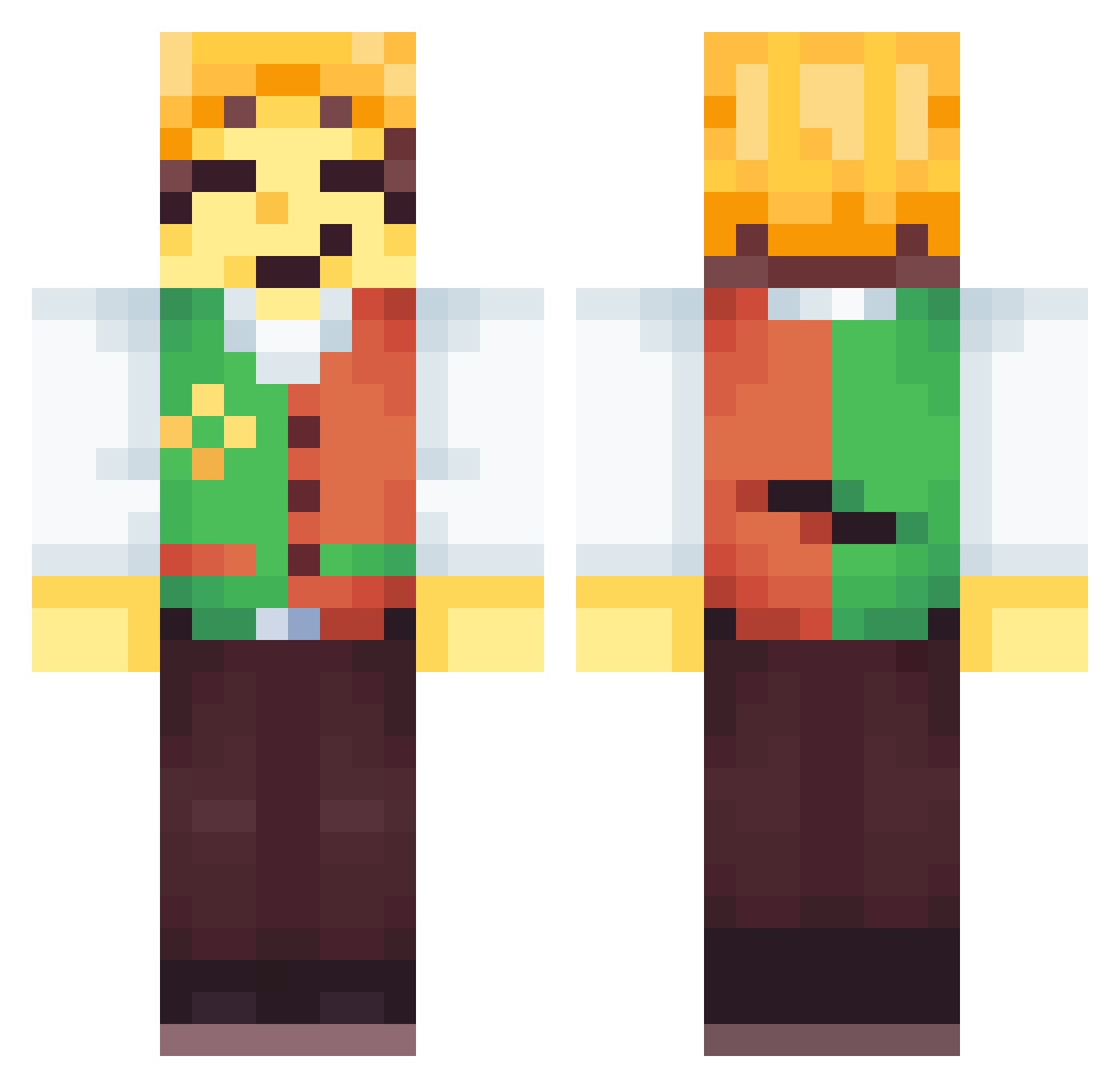
Other players with this skin (58)
urgldorf was the 7th player we have seen with this skin, first spotted on 22.08.2026. The same skin was seen on these players. Open a nickname to see their current skin and skin history.
 Abattu
 Goldragon18 NotFrzy
 NatanieI
 OGRedness Mrjj68285 BigBoss1983 roockstar
 Sojahn09 Catover krewetus suspiciousfeet
 Komati_otp PiRecife clonecazum sal10312 inti4fy Ace_hearts9 Xilrob12 peanut_butterj M1styWater quevodbz35 _Sekijoo fbdtrs angeloitalia136 Lilo_123 SillyDragoon lightmode_man doggels _Braeden_ Diaermuid Babyirondiron Deurpyman Schbeeb Itz_HoS Jeosmius Scary0range macopacoo Ginger_Been chamalam Kasztano etcyn Sukilio FelixHolmes XxZroyaxX Cooki3nMilk rapture_blue Recipe VELVO1 j0sephii I_BACON_BRO GetTheBanana djkelly69 Ender_blu spoiledKID06 DeeBenAnatomy rowanlool Minirobo9
More Tubbo Minecraft skins
How to install the urgldorf skin
- Press the Download button above to save the skin as a PNG file.
- Minecraft: Bedrock Edition (PE): open the Dressing Room from the main menu (or tap your character → Edit Character), go to Classic Skins → Owned, press the + (new skin) button, choose the downloaded PNG and pick the Classic (Steve) model. Works on PC and mobile; consoles cannot import custom skins.
- Minecraft: Java Edition: open the Minecraft Launcher, go to the Skins tab, click New Skin, load the PNG, pick the Classic (Steve) model and press Save & Use. You can also upload it at minecraft.net → Profile → Change Skin.
The skin does not show up after import - what should I do?
Restart Minecraft and open the Dressing Room again - imported skins sometimes appear only after a restart. Also make sure you selected the imported skin and picked the Classic (Steve) model.
Which model should I choose, Classic or Slim?
This skin is designed for the Classic (Steve) model. If you pick the wrong model, the arms of the skin will look stretched or squeezed.
Is the skin of urgldorf free to download?
Yes. Press Download, save the PNG file and use it in Minecraft: Bedrock Edition or Java Edition - no payment or registration needed. The skin also works on multiplayer servers and Realms.
More skins
Looking for more? Go back to all Minecraft skins and check the top skins of the week, month and all time, or find any player's skin by nickname.