
unwellbra1n - Minecraft Skins & Skin History
Current Minecraft skin of the player unwellbra1n, loaded from the official Mojang API. Rotate the 3D model with your mouse or finger, then download the skin as a PNG file and use it in Minecraft: Bedrock Edition or Java Edition for free. When unwellbra1n changes their skin, this page updates automatically and the old skin stays in the history below.
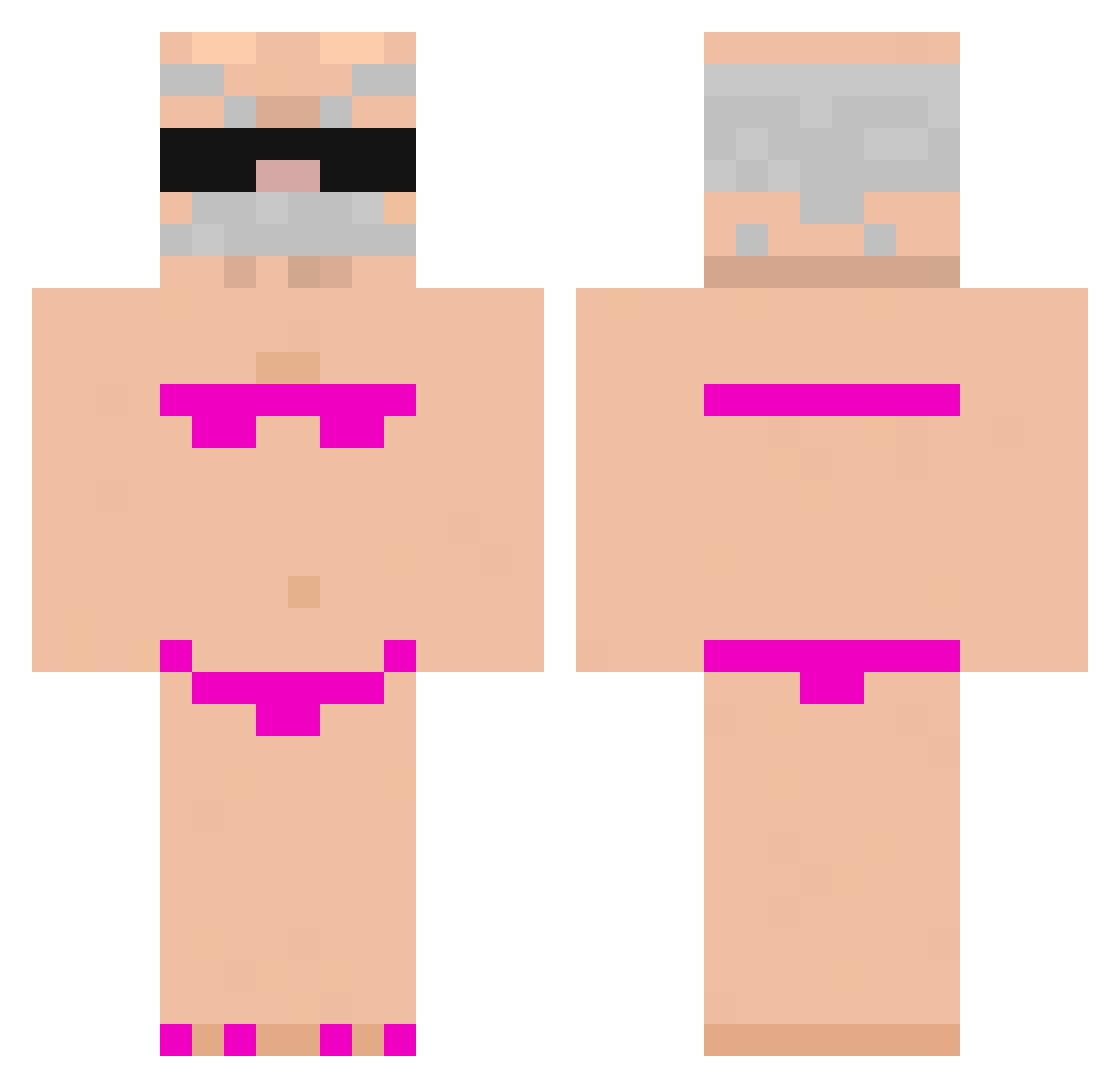
Other players with this skin (1074)
unwellbra1n was the 991st player we have seen with this skin, first spotted on 12.11.2026. The same skin was seen on these players. Open a nickname to see their current skin and skin history.
 LetMeMineUrCraft xayeon ManoDavis_ Fran_cisco1738 splaff6 vicanna wavronon qkrcksgur08 ayazdcxhn8900 S3YKO la_mei11 daddydesel Cname69 KR_Korea4317 Kr4p0_ Silvio_Fontana Bonulaaa13 Bibi_Winter Ohihelo maf11757 DaNaleli Thids10 ojdsabhjhasvbsk Mhannn nether8an neelesllrsu occbdz Timurre NOTLUC10 DadingdingXD DziadekWladek_ BoBo_I hank789aa Ale_kyoko13 UnPayasuo majka67 EryczekBambiczek Samiel_ asianboynick UNKOWN_ACE ManoDaRua brigata_viva sgnce MadaxBanaan ebellz7 hotstuff123454 samirk2 noplay414 2fyt skalmar21312732 sasko7 PiscaMagnifico13 Pokepro23 Wakadou TurtleArt54 Y_L_N_X KangK_927 Tigas_226 Ulrritx900 legalek
More Karl Marx Minecraft skins
How to install the unwellbra1n skin
- Press the Download button above to save the skin as a PNG file.
- Minecraft: Bedrock Edition (PE): open the Dressing Room from the main menu (or tap your character → Edit Character), go to Classic Skins → Owned, press the + (new skin) button, choose the downloaded PNG and pick the Classic (Steve) model. Works on PC and mobile; consoles cannot import custom skins.
- Minecraft: Java Edition: open the Minecraft Launcher, go to the Skins tab, click New Skin, load the PNG, pick the Classic (Steve) model and press Save & Use. You can also upload it at minecraft.net → Profile → Change Skin.
The skin does not show up after import - what should I do?
Restart Minecraft and open the Dressing Room again - imported skins sometimes appear only after a restart. Also make sure you selected the imported skin and picked the Classic (Steve) model.
Which model should I choose, Classic or Slim?
This skin is designed for the Classic (Steve) model. If you pick the wrong model, the arms of the skin will look stretched or squeezed.
Is the skin of unwellbra1n free to download?
Yes. Press Download, save the PNG file and use it in Minecraft: Bedrock Edition or Java Edition - no payment or registration needed. The skin also works on multiplayer servers and Realms.
More skins
Looking for more? Go back to all Minecraft skins and check the top skins of the week, month and all time, or find any player's skin by nickname.