
undrshotclok - Minecraft Skins & Skin History
Current Minecraft skin of the player undrshotclok, loaded from the official Mojang API. Rotate the 3D model with your mouse or finger, then download the skin as a PNG file and use it in Minecraft: Bedrock Edition or Java Edition for free. When undrshotclok changes their skin, this page updates automatically and the old skin stays in the history below.
Other players with this skin (114)
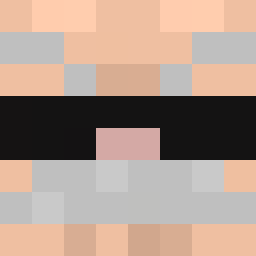
undrshotclok was the 39th player we have seen with this skin, first spotted on 24.08.2026. The same skin was seen on these players. Open a nickname to see their current skin and skin history.
 yeeboi32 zen01
 cssrt LiamDIDit
 MrShinyBalls mintyyyyyyy_ 05dudu_ Ragingflame2021 LeMiiiiii UmNotRyn CoBa1198 realcomq______ zentrifuge0 Kinmod
 Scarecr09w SmoochesMen
 FUFU_MAN_333 MRDOOMMMM Cabister327 giofromrio Th3b00biebandit Zdvihak Grxmm JoacoEV gamesph
 Dynamite1223 The_end0 Futurecoyote560 skymogamed DiaperFeed lrnq TheHateBot_ Luca_Matthew GlitchDaPotato
 badumtssssss
 Josesinho2025 Benja_Cumi _nyash MC_SHOT topblxke IIRxxyII litster TheEpicBlock Unspecific NADanny bocchi___chan 39nacho jszxv BARTEiX OpenLeader94780 minecraftjesss CalV2_ malekNA2 Bruddler1 oreosx 1034Am Yadiemil1
 Matgr5 MrChaplinSsS nosta1gia
How to install the undrshotclok skin
- Press the Download button above to save the skin as a PNG file.
- Minecraft: Bedrock Edition (PE): open the Dressing Room from the main menu (or tap your character → Edit Character), go to Classic Skins → Owned, press the + (new skin) button, choose the downloaded PNG and pick the Classic (Steve) model. Works on PC and mobile; consoles cannot import custom skins.
- Minecraft: Java Edition: open the Minecraft Launcher, go to the Skins tab, click New Skin, load the PNG, pick the Classic (Steve) model and press Save & Use. You can also upload it at minecraft.net → Profile → Change Skin.
The skin does not show up after import - what should I do?
Restart Minecraft and open the Dressing Room again - imported skins sometimes appear only after a restart. Also make sure you selected the imported skin and picked the Classic (Steve) model.
Which model should I choose, Classic or Slim?
This skin is designed for the Classic (Steve) model. If you pick the wrong model, the arms of the skin will look stretched or squeezed.
Is the skin of undrshotclok free to download?
Yes. Press Download, save the PNG file and use it in Minecraft: Bedrock Edition or Java Edition - no payment or registration needed. The skin also works on multiplayer servers and Realms.
More skins
Looking for more? Go back to all Minecraft skins and check the top skins of the week, month and all time, or find any player's skin by nickname.