
umitkarasogut - Minecraft Skins & Skin History
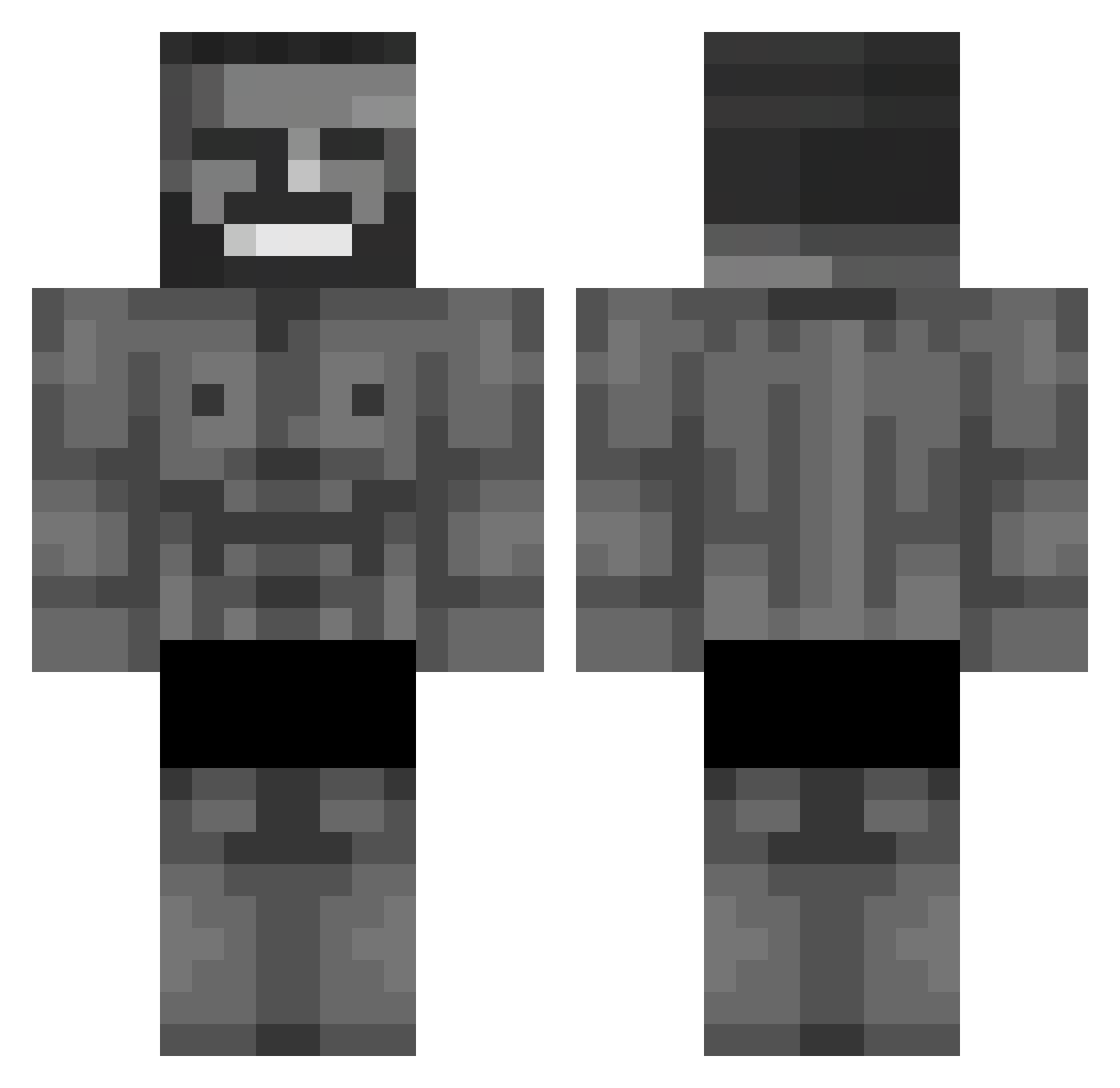
Current Minecraft skin of the player umitkarasogut, loaded from the official Mojang API. Rotate the 3D model with your mouse or finger, then download the skin as a PNG file and use it in Minecraft: Bedrock Edition or Java Edition for free. When umitkarasogut changes their skin, this page updates automatically and the old skin stays in the history below.
Other players with this skin (568)
umitkarasogut was the 267th player we have seen with this skin, first spotted on 05.09.2026. The same skin was seen on these players. Open a nickname to see their current skin and skin history.
 Gabriz0w0z
 The_Punisher__ erbindet KlemensTenBob ch1xpix Pae2wynn Faiz0713 Volatin7 Danmik5589 LeshchfX Yigitaslan28 mmgsalih ATKenan avrg_life_enjoyr Sag1 _Barp Meijster JohnSmith564 TheBloodiestSack Jumeaux10 Drowexx hijophi Swoern Archibin egosmados EdzBro ayaaaann DrazoxBABA armgn99 AoniXxXx Reychenx tibet31 woody_34 sebax94 VictorLanca furkwn06 GayMaster007 CBra187 beton__ PinkGuy69420 VitalSafaryBraz giuseppeCoo Nillesis Jogadorlocks Mrtoasty69 Sirocopor CyloneDuels myst5ri0us Kanenan2002 AR3Sl LmaoSimpXD Zodon75 Wojatus ShrimpDiqq Flametague Bluewonn
 mastidrak007 Ryzeni misterairfryer Flopper228
More Gigachad Minecraft skins
How to install the umitkarasogut skin
- Press the Download button above to save the skin as a PNG file.
- Minecraft: Bedrock Edition (PE): open the Dressing Room from the main menu (or tap your character → Edit Character), go to Classic Skins → Owned, press the + (new skin) button, choose the downloaded PNG and pick the Classic (Steve) model. Works on PC and mobile; consoles cannot import custom skins.
- Minecraft: Java Edition: open the Minecraft Launcher, go to the Skins tab, click New Skin, load the PNG, pick the Classic (Steve) model and press Save & Use. You can also upload it at minecraft.net → Profile → Change Skin.
The skin does not show up after import - what should I do?
Restart Minecraft and open the Dressing Room again - imported skins sometimes appear only after a restart. Also make sure you selected the imported skin and picked the Classic (Steve) model.
Which model should I choose, Classic or Slim?
This skin is designed for the Classic (Steve) model. If you pick the wrong model, the arms of the skin will look stretched or squeezed.
Is the skin of umitkarasogut free to download?
Yes. Press Download, save the PNG file and use it in Minecraft: Bedrock Edition or Java Edition - no payment or registration needed. The skin also works on multiplayer servers and Realms.
More skins
Looking for more? Go back to all Minecraft skins and check the top skins of the week, month and all time, or find any player's skin by nickname.