
tyronebiggum34 - Minecraft Skins & Skin History
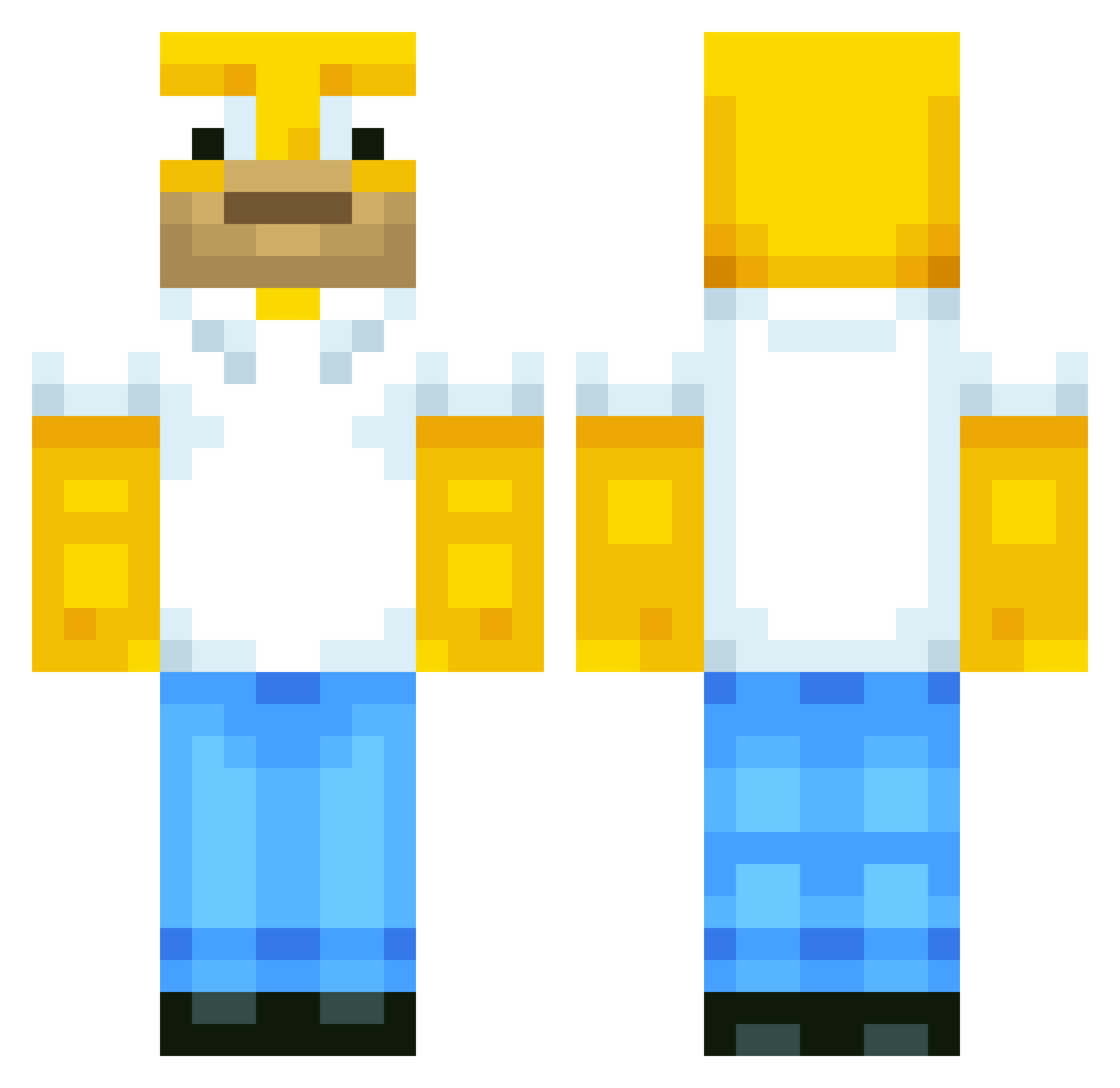
Current Minecraft skin of the player tyronebiggum34, loaded from the official Mojang API. Rotate the 3D model with your mouse or finger, then download the skin as a PNG file and use it in Minecraft: Bedrock Edition or Java Edition for free. When tyronebiggum34 changes their skin, this page updates automatically and the old skin stays in the history below.
Other players with this skin (749)
tyronebiggum34 was the 688th player we have seen with this skin, first spotted on 10.11.2026. The same skin was seen on these players. Open a nickname to see their current skin and skin history.
 ghq123123 Komayashi05 jagreeene Brainspawn Softis31 DragonTrx littleanimegirl3 Primal13 SORN__000 MINICORDOBA dkbrill Vaibhav Hudbud6404 AARONSDADDY Jus10K_ Deno2143 OhhZut Vallebooi Smebjulak TanTheJester Caguqi zuaq Markus1980 HomerJSimpson510 linbinday MrFojel RS_Ellis ExternalYelu JaxenFatten Sn3akybytrayd3r kylewild xx_DADDYJOKER_xx Da_PotatoGeneral FujitaNicotin MuLUL KidoJeff arabator lee4net GrindDaddy davidutanx OCDtassy killercomjapan Sekeno itshoop rocketnode Cista_plena ivanbratlood ggonzalez1630 YoyoLst HandsomeP3rson Rgorayb RRFSpeaker Shaazyy_ xLyce rogio82 darkligon CemreKsdmr FLOUURENT Riky03 KimJeongSeon
More Homer Simpson Minecraft skins
See all 345 Homer Simpson skins
How to install the tyronebiggum34 skin
- Press the Download button above to save the skin as a PNG file.
- Minecraft: Bedrock Edition (PE): open the Dressing Room from the main menu (or tap your character → Edit Character), go to Classic Skins → Owned, press the + (new skin) button, choose the downloaded PNG and pick the Classic (Steve) model. Works on PC and mobile; consoles cannot import custom skins.
- Minecraft: Java Edition: open the Minecraft Launcher, go to the Skins tab, click New Skin, load the PNG, pick the Classic (Steve) model and press Save & Use. You can also upload it at minecraft.net → Profile → Change Skin.
The skin does not show up after import - what should I do?
Restart Minecraft and open the Dressing Room again - imported skins sometimes appear only after a restart. Also make sure you selected the imported skin and picked the Classic (Steve) model.
Which model should I choose, Classic or Slim?
This skin is designed for the Classic (Steve) model. If you pick the wrong model, the arms of the skin will look stretched or squeezed.
Is the skin of tyronebiggum34 free to download?
Yes. Press Download, save the PNG file and use it in Minecraft: Bedrock Edition or Java Edition - no payment or registration needed. The skin also works on multiplayer servers and Realms.
More skins
Looking for more? Go back to all Minecraft skins and check the top skins of the week, month and all time, or find any player's skin by nickname.