
tuymo - Minecraft Skins & Skin History
Current Minecraft skin of the player tuymo, loaded from the official Mojang API. Rotate the 3D model with your mouse or finger, then download the skin as a PNG file and use it in Minecraft: Bedrock Edition or Java Edition for free. When tuymo changes their skin, this page updates automatically and the old skin stays in the history below.
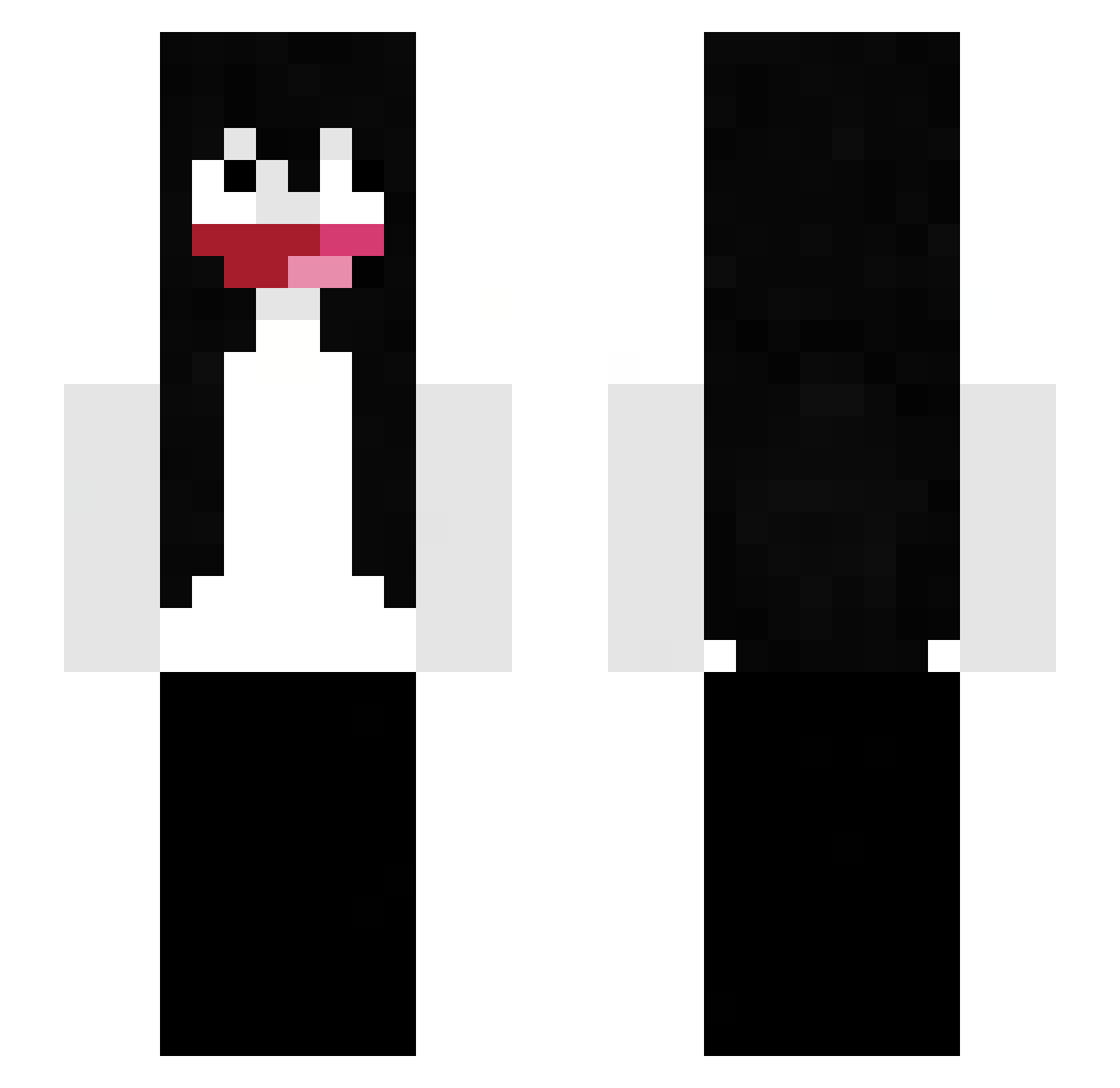
Other players with this skin (72)
tuymo was the 11th player we have seen with this skin, first spotted on 07.08.2026. The same skin was seen on these players. Open a nickname to see their current skin and skin history.
 evresince HeckirLiebert ISMAL2005 wiktuss_
 BabyLottie prettiestdead
 bnzin7bw
 resiliencex _Ni4miec bakunluver Vadm02 6ennis somedudelol123 freeduwap Voiderm
 qrhz Not_DemonRuby eclipsadas NuranaIsFat SaNLoves762
 qeex0 boskizigolo33 neonzito
 vmwares Tigerek000
 anutexx Afastado
 recalcitrance SonyaNurse Legit_gamer__ porselene sinnisdada GAGAGA244 24zee NotDoMine FouteBul mykel242 453k_ letmesweep AspectOfTheBeach querochocolexx chillamonk fortniteprogod1 FilpeMonoRusso scjxg tobvv Sektorp lxiu 5clu __M1key__ aandra7 ildiamondkid Kuki_95 HybridThe0ry bwtnn wrsp0 stampellah idkidklolol Zachariusz NeronGang
More Jeff The Killer Minecraft skins
See all 82 Jeff The Killer skins
How to install the tuymo skin
- Press the Download button above to save the skin as a PNG file.
- Minecraft: Bedrock Edition (PE): open the Dressing Room from the main menu (or tap your character → Edit Character), go to Classic Skins → Owned, press the + (new skin) button, choose the downloaded PNG and pick the Slim (Alex) model. Works on PC and mobile; consoles cannot import custom skins.
- Minecraft: Java Edition: open the Minecraft Launcher, go to the Skins tab, click New Skin, load the PNG, pick the Slim (Alex) model and press Save & Use. You can also upload it at minecraft.net → Profile → Change Skin.
The skin does not show up after import - what should I do?
Restart Minecraft and open the Dressing Room again - imported skins sometimes appear only after a restart. Also make sure you selected the imported skin and picked the Slim (Alex) model.
Which model should I choose, Classic or Slim?
This skin is designed for the Slim (Alex) model. If you pick the wrong model, the arms of the skin will look stretched or squeezed.
Is the skin of tuymo free to download?
Yes. Press Download, save the PNG file and use it in Minecraft: Bedrock Edition or Java Edition - no payment or registration needed. The skin also works on multiplayer servers and Realms.
More skins
Looking for more? Go back to all Minecraft skins and check the top skins of the week, month and all time, or find any player's skin by nickname.