
trollVesting - Minecraft Skins & Skin History
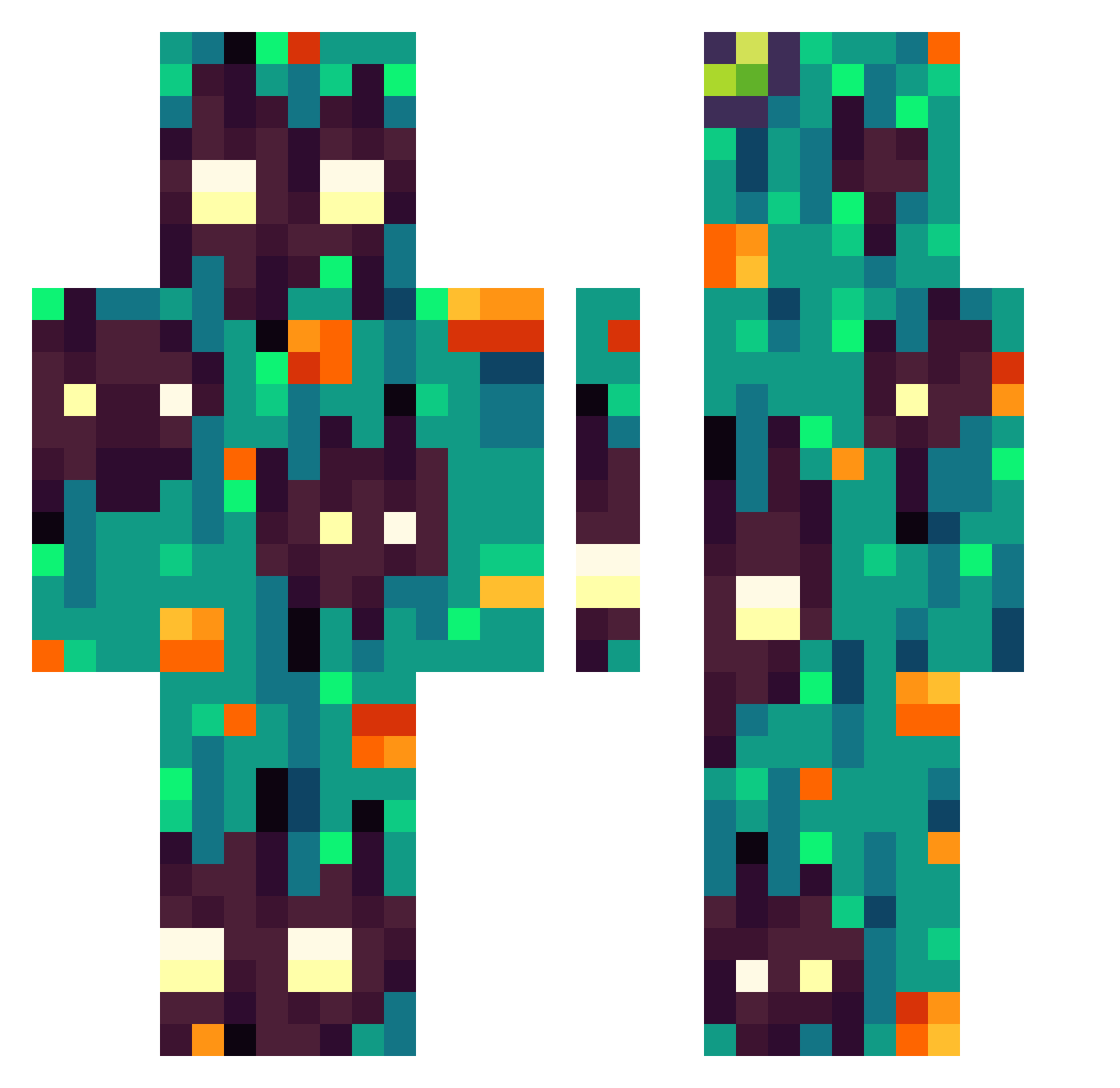
Current Minecraft skin of the player trollVesting, loaded from the official Mojang API. Rotate the 3D model with your mouse or finger, then download the skin as a PNG file and use it in Minecraft: Bedrock Edition or Java Edition for free. When trollVesting changes their skin, this page updates automatically and the old skin stays in the history below.
Other players with this skin (303)
trollVesting was the 193rd player we have seen with this skin, first spotted on 02.10.2026. The same skin was seen on these players. Open a nickname to see their current skin and skin history.
 Lupyyn example_player majer13 minimook12 Cleopar hoamay Fenrir_99 marcinhu re_LOCK CRCK2892 Birdmoose Raleman22 TheKillerProGTP Majitok TheRogra mmj1166 sopa_de_papaya fussboden Fosforan Klasslord regalaer MonsieurSynn grry_fst sadra21151 LIXETT Gallitofast DoomFather3 Maximus194 bauttti Santi_UwU7 EcorceChomeuse TGN_CD04J Kuris27 Ephixi ___Weekend___ DreaZzy57 JesusChristmas pdepan javaaigo PAOLO_THANOS NoBody__cares Sealama DarckSunn medovy Jani2005 7ENQIU DeusXXvi Dru2D Ellioth09 ChonkusCharlie DeNIs0868 Winner9000 WGotier Prir0da Tibieos HavanaDude_ Mooblah eCigar silly_weko Kagayaku02
How to install the trollVesting skin
- Press the Download button above to save the skin as a PNG file.
- Minecraft: Bedrock Edition (PE): open the Dressing Room from the main menu (or tap your character → Edit Character), go to Classic Skins → Owned, press the + (new skin) button, choose the downloaded PNG and pick the Classic (Steve) model. Works on PC and mobile; consoles cannot import custom skins.
- Minecraft: Java Edition: open the Minecraft Launcher, go to the Skins tab, click New Skin, load the PNG, pick the Classic (Steve) model and press Save & Use. You can also upload it at minecraft.net → Profile → Change Skin.
The skin does not show up after import - what should I do?
Restart Minecraft and open the Dressing Room again - imported skins sometimes appear only after a restart. Also make sure you selected the imported skin and picked the Classic (Steve) model.
Which model should I choose, Classic or Slim?
This skin is designed for the Classic (Steve) model. If you pick the wrong model, the arms of the skin will look stretched or squeezed.
Is the skin of trollVesting free to download?
Yes. Press Download, save the PNG file and use it in Minecraft: Bedrock Edition or Java Edition - no payment or registration needed. The skin also works on multiplayer servers and Realms.
More skins
Looking for more? Go back to all Minecraft skins and check the top skins of the week, month and all time, or find any player's skin by nickname.