
trexdragon33 - Minecraft Skins & Skin History
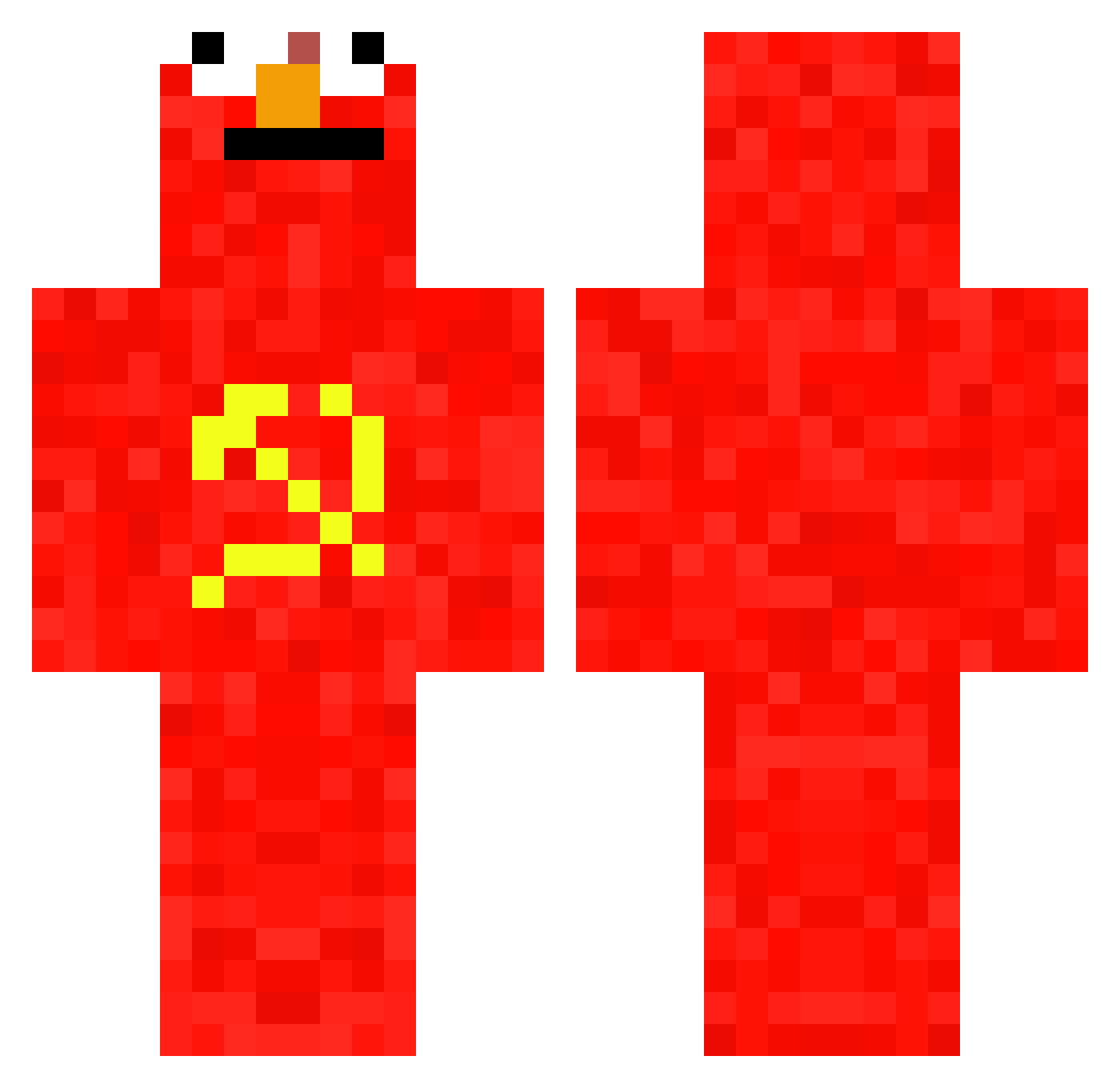
Current Minecraft skin of the player trexdragon33, loaded from the official Mojang API. Rotate the 3D model with your mouse or finger, then download the skin as a PNG file and use it in Minecraft: Bedrock Edition or Java Edition for free. When trexdragon33 changes their skin, this page updates automatically and the old skin stays in the history below.
Other players with this skin (697)
trexdragon33 was the 317th player we have seen with this skin, first spotted on 12.09.2026. The same skin was seen on these players. Open a nickname to see their current skin and skin history.
 falo_minecraft RaG3_Axo Dean_H ertzuiop21 BenjiFrankie SUPER_ASAF17 MrClanka Cleaba tabakpoesie tomasr_jh8 Oga_Boga ThePeachDaddy CHERUB_07 JognBlyego ClownHAHA Crabado VergiliusLAND Faillu bigsami04 JCKING Kandice69 DucTheo78 SpreadBench2309 FoollaOvejas anando97 NotAHoboSmh Agno_ add0161 Secret7575 DARKNESS_EXXIDAE ricomchelli Krat0ss6196 Frafro Burye TrentWilbert88 Iloveyarasthigh Elizardo28_ Al3ks187 kl1ngs Furia05 AntiSocialGxbe Fidoxxgaming FinallyJorge Schmirian ElChamu33 Visca001 MuMble_JuMble Motion1234569 Imperatore_Pingu MintyMan69 Graabazz nnaash_ Mavi0711 SN444 KartoffelSchaf ASULSENSUAL ASMR_Andrea LuciLanz Adri336 notyournoob17
More Communist Minecraft skins
How to install the trexdragon33 skin
- Press the Download button above to save the skin as a PNG file.
- Minecraft: Bedrock Edition (PE): open the Dressing Room from the main menu (or tap your character → Edit Character), go to Classic Skins → Owned, press the + (new skin) button, choose the downloaded PNG and pick the Classic (Steve) model. Works on PC and mobile; consoles cannot import custom skins.
- Minecraft: Java Edition: open the Minecraft Launcher, go to the Skins tab, click New Skin, load the PNG, pick the Classic (Steve) model and press Save & Use. You can also upload it at minecraft.net → Profile → Change Skin.
The skin does not show up after import - what should I do?
Restart Minecraft and open the Dressing Room again - imported skins sometimes appear only after a restart. Also make sure you selected the imported skin and picked the Classic (Steve) model.
Which model should I choose, Classic or Slim?
This skin is designed for the Classic (Steve) model. If you pick the wrong model, the arms of the skin will look stretched or squeezed.
Is the skin of trexdragon33 free to download?
Yes. Press Download, save the PNG file and use it in Minecraft: Bedrock Edition or Java Edition - no payment or registration needed. The skin also works on multiplayer servers and Realms.
More skins
Looking for more? Go back to all Minecraft skins and check the top skins of the week, month and all time, or find any player's skin by nickname.