
traquia1 - Minecraft Skins & Skin History
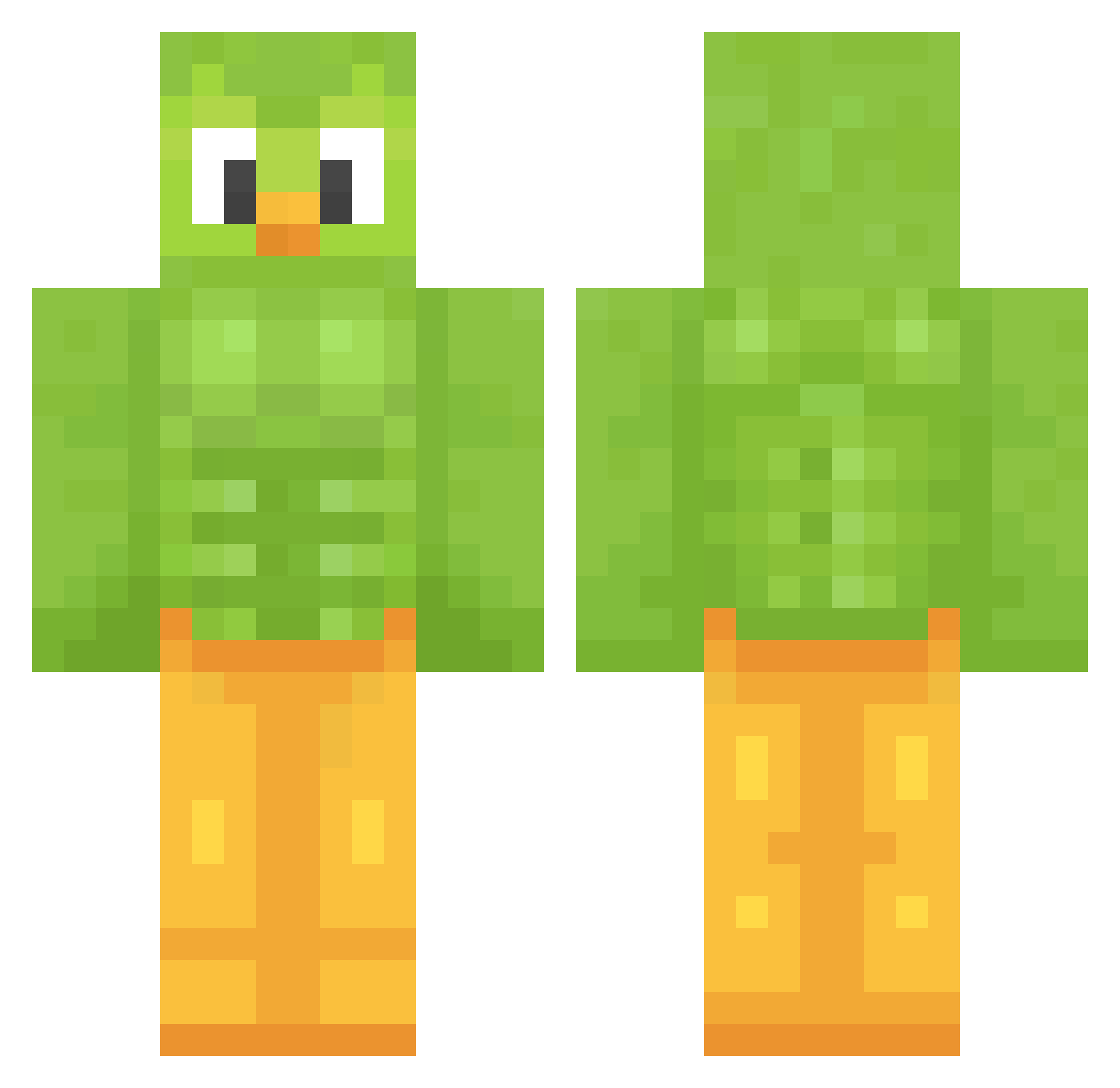
Current Minecraft skin of the player traquia1, loaded from the official Mojang API. Rotate the 3D model with your mouse or finger, then download the skin as a PNG file and use it in Minecraft: Bedrock Edition or Java Edition for free. When traquia1 changes their skin, this page updates automatically and the old skin stays in the history below.
Other players with this skin (1208)
traquia1 was the 902nd player we have seen with this skin, first spotted on 07.10.2026. The same skin was seen on these players. Open a nickname to see their current skin and skin history.
 LittleGunny7 MumzyClumzy1 Crocpot_ Nikola233 Fxschy13 the_black_cat826 JustVibbing PurpleKeyt_ Gabo_o666 kiermeki virgulaponto Sh_vahe CumGorilla CrazyOut vishotorain AIXest KiwiBirdd tawan8899 PichoBlack sstier Frosty_A SUNPlay721 MaoGandhi lucasrovere ReMax_111 bunnix778 bsimples Alyhisa CharChar_Binks29 caboma SpikeCatEX Sunnymountain2k HondaCivic_Sport GoreHawk25 silklings Julius171 BrunitoM16 Basmaille KErMITEEEEEEE Ubul69 Pinsel53 DadsMad2626 kappancrvnch Garcia412 JuniorLeaf6252 CoffeeBandit Ketaexperte turtlesrcool5344 duckieduck34655 Elissa99 puckloves EndlesslyS2 Dogz_2 abyhallway Ludvigthewizard Samster12 twngo Midwife4 barkor832 ItzPoob
More Duo Minecraft skins
How to install the traquia1 skin
- Press the Download button above to save the skin as a PNG file.
- Minecraft: Bedrock Edition (PE): open the Dressing Room from the main menu (or tap your character → Edit Character), go to Classic Skins → Owned, press the + (new skin) button, choose the downloaded PNG and pick the Classic (Steve) model. Works on PC and mobile; consoles cannot import custom skins.
- Minecraft: Java Edition: open the Minecraft Launcher, go to the Skins tab, click New Skin, load the PNG, pick the Classic (Steve) model and press Save & Use. You can also upload it at minecraft.net → Profile → Change Skin.
The skin does not show up after import - what should I do?
Restart Minecraft and open the Dressing Room again - imported skins sometimes appear only after a restart. Also make sure you selected the imported skin and picked the Classic (Steve) model.
Which model should I choose, Classic or Slim?
This skin is designed for the Classic (Steve) model. If you pick the wrong model, the arms of the skin will look stretched or squeezed.
Is the skin of traquia1 free to download?
Yes. Press Download, save the PNG file and use it in Minecraft: Bedrock Edition or Java Edition - no payment or registration needed. The skin also works on multiplayer servers and Realms.
More skins
Looking for more? Go back to all Minecraft skins and check the top skins of the week, month and all time, or find any player's skin by nickname.