
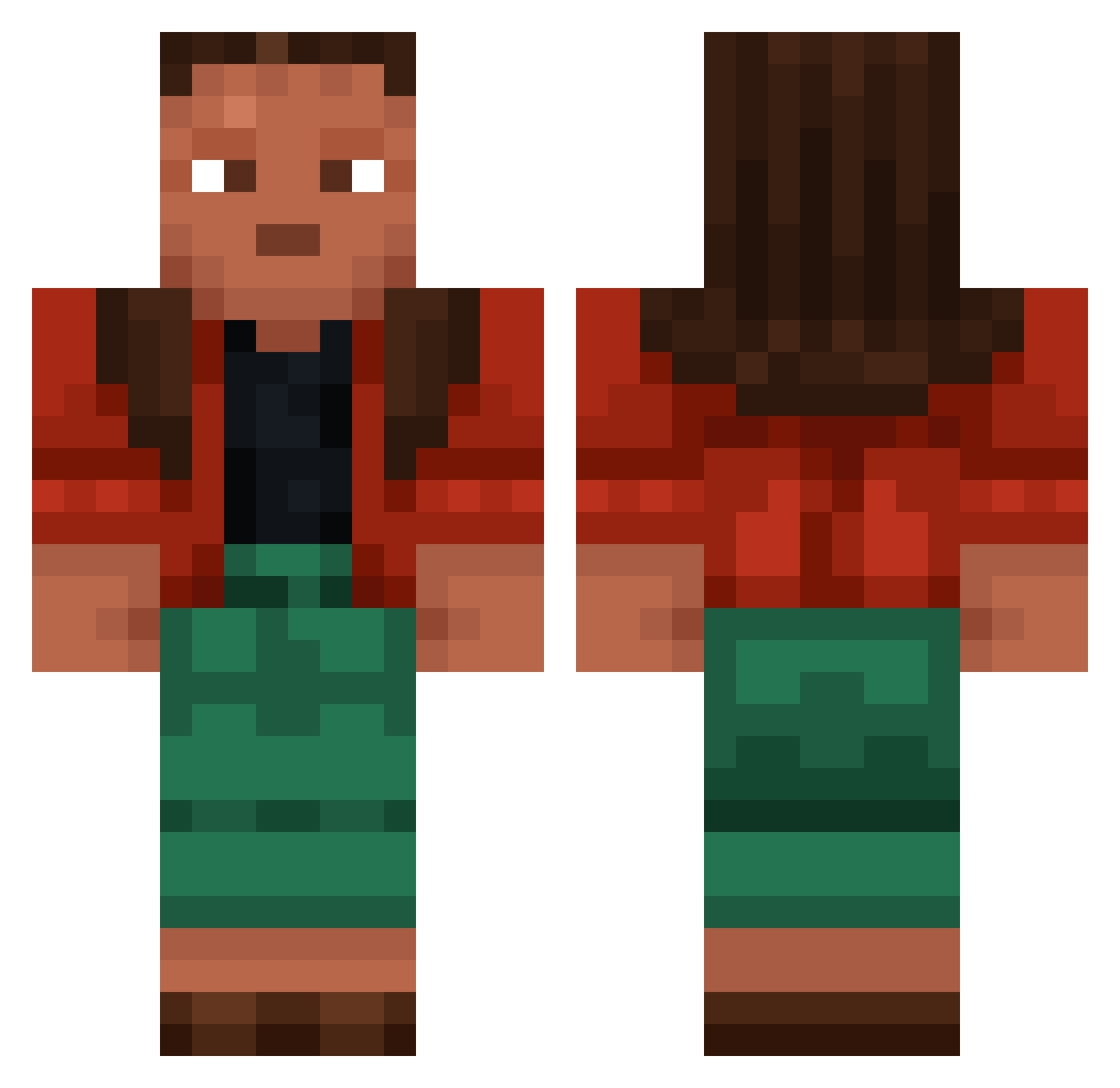
Current Minecraft skin of the player toxicmilch7, loaded from the official Mojang API. Rotate the 3D model with your mouse or finger, then download the skin as a PNG file and use it in Minecraft: Bedrock Edition or Java Edition for free. When toxicmilch7 changes their skin, this page updates automatically and the old skin stays in the history below.
Other players with this skin (765)
toxicmilch7 was the 256th player we have seen with this skin, first spotted on 24.08.2026. The same skin was seen on these players. Open a nickname to see their current skin and skin history.
 muhmine FlowingLava3 Lytta idraa sir_qnetis ThatRingerBoy Kodaqk Derives NumptyFuxxs_XB1 Klondiker Kishen UFObiubiubiu strpwfl magssssss AlexTheAsexual Syllabogram ImKwitch Duits MvstaphaLaRafale megalopolis Wexl412 DarkCiksy DerTypVonKerl Renzo0916 Bra1nDe4d StupidApril Mandala Transistors Enveloper Distad ANalogise Metronomically zamorin rewing f4b1an0 KACPERTOST28 Japans LoveU3014 Unscoped VIII Convicting Arab TrInes Theophania N33DL3 TopKills_ Paulitho TheToxicKiller Pasquino cyanol SneakySnake19 Phenoxybenzamine imperatrice tiffle Subtilist PrimalRhino12748 tanzanite meaningness Dr1g3nigh7 sillytilly_smith
More Moana Minecraft skins
How to install the toxicmilch7 skin
- Press the Download button above to save the skin as a PNG file.
- Minecraft: Bedrock Edition (PE): open the Dressing Room from the main menu (or tap your character → Edit Character), go to Classic Skins → Owned, press the + (new skin) button, choose the downloaded PNG and pick the Classic (Steve) model. Works on PC and mobile; consoles cannot import custom skins.
- Minecraft: Java Edition: open the Minecraft Launcher, go to the Skins tab, click New Skin, load the PNG, pick the Classic (Steve) model and press Save & Use. You can also upload it at minecraft.net → Profile → Change Skin.
The skin does not show up after import - what should I do?
Restart Minecraft and open the Dressing Room again - imported skins sometimes appear only after a restart. Also make sure you selected the imported skin and picked the Classic (Steve) model.
Which model should I choose, Classic or Slim?
This skin is designed for the Classic (Steve) model. If you pick the wrong model, the arms of the skin will look stretched or squeezed.
Is the skin of toxicmilch7 free to download?
Yes. Press Download, save the PNG file and use it in Minecraft: Bedrock Edition or Java Edition - no payment or registration needed. The skin also works on multiplayer servers and Realms.
More skins
Looking for more? Go back to all Minecraft skins and check the top skins of the week, month and all time, or find any player's skin by nickname.