
toast_45 - Minecraft Skins & Skin History
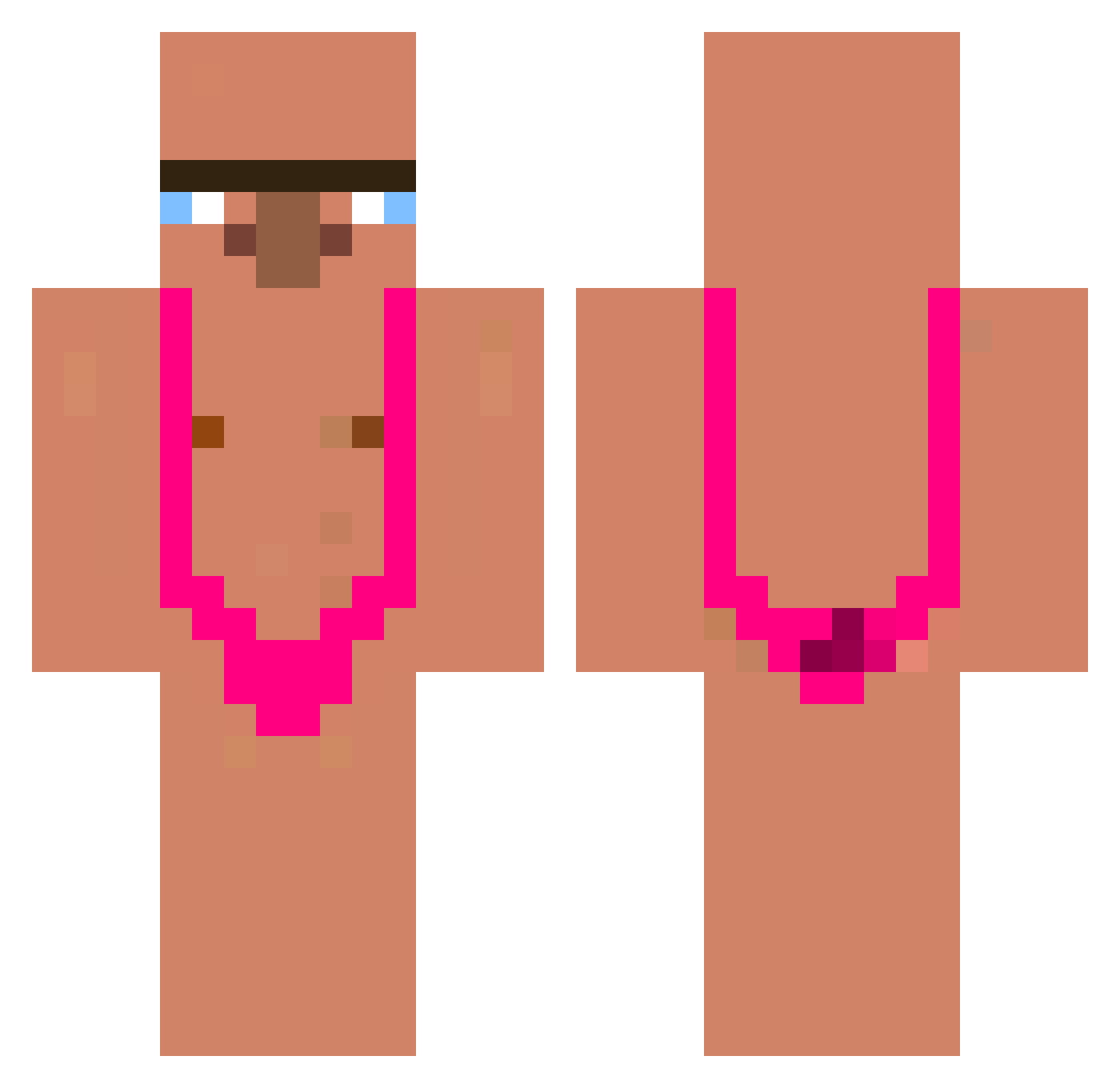
Current Minecraft skin of the player toast_45, loaded from the official Mojang API. Rotate the 3D model with your mouse or finger, then download the skin as a PNG file and use it in Minecraft: Bedrock Edition or Java Edition for free. When toast_45 changes their skin, this page updates automatically and the old skin stays in the history below.
Other players with this skin (340)
toast_45 was the 143rd player we have seen with this skin, first spotted on 07.09.2026. The same skin was seen on these players. Open a nickname to see their current skin and skin history.
 jbm1370 xXHA07Xx Ghost_Cxnrr Sekkiz98 farannone_ _Michii_ ZaxarFeeD13 MatejProchy22 Xiaowei666999 Darioxz45 itsdinopack gaastee cutenohair EmperorRed0 importal52 do0ak maurivm TimoRM oilsalt Sanstreker980 Zoomss SNIPZO killer14_te_mea Mister_Lecki eBola19 mrsDigit NUKZzzz HOUZZANG binarosauris Rugaz611 Szajna420 xdeificlynx niccoco terminator10g Sprenkelkatze07 TXONDAY Broski8683 Samudrk fraci007 Its_DogMan10 protintaker Flaannn teoperinz Brett12018 Maayan16 Akerist PietroZanardi Nagumar blxvxpe TheMarkonade Nieli2008 alexiuuussss_ OGADOG55 Kob1r adri2K Maruo125 yphj456 Dennisistcool sjonniestelt _Yeori
More Mankini Minecraft skins
How to install the toast_45 skin
- Press the Download button above to save the skin as a PNG file.
- Minecraft: Bedrock Edition (PE): open the Dressing Room from the main menu (or tap your character → Edit Character), go to Classic Skins → Owned, press the + (new skin) button, choose the downloaded PNG and pick the Classic (Steve) model. Works on PC and mobile; consoles cannot import custom skins.
- Minecraft: Java Edition: open the Minecraft Launcher, go to the Skins tab, click New Skin, load the PNG, pick the Classic (Steve) model and press Save & Use. You can also upload it at minecraft.net → Profile → Change Skin.
The skin does not show up after import - what should I do?
Restart Minecraft and open the Dressing Room again - imported skins sometimes appear only after a restart. Also make sure you selected the imported skin and picked the Classic (Steve) model.
Which model should I choose, Classic or Slim?
This skin is designed for the Classic (Steve) model. If you pick the wrong model, the arms of the skin will look stretched or squeezed.
Is the skin of toast_45 free to download?
Yes. Press Download, save the PNG file and use it in Minecraft: Bedrock Edition or Java Edition - no payment or registration needed. The skin also works on multiplayer servers and Realms.
More skins
Looking for more? Go back to all Minecraft skins and check the top skins of the week, month and all time, or find any player's skin by nickname.