
tnr__ - Minecraft Skins & Skin History
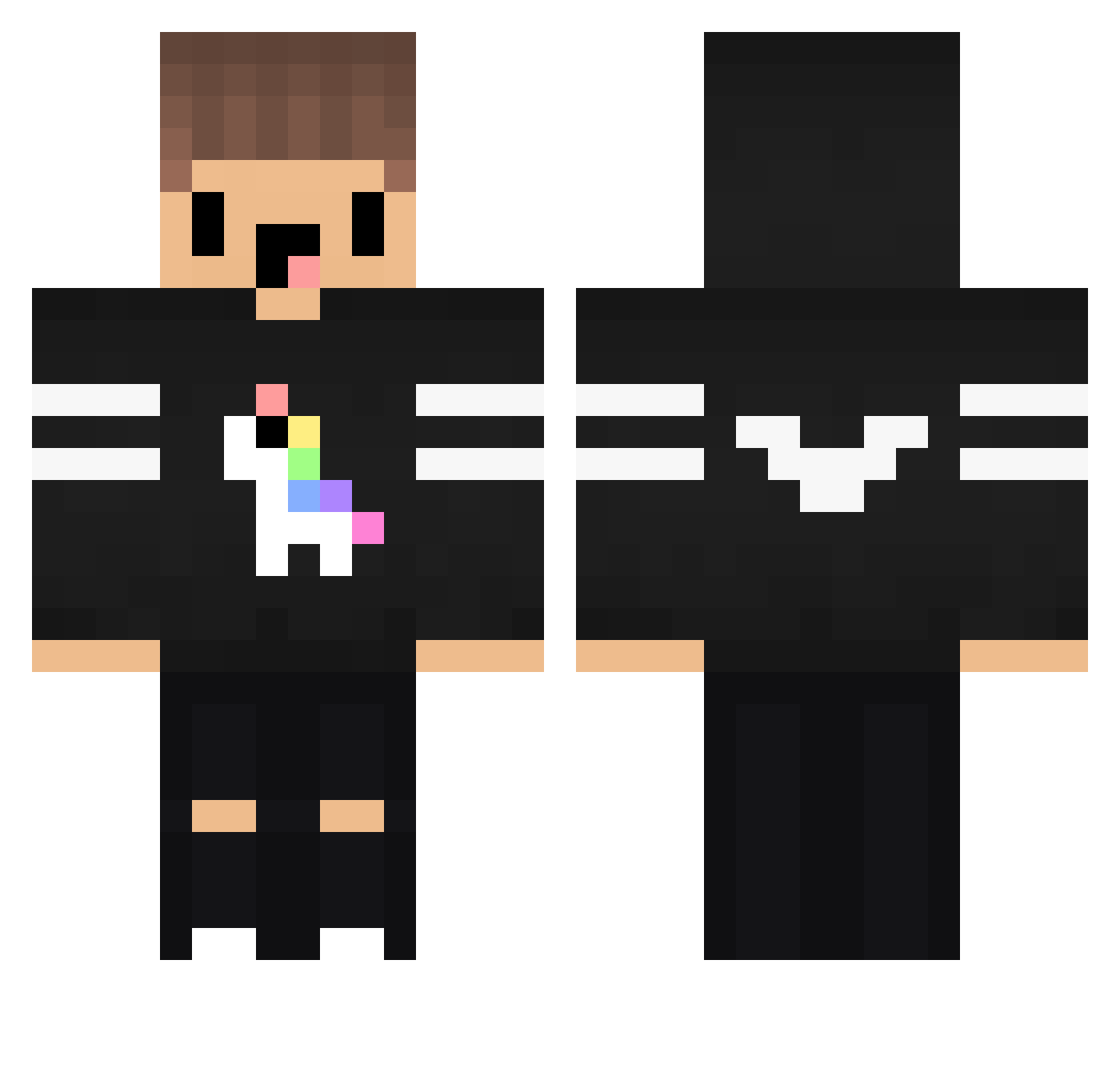
Current Minecraft skin of the player tnr__, loaded from the official Mojang API. Rotate the 3D model with your mouse or finger, then download the skin as a PNG file and use it in Minecraft: Bedrock Edition or Java Edition for free. When tnr__ changes their skin, this page updates automatically and the old skin stays in the history below.
Other players with this skin (143)
tnr__ was the 132nd player we have seen with this skin, first spotted on 11.11.2026. The same skin was seen on these players. Open a nickname to see their current skin and skin history.
 Mahmoudat8hy manu19_pro maca_108 Chaaristi X16KVE wetheiser derpykid69 Erenimsi iGizmoTheUni kaue1145 acorty96 KrychaxX mclovin_001 Night_9453 RUSSIANKIDS Ciambi31 Slayer1702 ThexXxFactor Pinki666 skyfloxi flobrego AlexGamer00 MIrolow _21CPS JustTubbo Zepstars Finnek snowstar250250 Cicho_Ciemny69 SevensTry killergame6548 _MakoMC_ KingSabag5 Weanmantingsei ZluckyPT YuciY RalphLauren_ M45E PodlaskiGangster Sqilense yourBallsStink_ Lukkasss _Zunic 0_Master_0 iNCnOObZ Ragnar_lodbroc JemappelleBeauK SzymekMaister DanielSiebenNeun Bugray04 Killedgxd Kazzynn Sandring_ AliceProudmoore ZeyDot SK1TLES69 MURGIA BigAuntBetty aiomw e__p
More Unicorn Minecraft skins
How to install the tnr__ skin
- Press the Download button above to save the skin as a PNG file.
- Minecraft: Bedrock Edition (PE): open the Dressing Room from the main menu (or tap your character → Edit Character), go to Classic Skins → Owned, press the + (new skin) button, choose the downloaded PNG and pick the Classic (Steve) model. Works on PC and mobile; consoles cannot import custom skins.
- Minecraft: Java Edition: open the Minecraft Launcher, go to the Skins tab, click New Skin, load the PNG, pick the Classic (Steve) model and press Save & Use. You can also upload it at minecraft.net → Profile → Change Skin.
The skin does not show up after import - what should I do?
Restart Minecraft and open the Dressing Room again - imported skins sometimes appear only after a restart. Also make sure you selected the imported skin and picked the Classic (Steve) model.
Which model should I choose, Classic or Slim?
This skin is designed for the Classic (Steve) model. If you pick the wrong model, the arms of the skin will look stretched or squeezed.
Is the skin of tnr__ free to download?
Yes. Press Download, save the PNG file and use it in Minecraft: Bedrock Edition or Java Edition - no payment or registration needed. The skin also works on multiplayer servers and Realms.
More skins
Looking for more? Go back to all Minecraft skins and check the top skins of the week, month and all time, or find any player's skin by nickname.