
timmyboyman11 - Minecraft Skins & Skin History
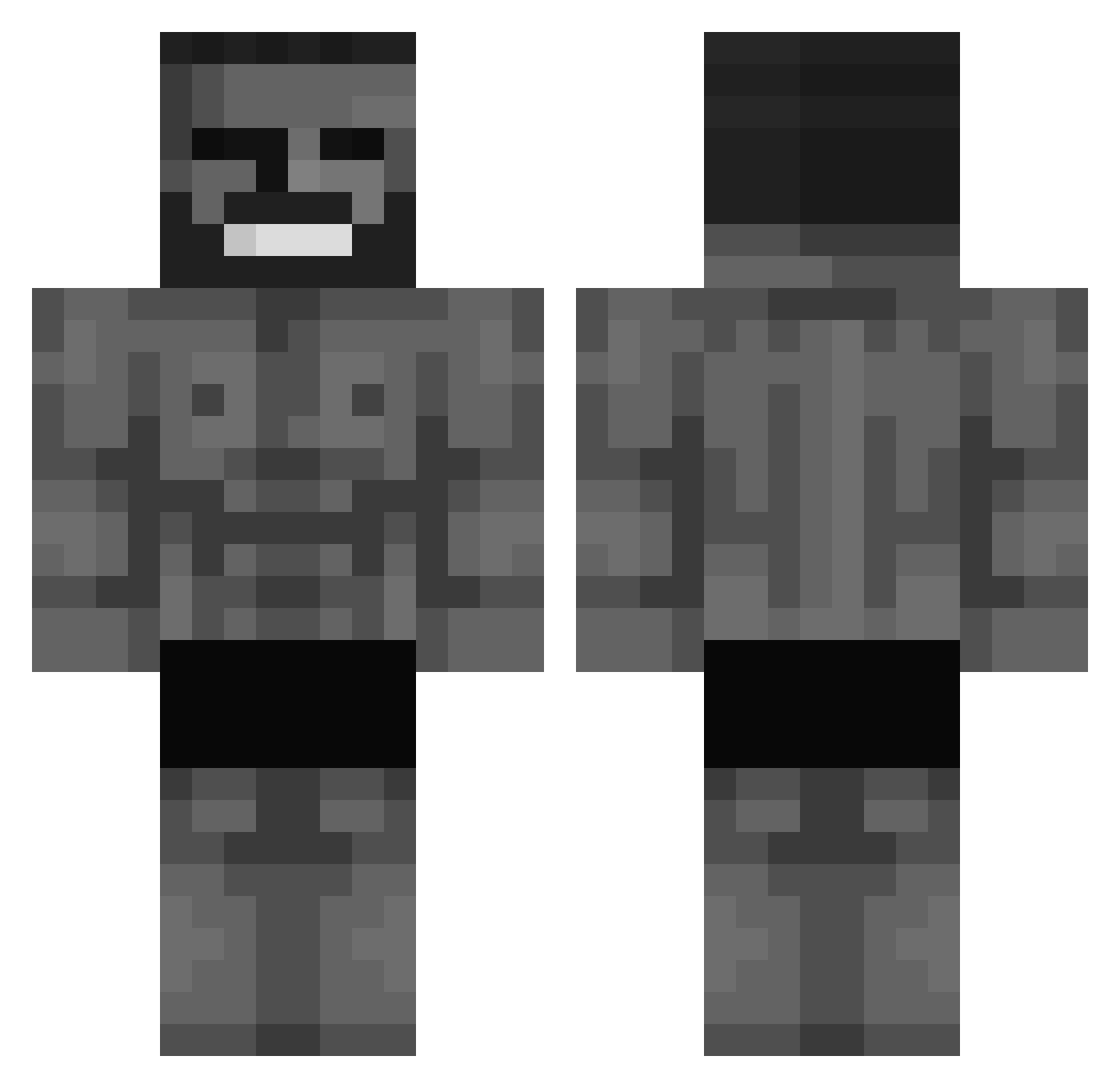
Current Minecraft skin of the player timmyboyman11, loaded from the official Mojang API. Rotate the 3D model with your mouse or finger, then download the skin as a PNG file and use it in Minecraft: Bedrock Edition or Java Edition for free. When timmyboyman11 changes their skin, this page updates automatically and the old skin stays in the history below.
Other players with this skin (572)
timmyboyman11 was the 105th player we have seen with this skin, first spotted on 13.08.2026. The same skin was seen on these players. Open a nickname to see their current skin and skin history.
 Yamagatchi File_Heater69 DigLC Y3K6 Aksind SickCyK69 SwkCrew GYYAAAAT _bl4zer
 sneakyAlex2022 ph0n1x234 LEON_BUCKS
 Lhyteriaa Pangucci Slasherbf Mimillebg Zwartepietpeter 4Kebab MehmetMetzger EvoliShangyu _Castiel_ WhoDidThat DANUX22 Sk_Tv22 Helecrest milksteack Midderwoo RoiLouie_ BarbaUnderground Armando_7 Qv1nti Okajotas heyitshayden8 RoyalRasil Timm_der_Grosse Kokovan_ HAO91 CHONKmcCHUNGUS gudeginga Fear3539 WeeTimking123 BreadPeet ghestp WRizz2 Teiki stormed_data Nekowl CaMangePadPain jlreconv2
 SupehWilly J0juno Nandooooo guidinho_ UlytisBronkytis RaidenLine _User1_exe SweeetyXD Josh____ MadKlark879 YuniGoo
More Gigachad Minecraft skins
How to install the timmyboyman11 skin
- Press the Download button above to save the skin as a PNG file.
- Minecraft: Bedrock Edition (PE): open the Dressing Room from the main menu (or tap your character → Edit Character), go to Classic Skins → Owned, press the + (new skin) button, choose the downloaded PNG and pick the Classic (Steve) model. Works on PC and mobile; consoles cannot import custom skins.
- Minecraft: Java Edition: open the Minecraft Launcher, go to the Skins tab, click New Skin, load the PNG, pick the Classic (Steve) model and press Save & Use. You can also upload it at minecraft.net → Profile → Change Skin.
The skin does not show up after import - what should I do?
Restart Minecraft and open the Dressing Room again - imported skins sometimes appear only after a restart. Also make sure you selected the imported skin and picked the Classic (Steve) model.
Which model should I choose, Classic or Slim?
This skin is designed for the Classic (Steve) model. If you pick the wrong model, the arms of the skin will look stretched or squeezed.
Is the skin of timmyboyman11 free to download?
Yes. Press Download, save the PNG file and use it in Minecraft: Bedrock Edition or Java Edition - no payment or registration needed. The skin also works on multiplayer servers and Realms.
More skins
Looking for more? Go back to all Minecraft skins and check the top skins of the week, month and all time, or find any player's skin by nickname.