
timmy_skippy - Minecraft Skins & Skin History
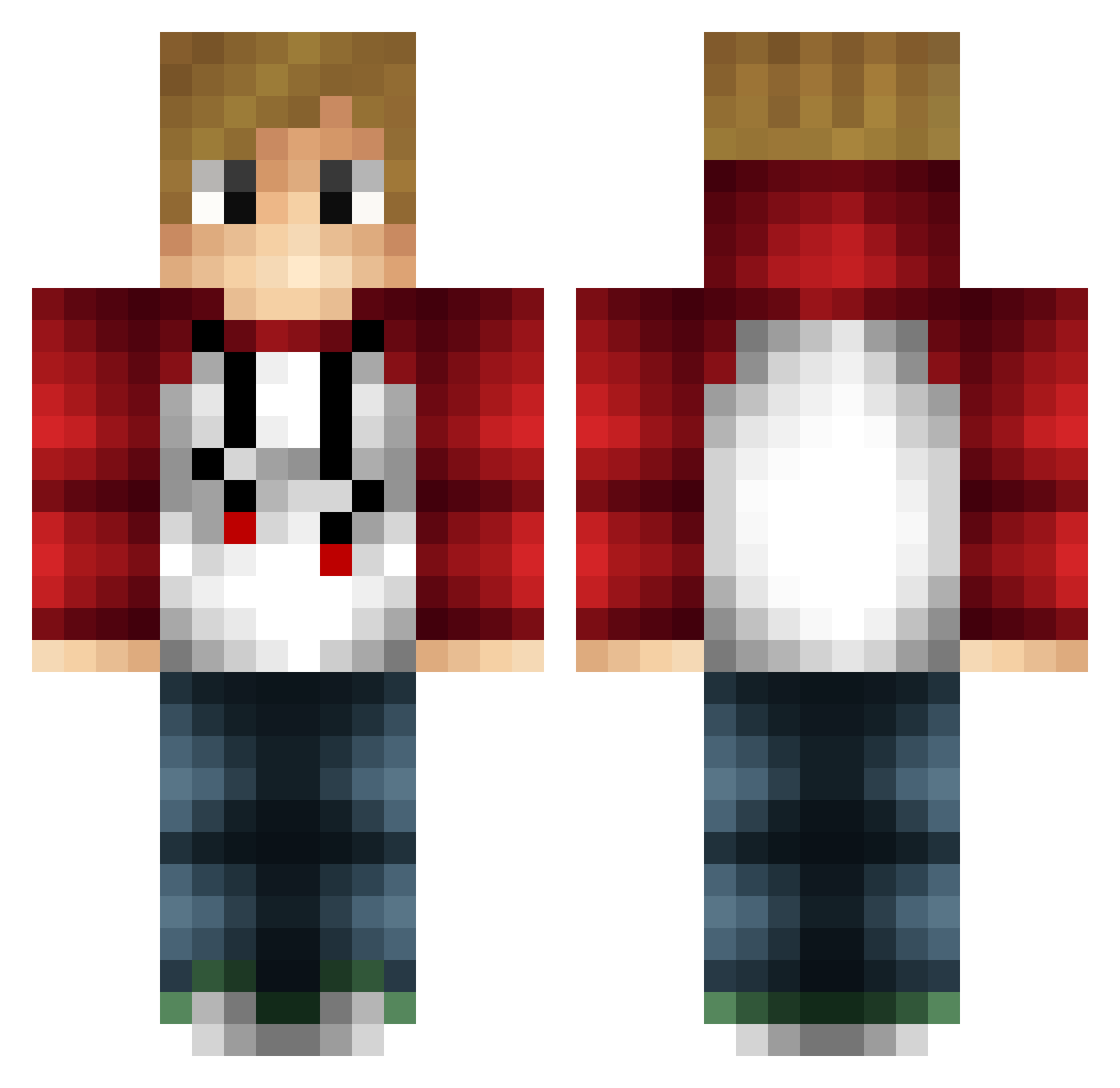
Current Minecraft skin of the player timmy_skippy, loaded from the official Mojang API. Rotate the 3D model with your mouse or finger, then download the skin as a PNG file and use it in Minecraft: Bedrock Edition or Java Edition for free. When timmy_skippy changes their skin, this page updates automatically and the old skin stays in the history below.
Other players with this skin (95)
timmy_skippy was the 89th player we have seen with this skin, first spotted on 12.10.2026. The same skin was seen on these players. Open a nickname to see their current skin and skin history.
 Elielolmoni_SA MRASMUSKOPP neetvohieu Imagine_Wagon96 gabrieloso29 Puggle516 karlie_layne Gabooon Garmak Rezzan704 Mikelo26 xivitopasmorsar PokeLP Kaitoblob ShaoTime1 PhilippeB2005 Hanki17 Mate1208 FranJaTZ Emiroo_ therealgliss MayhemNow Silverminer2005 DerMythe Nobody1896 Nicknation1996 Readltwice garffffff OldManFortran Veimund THEGIRTH101 TheDeivod __Yerin__ Lucifer_is TimTaylorX MaxBPressure BC_Rhymes Jbballin32 Yoloboyzzzz YYD_Haku Dthbca TDTplayzs DatSmolDood aditya1214 Sparring Harry_Ive NymaXD SykesRL arkadigo tonary SharkyGG MrPhilip08 Epicfireball123 ElrohirTheElf MegaSmasher Fireman_10 Beardedbubbles Jo4nP4l4u Bannerr JiggyGames
More Tubbo Minecraft skins
How to install the timmy_skippy skin
- Press the Download button above to save the skin as a PNG file.
- Minecraft: Bedrock Edition (PE): open the Dressing Room from the main menu (or tap your character → Edit Character), go to Classic Skins → Owned, press the + (new skin) button, choose the downloaded PNG and pick the Classic (Steve) model. Works on PC and mobile; consoles cannot import custom skins.
- Minecraft: Java Edition: open the Minecraft Launcher, go to the Skins tab, click New Skin, load the PNG, pick the Classic (Steve) model and press Save & Use. You can also upload it at minecraft.net → Profile → Change Skin.
The skin does not show up after import - what should I do?
Restart Minecraft and open the Dressing Room again - imported skins sometimes appear only after a restart. Also make sure you selected the imported skin and picked the Classic (Steve) model.
Which model should I choose, Classic or Slim?
This skin is designed for the Classic (Steve) model. If you pick the wrong model, the arms of the skin will look stretched or squeezed.
Is the skin of timmy_skippy free to download?
Yes. Press Download, save the PNG file and use it in Minecraft: Bedrock Edition or Java Edition - no payment or registration needed. The skin also works on multiplayer servers and Realms.
More skins
Looking for more? Go back to all Minecraft skins and check the top skins of the week, month and all time, or find any player's skin by nickname.