
timdragon07 - Minecraft Skins & Skin History
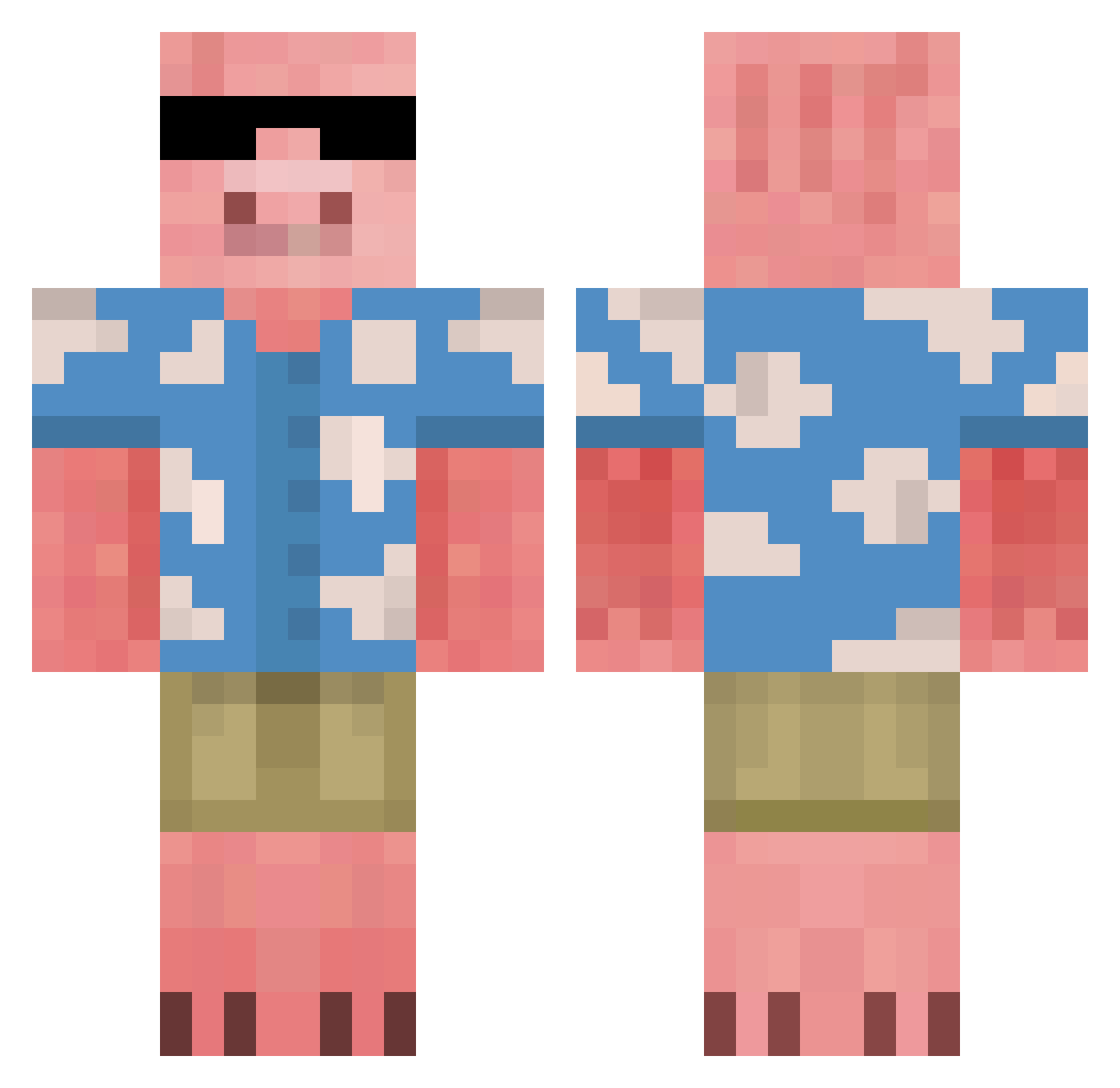
Current Minecraft skin of the player timdragon07, loaded from the official Mojang API. Rotate the 3D model with your mouse or finger, then download the skin as a PNG file and use it in Minecraft: Bedrock Edition or Java Edition for free. When timdragon07 changes their skin, this page updates automatically and the old skin stays in the history below.
Other players with this skin (677)
timdragon07 was the 449th player we have seen with this skin, first spotted on 04.10.2026. The same skin was seen on these players. Open a nickname to see their current skin and skin history.
 hochiminh_gaming Triffonow Hope4666 rlavkswns11 DiduXD ThePigomama Alan5416 GuyHawaiianShirt Mirek_exe_ CoconutJuice123 higemamire CrazyFrogXD DodgeRam201005 Naum0_0 hollowsleep Totik008 Toffanelly keyrrisonsantos Kachoo06 VizFal MOUFY5 Emixpin Mulaizer iTamer SOLDIERE4C MorfyHD_ sitrusfruit Gibban2011 Animalboy12 Gumwarsd HexxedRDX1 MrSlumps meeem4ik lpk0000 MisterStreams Garikum Tonaldice lmaolivia kund41ini blazisback Memp2 RandyBoJangles needsmore_garlic SoILidarity Satuchii Shesaidforever Dardek Eletro17 Tia114514 wanais ayunosuke4 BillyBenis Zazbie Forescik OBIONE666 Angens IMIKEYI NSI27 mgarcia2009 lubieplackir
More Piglin Minecraft skins
How to install the timdragon07 skin
- Press the Download button above to save the skin as a PNG file.
- Minecraft: Bedrock Edition (PE): open the Dressing Room from the main menu (or tap your character → Edit Character), go to Classic Skins → Owned, press the + (new skin) button, choose the downloaded PNG and pick the Classic (Steve) model. Works on PC and mobile; consoles cannot import custom skins.
- Minecraft: Java Edition: open the Minecraft Launcher, go to the Skins tab, click New Skin, load the PNG, pick the Classic (Steve) model and press Save & Use. You can also upload it at minecraft.net → Profile → Change Skin.
The skin does not show up after import - what should I do?
Restart Minecraft and open the Dressing Room again - imported skins sometimes appear only after a restart. Also make sure you selected the imported skin and picked the Classic (Steve) model.
Which model should I choose, Classic or Slim?
This skin is designed for the Classic (Steve) model. If you pick the wrong model, the arms of the skin will look stretched or squeezed.
Is the skin of timdragon07 free to download?
Yes. Press Download, save the PNG file and use it in Minecraft: Bedrock Edition or Java Edition - no payment or registration needed. The skin also works on multiplayer servers and Realms.
More skins
Looking for more? Go back to all Minecraft skins and check the top skins of the week, month and all time, or find any player's skin by nickname.