
tianma - Minecraft Skins & Skin History
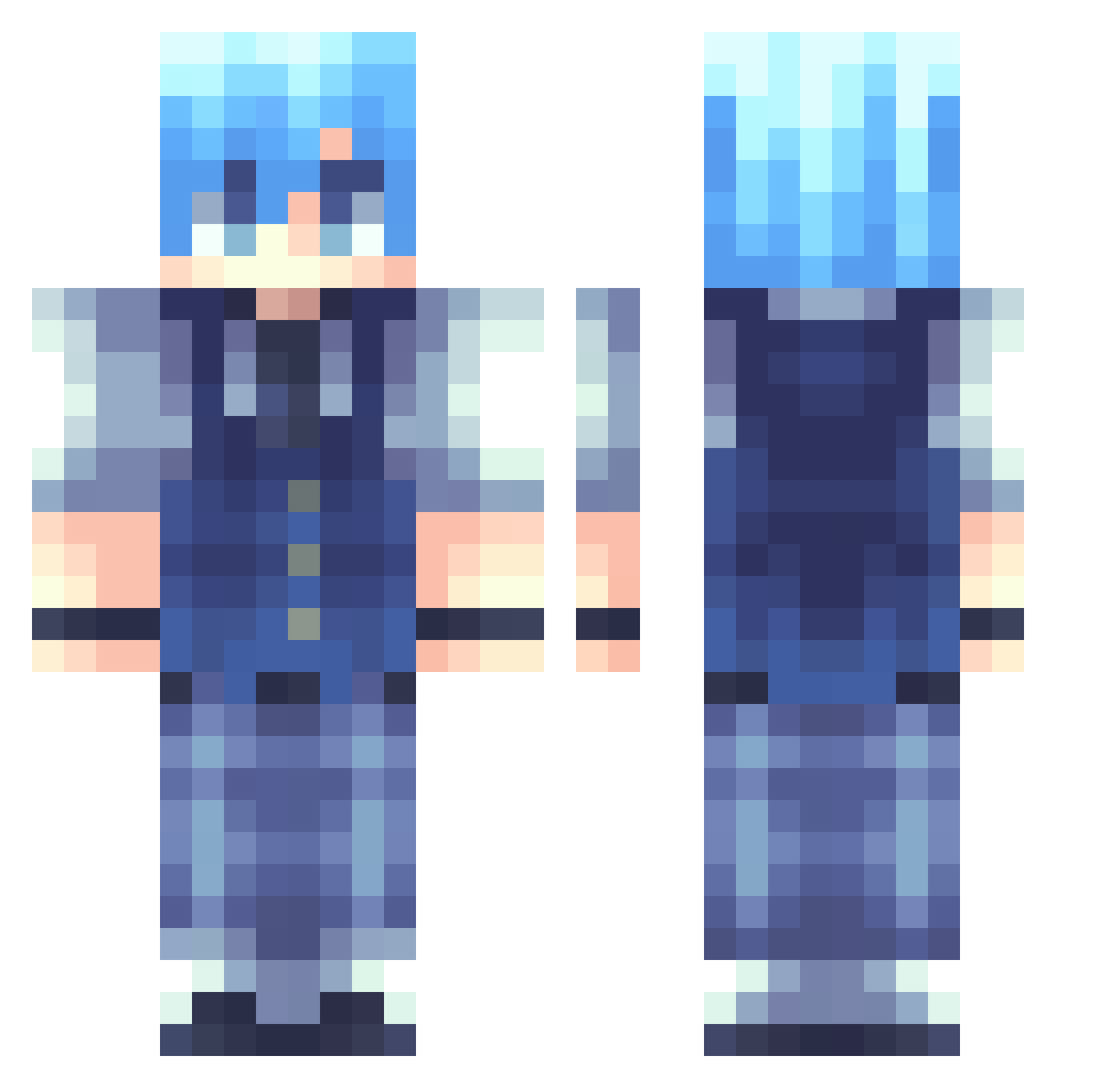
Current Minecraft skin of the player tianma, loaded from the official Mojang API. Rotate the 3D model with your mouse or finger, then download the skin as a PNG file and use it in Minecraft: Bedrock Edition or Java Edition for free. When tianma changes their skin, this page updates automatically and the old skin stays in the history below.
Other players with this skin (262)
tianma was the 103rd player we have seen with this skin, first spotted on 15.09.2026. The same skin was seen on these players. Open a nickname to see their current skin and skin history.
 milkhia echl07 Ek1erch4k ELK_21 Salem69420 Psithurisma Unkwxn CTPoZero pabking0310 skylershui KidDownSouth endercus Tyranaterty43 sakepappa Dactylson lisin0101 SwordsOfTime JoJoker1962 xNiqo georgiaivel Rodus1991 hijk111 Chaos__Silver luisvargaso erika789 Darwito azqsxwce Sammygb09 Saint192 Jarjarbinks11 dominicanking15 Yebin7901 xiaochunjin D3fender_ xNAGISAx jiutian_9t KandyKayn BlayBade69 mzknivez BFcay AratoEndo Elizar06 Novembear ryo009001 CC_282 Cyscio Nick_Song chidaoshu Fyn971 LaloGames IDG_Fusion BigPigOut JangIra Shykune TriangulumCipher SHY_hyeok ZiFan1 VirgosOath quartz_0 Leon479999
How to install the tianma skin
- Press the Download button above to save the skin as a PNG file.
- Minecraft: Bedrock Edition (PE): open the Dressing Room from the main menu (or tap your character → Edit Character), go to Classic Skins → Owned, press the + (new skin) button, choose the downloaded PNG and pick the Classic (Steve) model. Works on PC and mobile; consoles cannot import custom skins.
- Minecraft: Java Edition: open the Minecraft Launcher, go to the Skins tab, click New Skin, load the PNG, pick the Classic (Steve) model and press Save & Use. You can also upload it at minecraft.net → Profile → Change Skin.
The skin does not show up after import - what should I do?
Restart Minecraft and open the Dressing Room again - imported skins sometimes appear only after a restart. Also make sure you selected the imported skin and picked the Classic (Steve) model.
Which model should I choose, Classic or Slim?
This skin is designed for the Classic (Steve) model. If you pick the wrong model, the arms of the skin will look stretched or squeezed.
Is the skin of tianma free to download?
Yes. Press Download, save the PNG file and use it in Minecraft: Bedrock Edition or Java Edition - no payment or registration needed. The skin also works on multiplayer servers and Realms.
More skins
Looking for more? Go back to all Minecraft skins and check the top skins of the week, month and all time, or find any player's skin by nickname.