
threefivenine - Minecraft Skins & Skin History
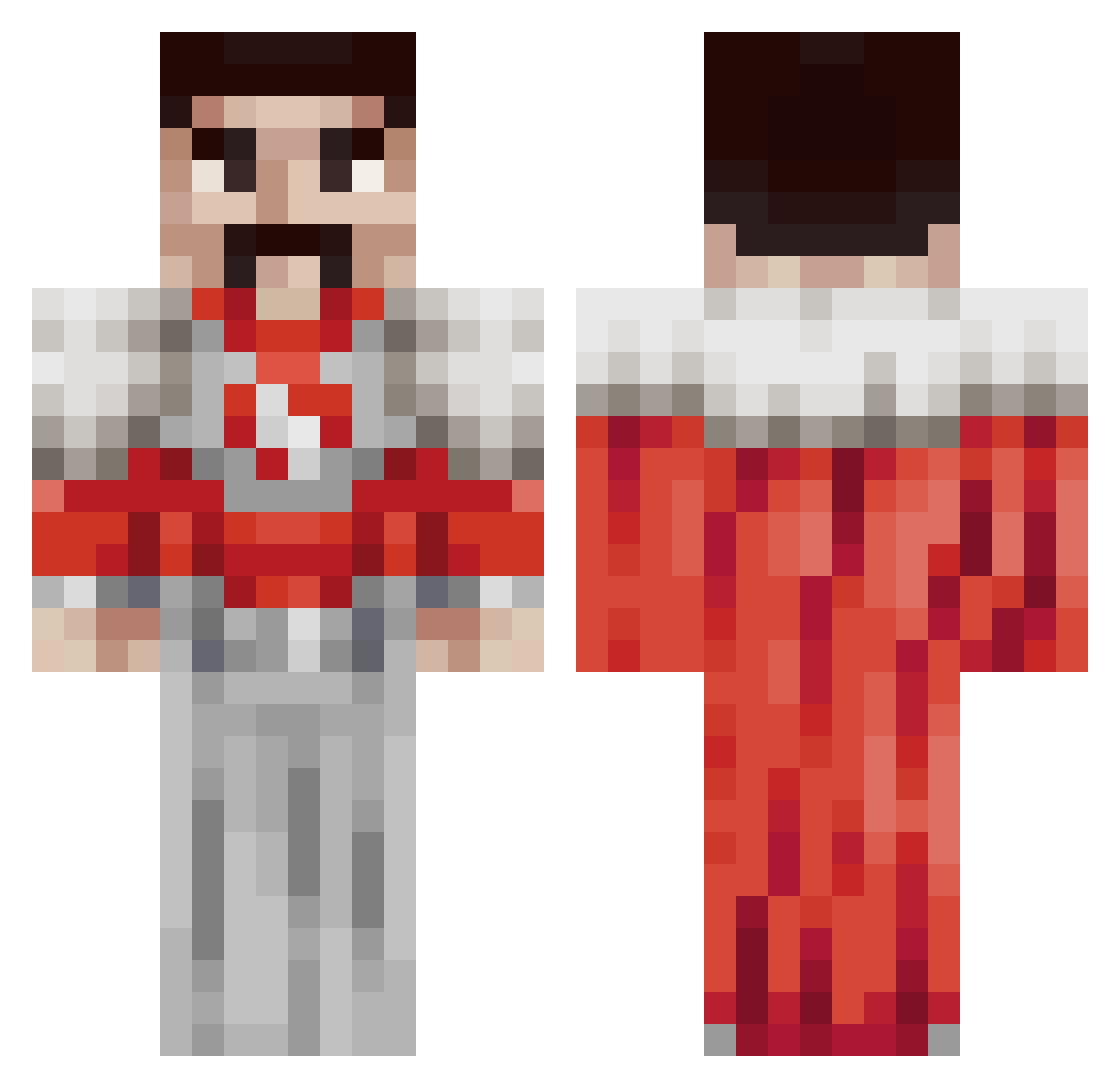
Current Minecraft skin of the player threefivenine, loaded from the official Mojang API. Rotate the 3D model with your mouse or finger, then download the skin as a PNG file and use it in Minecraft: Bedrock Edition or Java Edition for free. When threefivenine changes their skin, this page updates automatically and the old skin stays in the history below.
Other players with this skin (152)
threefivenine was the 100th player we have seen with this skin, first spotted on 29.09.2026. The same skin was seen on these players. Open a nickname to see their current skin and skin history.
 mytholgy dldmlwls xapyi Lolozingaucho JaydenLovesJuice DiamondDude510 PeanutTroll st0pstaringatme neru_bala jibachaojida123 puhmelo kochachan_ DBDinoo BuztLightyear SAJURAI Spirit9906 t_stocko Clemon97 LBTV2109 fregmcgreg yoiy0000 IzzyIzSilly DaRealThyssen1 FieldNorse xenloz doc6931 sexmancs thekingofpoop charliebarly27 Ya_boi_Jasper Billbo90210 Nikopro4531 __Pandas_ anilsoyak trashms Cryptik_Wolf ILoganI Jelale Derender546 itz_just_joe Eysneel BugOfChaos urmomsgf123 rinkilla funnyguppygamlng Wiglets246 Spotzez UnknownOmar Noeyy skorpio1111 kazlasx CurryAE86 pawgslayer1 ScarletZakat Aksekero WolheNN Sua_Z Miktork21 lukistorm19 Nopan44
More Freddie Mercury Minecraft skins
See all 89 Freddie Mercury skins
How to install the threefivenine skin
- Press the Download button above to save the skin as a PNG file.
- Minecraft: Bedrock Edition (PE): open the Dressing Room from the main menu (or tap your character → Edit Character), go to Classic Skins → Owned, press the + (new skin) button, choose the downloaded PNG and pick the Classic (Steve) model. Works on PC and mobile; consoles cannot import custom skins.
- Minecraft: Java Edition: open the Minecraft Launcher, go to the Skins tab, click New Skin, load the PNG, pick the Classic (Steve) model and press Save & Use. You can also upload it at minecraft.net → Profile → Change Skin.
The skin does not show up after import - what should I do?
Restart Minecraft and open the Dressing Room again - imported skins sometimes appear only after a restart. Also make sure you selected the imported skin and picked the Classic (Steve) model.
Which model should I choose, Classic or Slim?
This skin is designed for the Classic (Steve) model. If you pick the wrong model, the arms of the skin will look stretched or squeezed.
Is the skin of threefivenine free to download?
Yes. Press Download, save the PNG file and use it in Minecraft: Bedrock Edition or Java Edition - no payment or registration needed. The skin also works on multiplayer servers and Realms.
More skins
Looking for more? Go back to all Minecraft skins and check the top skins of the week, month and all time, or find any player's skin by nickname.