
thomasduhalde - Minecraft Skins & Skin History
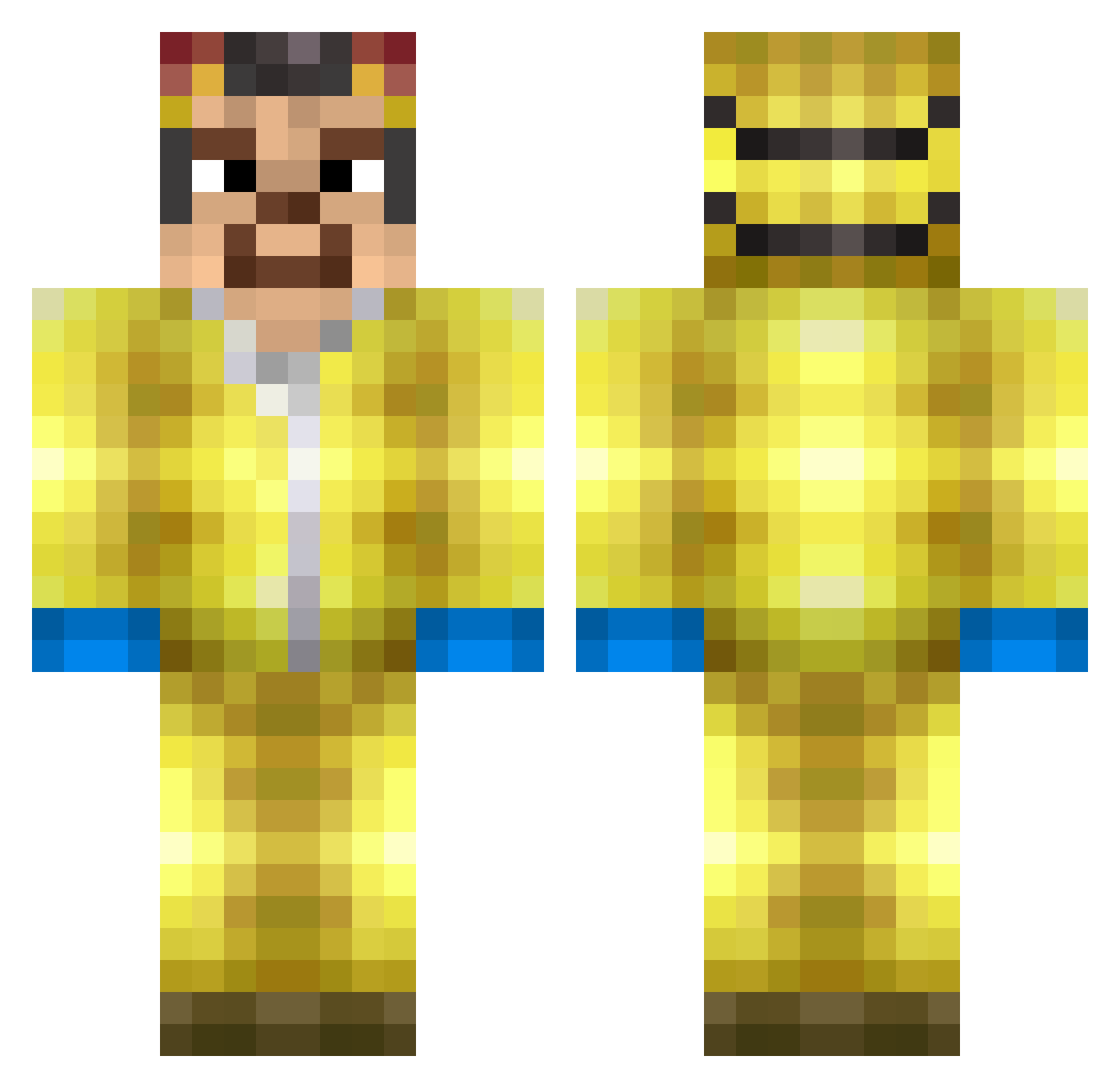
Current Minecraft skin of the player thomasduhalde, loaded from the official Mojang API. Rotate the 3D model with your mouse or finger, then download the skin as a PNG file and use it in Minecraft: Bedrock Edition or Java Edition for free. When thomasduhalde changes their skin, this page updates automatically and the old skin stays in the history below.
Other players with this skin (300)
thomasduhalde was the 131st player we have seen with this skin, first spotted on 15.09.2026. The same skin was seen on these players. Open a nickname to see their current skin and skin history.
 Ksawss23 H3is3nb3rg123 Sausagepanda21 Netropixel Linguini_A GlaceonFan77 EL_Blanko Jurandir_Pacoca Schism_01 matteo2500 ricecake0202 Zypoh72 2hundred2 LOLIKCZ Sachtika Frustrationnn CheGuevara42069 MonkeAutism lisguel sakomaballs Itzsotide Fallensmh JanRozpruwacz37 GoldEpidemic01 eggcroc Sonatinha oottie nicodemonick XRNLegacy uNiick CJNoFeelSoGood trymax4445 fifthcentbro saartje2409 RecDoT1 VictoriaBeeva Ethan_Smokey bajdulin Kraken2525 FarmingEn KrabbyDeluxe MartinMartinek Krokmou62 sal7894 fortvote nutduck023 Xera01 hamsteakjones Henny002 louisiov Hussseinberg Shimi1610 femboy_flare HugoRigol0 WalterWhite_2137 Th0mask04__ Skipzie Mr_krentenbol NelsonWiltebo BBart1
More Walter White Minecraft skins
See all 567 Walter White skins
How to install the thomasduhalde skin
- Press the Download button above to save the skin as a PNG file.
- Minecraft: Bedrock Edition (PE): open the Dressing Room from the main menu (or tap your character → Edit Character), go to Classic Skins → Owned, press the + (new skin) button, choose the downloaded PNG and pick the Classic (Steve) model. Works on PC and mobile; consoles cannot import custom skins.
- Minecraft: Java Edition: open the Minecraft Launcher, go to the Skins tab, click New Skin, load the PNG, pick the Classic (Steve) model and press Save & Use. You can also upload it at minecraft.net → Profile → Change Skin.
The skin does not show up after import - what should I do?
Restart Minecraft and open the Dressing Room again - imported skins sometimes appear only after a restart. Also make sure you selected the imported skin and picked the Classic (Steve) model.
Which model should I choose, Classic or Slim?
This skin is designed for the Classic (Steve) model. If you pick the wrong model, the arms of the skin will look stretched or squeezed.
Is the skin of thomasduhalde free to download?
Yes. Press Download, save the PNG file and use it in Minecraft: Bedrock Edition or Java Edition - no payment or registration needed. The skin also works on multiplayer servers and Realms.
More skins
Looking for more? Go back to all Minecraft skins and check the top skins of the week, month and all time, or find any player's skin by nickname.