
thomas75369 - Minecraft Skins & Skin History
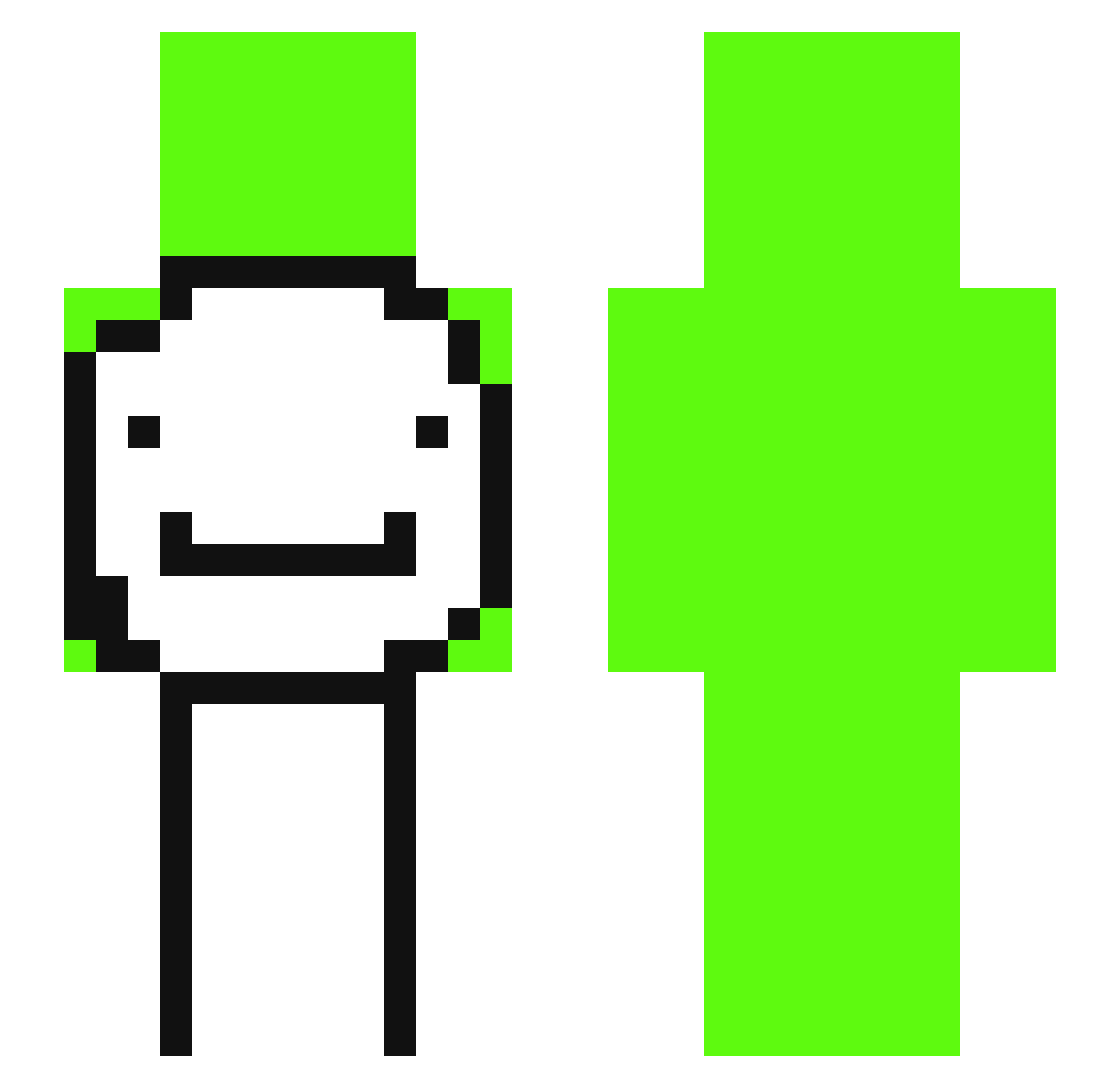
Current Minecraft skin of the player thomas75369, loaded from the official Mojang API. Rotate the 3D model with your mouse or finger, then download the skin as a PNG file and use it in Minecraft: Bedrock Edition or Java Edition for free. When thomas75369 changes their skin, this page updates automatically and the old skin stays in the history below.
Other players with this skin (329)
thomas75369 was the 300th player we have seen with this skin, first spotted on 24.10.2026. The same skin was seen on these players. Open a nickname to see their current skin and skin history.
 NoahL33 Hammmmy1 Nikzboi Fxbrical Kwakxx kukymax Hmandayo simp55 Net3 LamlneYamalll wdarb0 Morales811 Dyl_25 alihami007 Rudra11111 LilGrachu Westsauce Knifeys12 bluepig0607 Kellduck XxTheGamer123xX MAX1011015 Gust3ru GPE04 Pre1ove Teammster chldnjsgy Lolgo_ eliplay111 Turnse YouAreNotTuff danbeebe jacobplazz3e CloudSunny coolna2j Mr_blue7713 DreamStanXO XiaoFantasy_ yukiiwa1002 F1xTimaPro LiaoYoIn drako_787 William_1003_ oVueLovesOreos pippega12 HackerTheo jaydden bootymuncher342 FlyCentral Huggebojkalos Hotaro_0reki NiQ_oOo_LaS DeamYT dxnnislrt Torpiedo uzgh SirSeNsii_ Simpzon Jalir164 CatEric
More Smiley Face Minecraft skins
See all 1924 Smiley Face skins
How to install the thomas75369 skin
- Press the Download button above to save the skin as a PNG file.
- Minecraft: Bedrock Edition (PE): open the Dressing Room from the main menu (or tap your character → Edit Character), go to Classic Skins → Owned, press the + (new skin) button, choose the downloaded PNG and pick the Slim (Alex) model. Works on PC and mobile; consoles cannot import custom skins.
- Minecraft: Java Edition: open the Minecraft Launcher, go to the Skins tab, click New Skin, load the PNG, pick the Slim (Alex) model and press Save & Use. You can also upload it at minecraft.net → Profile → Change Skin.
The skin does not show up after import - what should I do?
Restart Minecraft and open the Dressing Room again - imported skins sometimes appear only after a restart. Also make sure you selected the imported skin and picked the Slim (Alex) model.
Which model should I choose, Classic or Slim?
This skin is designed for the Slim (Alex) model. If you pick the wrong model, the arms of the skin will look stretched or squeezed.
Is the skin of thomas75369 free to download?
Yes. Press Download, save the PNG file and use it in Minecraft: Bedrock Edition or Java Edition - no payment or registration needed. The skin also works on multiplayer servers and Realms.
More skins
Looking for more? Go back to all Minecraft skins and check the top skins of the week, month and all time, or find any player's skin by nickname.