
thomas17022003 - Minecraft Skins & Skin History
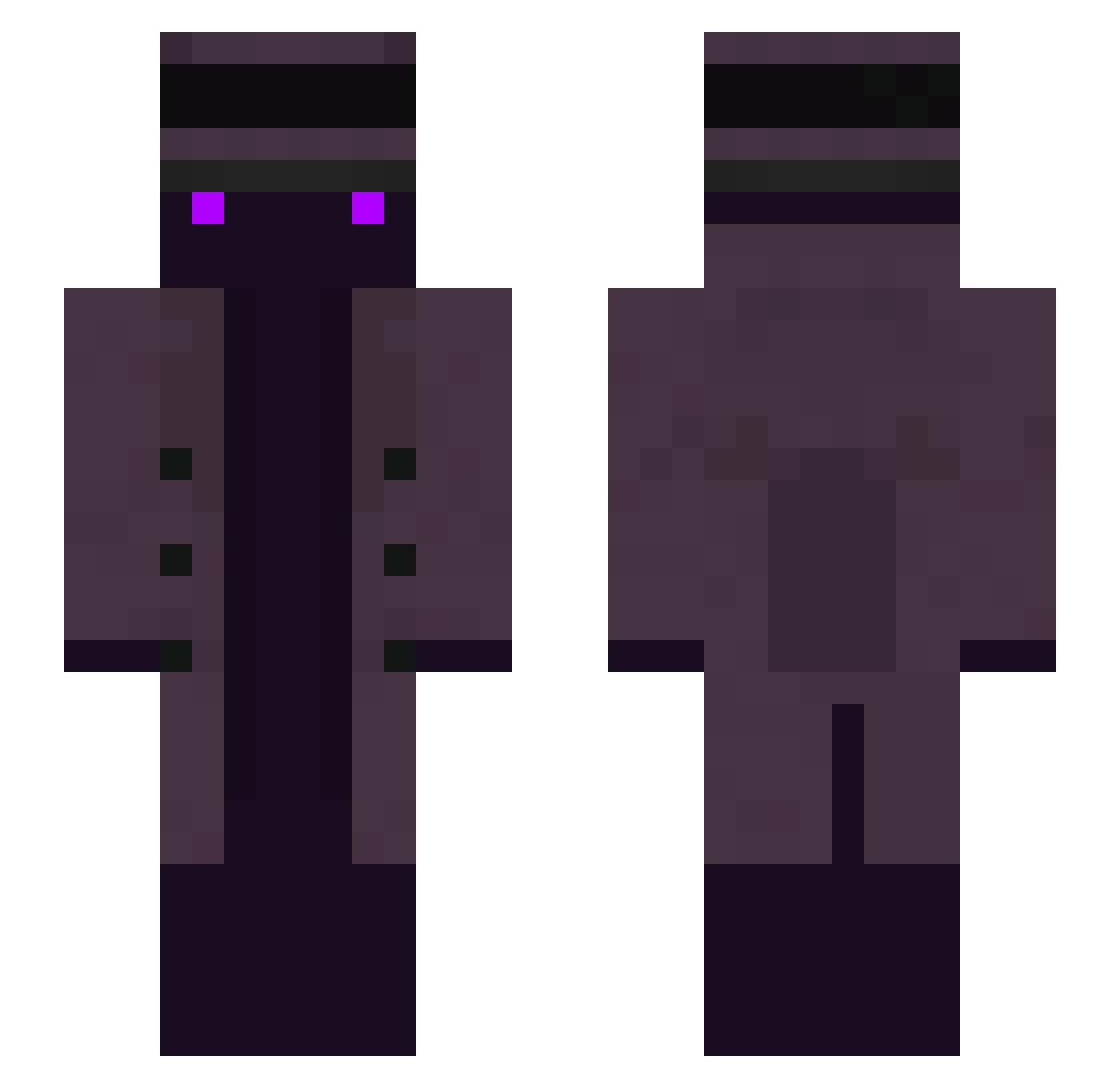
Current Minecraft skin of the player thomas17022003, loaded from the official Mojang API. Rotate the 3D model with your mouse or finger, then download the skin as a PNG file and use it in Minecraft: Bedrock Edition or Java Edition for free. When thomas17022003 changes their skin, this page updates automatically and the old skin stays in the history below.
Other players with this skin (314)
thomas17022003 was the 281st player we have seen with this skin, first spotted on 09.11.2026. The same skin was seen on these players. Open a nickname to see their current skin and skin history.
 LeanSlipper Patuchin07 Phatoast eeah Odysseus_Crixus JamPro3001 v3llozo SrCipollas Predict_Tino Probant Bummysatic Diguli243 Einsamer_Wolff X105BBX PU4PLE creeperslayertjc fillgarden pino059 WellWj PixelBrain DansLaToundra DonKissa wanfeng628 Bluxelly Sp3rtTV East1Love Bilnuso CuriousThoughts MX__SAN Razgard VRTX_ rotimaster brainbleached jasonkkk iljinman CatkingtheDoge Miracle12 About_30_Ninjas1 xmonad15 30ee Tr0tec Heyzet_ Bystaret EviilNiightmare mecreal GameSoda3667239 MyGoodEye piouc02 DuB_CaDe git_push Daylight_V iiFub lictor_629 CER09 Tiberio10421 Sk1ll3kk TOTOkill bkarnaval Muskylon Bloffu
More Top Hat Minecraft skins
How to install the thomas17022003 skin
- Press the Download button above to save the skin as a PNG file.
- Minecraft: Bedrock Edition (PE): open the Dressing Room from the main menu (or tap your character → Edit Character), go to Classic Skins → Owned, press the + (new skin) button, choose the downloaded PNG and pick the Slim (Alex) model. Works on PC and mobile; consoles cannot import custom skins.
- Minecraft: Java Edition: open the Minecraft Launcher, go to the Skins tab, click New Skin, load the PNG, pick the Slim (Alex) model and press Save & Use. You can also upload it at minecraft.net → Profile → Change Skin.
The skin does not show up after import - what should I do?
Restart Minecraft and open the Dressing Room again - imported skins sometimes appear only after a restart. Also make sure you selected the imported skin and picked the Slim (Alex) model.
Which model should I choose, Classic or Slim?
This skin is designed for the Slim (Alex) model. If you pick the wrong model, the arms of the skin will look stretched or squeezed.
Is the skin of thomas17022003 free to download?
Yes. Press Download, save the PNG file and use it in Minecraft: Bedrock Edition or Java Edition - no payment or registration needed. The skin also works on multiplayer servers and Realms.
More skins
Looking for more? Go back to all Minecraft skins and check the top skins of the week, month and all time, or find any player's skin by nickname.