
thetek - Minecraft Skins & Skin History
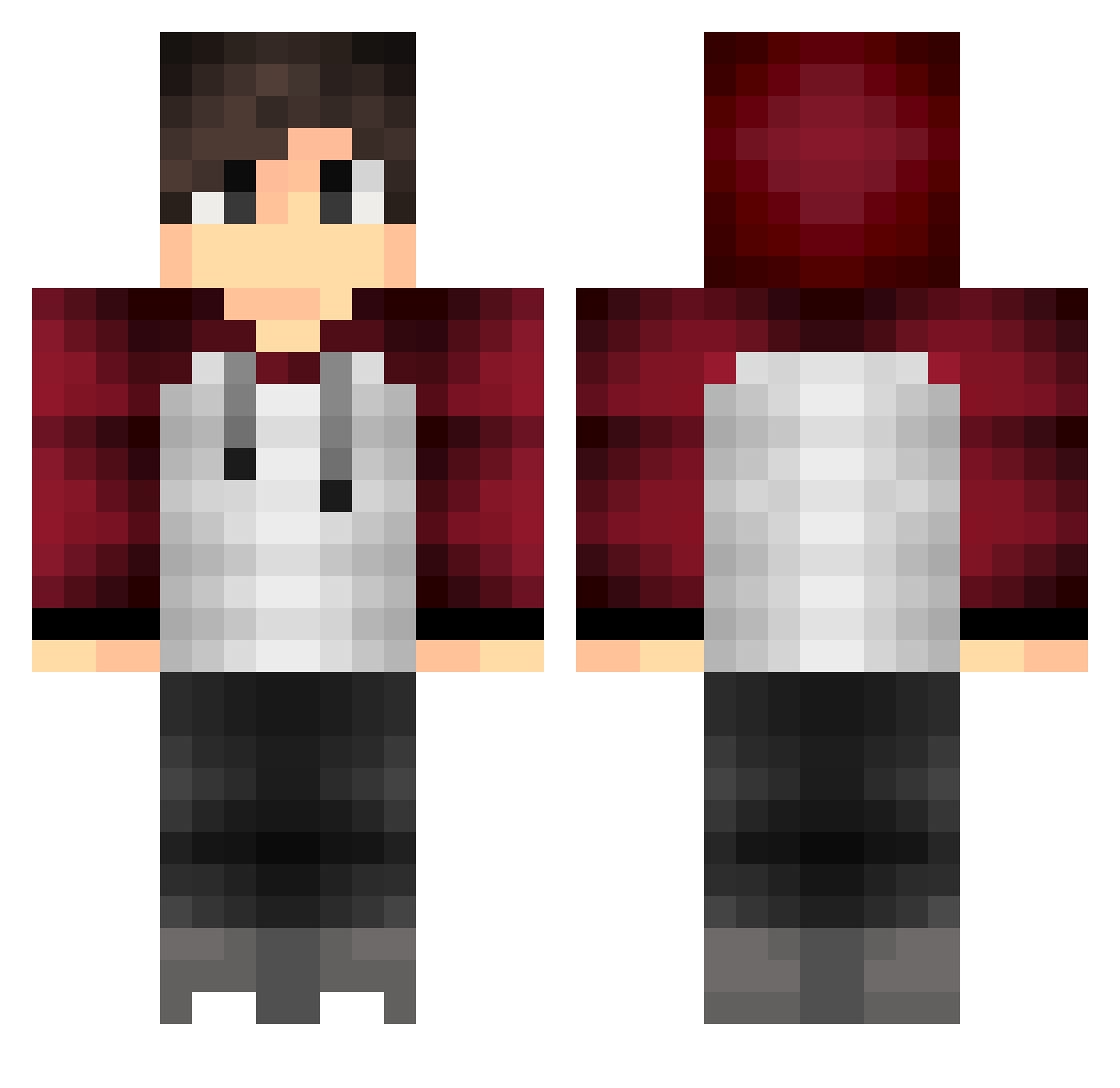
Current Minecraft skin of the player thetek, loaded from the official Mojang API. Rotate the 3D model with your mouse or finger, then download the skin as a PNG file and use it in Minecraft: Bedrock Edition or Java Edition for free. When thetek changes their skin, this page updates automatically and the old skin stays in the history below.
Other players with this skin (164)
thetek was the 66th player we have seen with this skin, first spotted on 31.08.2026. The same skin was seen on these players. Open a nickname to see their current skin and skin history.
 IchBinsJulien KBPeeSin Asoshin sauerkraut700 Flurye Armagnus F3u3rt3uf3l xXArmsTrongXx Kachida1 GERA_021 PortalCube BastXXI Flo0o0o0o EmadKh aZA9_03 muzirusi Leathermann inkycloud mrsireric LyssaK liamr19 TheFast13 Rotkehlchen01 baremetal SoNyuh Xeksin glennped eugenechun14 gui_0078 PuffeIuff Ezecas iKrampuss YanVictor Hanam1r mirikatu chihiro13 The_Owner_ C01in02 WoongE2052 sibelolo Koskal mc_shengsi sircaL Top4K Ollarion zhangyi9779 Endymeon bailintian iiRolex BeKaZz KathMemeng xTaxoRedstonex f0rescik briansun997 JosesDonkey TheReyvil Skylls205 TragicChickenGr Joshhcox lukinhakkj
More Raglan Minecraft skins
How to install the thetek skin
- Press the Download button above to save the skin as a PNG file.
- Minecraft: Bedrock Edition (PE): open the Dressing Room from the main menu (or tap your character → Edit Character), go to Classic Skins → Owned, press the + (new skin) button, choose the downloaded PNG and pick the Classic (Steve) model. Works on PC and mobile; consoles cannot import custom skins.
- Minecraft: Java Edition: open the Minecraft Launcher, go to the Skins tab, click New Skin, load the PNG, pick the Classic (Steve) model and press Save & Use. You can also upload it at minecraft.net → Profile → Change Skin.
The skin does not show up after import - what should I do?
Restart Minecraft and open the Dressing Room again - imported skins sometimes appear only after a restart. Also make sure you selected the imported skin and picked the Classic (Steve) model.
Which model should I choose, Classic or Slim?
This skin is designed for the Classic (Steve) model. If you pick the wrong model, the arms of the skin will look stretched or squeezed.
Is the skin of thetek free to download?
Yes. Press Download, save the PNG file and use it in Minecraft: Bedrock Edition or Java Edition - no payment or registration needed. The skin also works on multiplayer servers and Realms.
More skins
Looking for more? Go back to all Minecraft skins and check the top skins of the week, month and all time, or find any player's skin by nickname.