
thelegodude95 - Minecraft Skins & Skin History
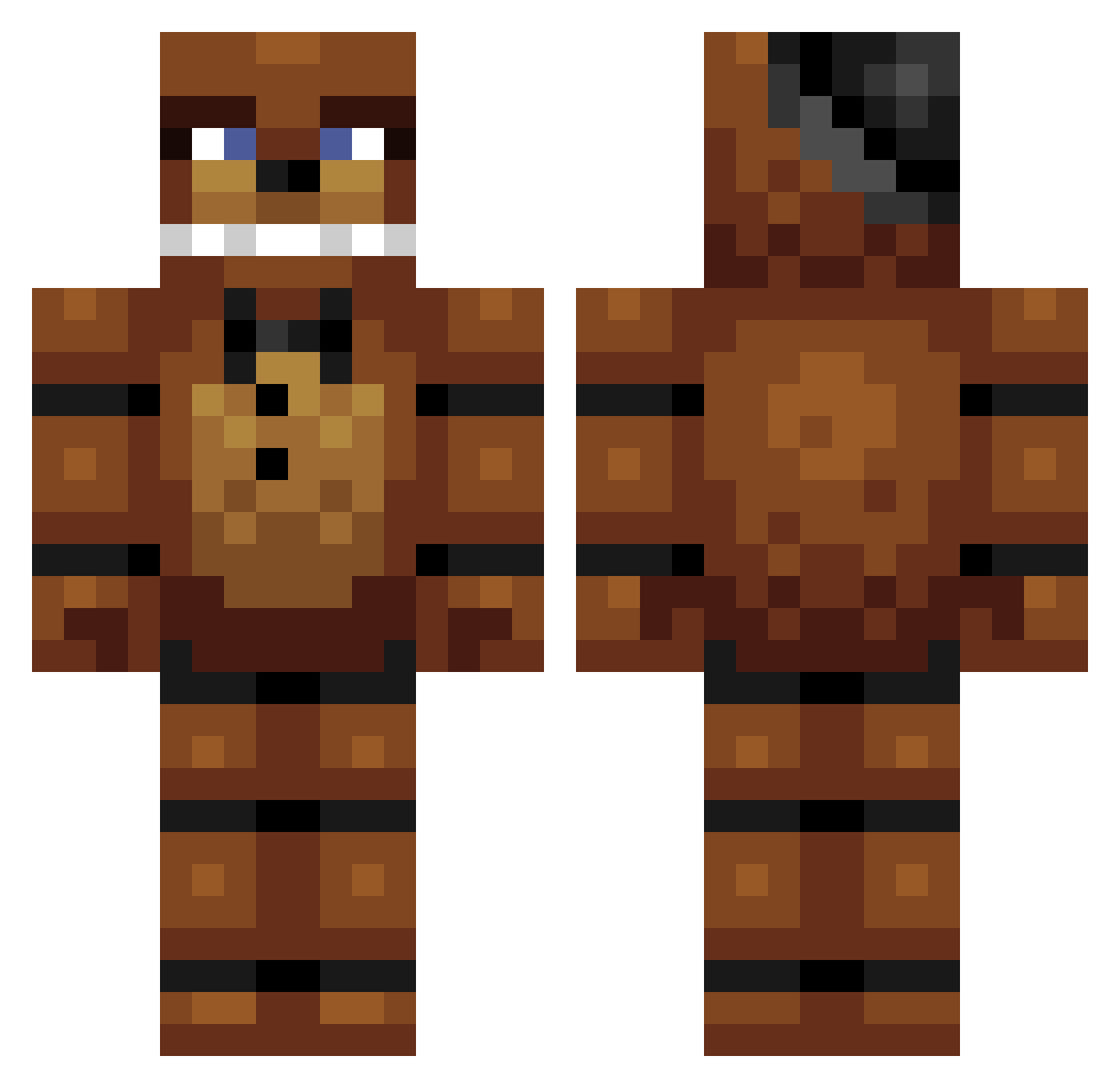
Current Minecraft skin of the player thelegodude95, loaded from the official Mojang API. Rotate the 3D model with your mouse or finger, then download the skin as a PNG file and use it in Minecraft: Bedrock Edition or Java Edition for free. When thelegodude95 changes their skin, this page updates automatically and the old skin stays in the history below.
Other players with this skin (267)
thelegodude95 was the 244th player we have seen with this skin, first spotted on 26.10.2026. The same skin was seen on these players. Open a nickname to see their current skin and skin history.
 LAWSONDANGLE gov_axalotl Unsterblich05 Fornssi ChampionCJ AmiableRaptor_3 Sadiq049 BorisIliev alliejohh b10shout luccayer_ fatherjonh BlackSn0w115 Nf122 Hyperbaiter_01 _Its_ThatGuy thecool12 pxgrar ZapZone21 Tio_Yuu T_SIZZLE99 notw1209 derpysaurusss Creztor largehuman56 Nosimas CoalMan112 Worst_Medic FreddyFazBear59 IbullyChildren JaderTato DiLo22 FastyMasty Skittlez_z sean_windsor ReidWhacker broo4s Gabers84 sammoomin Assur1to EternalRTM DorkusSupreme_ Bubbafett9 freddy__fazbear_ Cyan1025 MalikOtaku Hs_legends cottagek1tty nixa146 SweetSpark1 kkente Mrpoligon Kronocs BobJoeKids Trout687 PREPOSTEROUS9 tico221 piissicle Holl0wBasti0n 10Tomas
More Freddy Fazbear Minecraft skins
See all 240 Freddy Fazbear skins
How to install the thelegodude95 skin
- Press the Download button above to save the skin as a PNG file.
- Minecraft: Bedrock Edition (PE): open the Dressing Room from the main menu (or tap your character → Edit Character), go to Classic Skins → Owned, press the + (new skin) button, choose the downloaded PNG and pick the Classic (Steve) model. Works on PC and mobile; consoles cannot import custom skins.
- Minecraft: Java Edition: open the Minecraft Launcher, go to the Skins tab, click New Skin, load the PNG, pick the Classic (Steve) model and press Save & Use. You can also upload it at minecraft.net → Profile → Change Skin.
The skin does not show up after import - what should I do?
Restart Minecraft and open the Dressing Room again - imported skins sometimes appear only after a restart. Also make sure you selected the imported skin and picked the Classic (Steve) model.
Which model should I choose, Classic or Slim?
This skin is designed for the Classic (Steve) model. If you pick the wrong model, the arms of the skin will look stretched or squeezed.
Is the skin of thelegodude95 free to download?
Yes. Press Download, save the PNG file and use it in Minecraft: Bedrock Edition or Java Edition - no payment or registration needed. The skin also works on multiplayer servers and Realms.
More skins
Looking for more? Go back to all Minecraft skins and check the top skins of the week, month and all time, or find any player's skin by nickname.