
thefoes - Minecraft Skins & Skin History
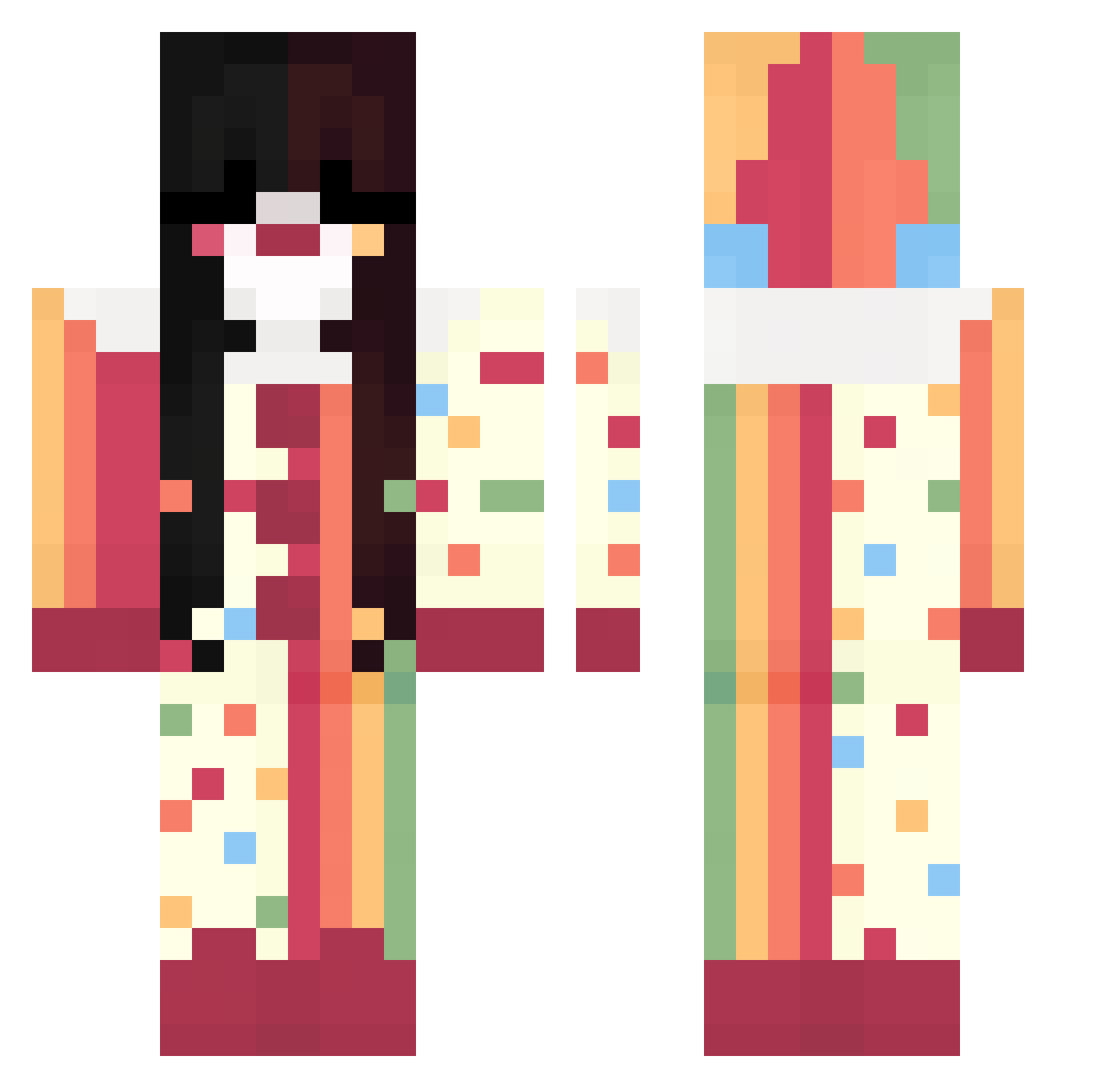
Current Minecraft skin of the player thefoes, loaded from the official Mojang API. Rotate the 3D model with your mouse or finger, then download the skin as a PNG file and use it in Minecraft: Bedrock Edition or Java Edition for free. When thefoes changes their skin, this page updates automatically and the old skin stays in the history below.
Other players with this skin (324)
thefoes was the 307th player we have seen with this skin, first spotted on 23.10.2026. The same skin was seen on these players. Open a nickname to see their current skin and skin history.
 eggykai Sprawiedliwa WisteriaKeren RainbowSqu1d mksie starfizzr RatGodOfMischief PinkAngelle ChillaxedSnorlax papitavvv Don_Vergas_Block bnuwuy _Yosemi_ tiemann Leaaqa SnortPerx bird080117 ZookeeperLOL Jeong___ stringcheese_ suvorexant muriatic_ Tarason CrimsonSoul69 Mimibun rattttttz XsanmieX MeninoReverso lynnexxl SoyAntopi Miaxiava Nyubii Habip54 sarahbarah07 ___tu___ Ms_Delusional soda0z _teteh chrissstiiizy Saidyes Eduardalvezs ignKota limeeeh M0THEE Nepherix yamislve MeatyBee Alyx26 iris1205 MlleJinx jodyy606 cmdpnt spookysloth Hachi_707 RachaelMadison przecpalam ImAClown_ christiansbaby BigballerLim mtr09
More Circus Minecraft skins
How to install the thefoes skin
- Press the Download button above to save the skin as a PNG file.
- Minecraft: Bedrock Edition (PE): open the Dressing Room from the main menu (or tap your character → Edit Character), go to Classic Skins → Owned, press the + (new skin) button, choose the downloaded PNG and pick the Classic (Steve) model. Works on PC and mobile; consoles cannot import custom skins.
- Minecraft: Java Edition: open the Minecraft Launcher, go to the Skins tab, click New Skin, load the PNG, pick the Classic (Steve) model and press Save & Use. You can also upload it at minecraft.net → Profile → Change Skin.
The skin does not show up after import - what should I do?
Restart Minecraft and open the Dressing Room again - imported skins sometimes appear only after a restart. Also make sure you selected the imported skin and picked the Classic (Steve) model.
Which model should I choose, Classic or Slim?
This skin is designed for the Classic (Steve) model. If you pick the wrong model, the arms of the skin will look stretched or squeezed.
Is the skin of thefoes free to download?
Yes. Press Download, save the PNG file and use it in Minecraft: Bedrock Edition or Java Edition - no payment or registration needed. The skin also works on multiplayer servers and Realms.
More skins
Looking for more? Go back to all Minecraft skins and check the top skins of the week, month and all time, or find any player's skin by nickname.