
thecoolguy9725 - Minecraft Skins & Skin History
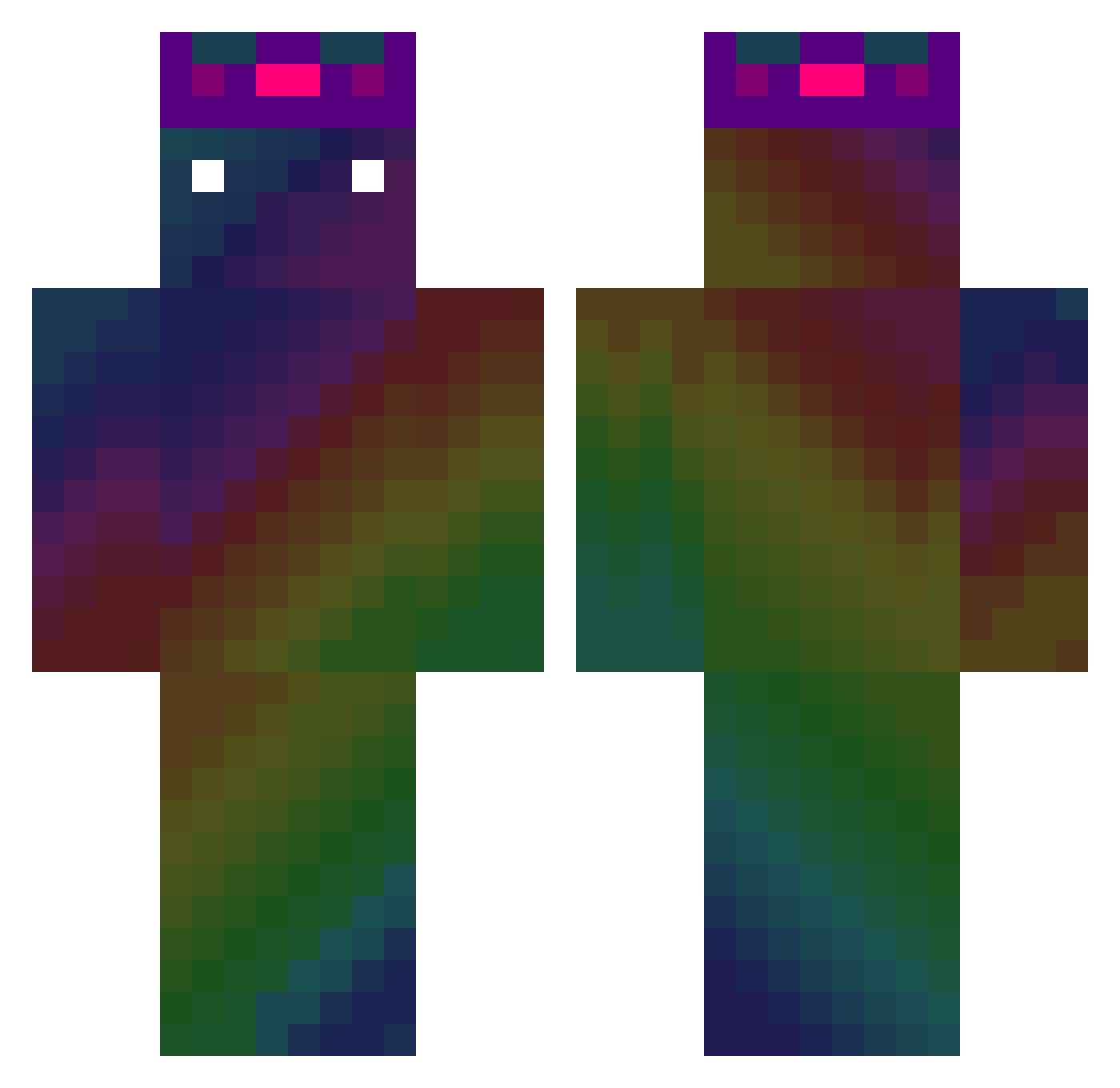
Current Minecraft skin of the player thecoolguy9725, loaded from the official Mojang API. Rotate the 3D model with your mouse or finger, then download the skin as a PNG file and use it in Minecraft: Bedrock Edition or Java Edition for free. When thecoolguy9725 changes their skin, this page updates automatically and the old skin stays in the history below.
Other players with this skin (476)
thecoolguy9725 was the 348th player we have seen with this skin, first spotted on 10.10.2026. The same skin was seen on these players. Open a nickname to see their current skin and skin history.
 stomer FREE_XINGMOZHOU jeff91813 _Phosphate misterjadon MousinOficial s4lomo Kaedechin EARTHWORMY EggsLad3000 Saunu Chunlan2016 Adanefd ray779max YoKE197 iinaniloquent Tiffsadork Faewild KLeonard54 Dyeon3464 nuncham_ Hiroshi_Nemoto MJRRJ Havald123 BigClem420 THELASTPAGE_ LZIHAO SaintusMaximus MateoAPro Spiniron00 DestroyerMan15 name6 whiteeeeeeee BigB42069 YiweiLin PangolinEater DUCKELEVATOR __nicknack__ Metaviz2 YoTonJyo ADAEER Kingpuppy512 Tuna01246 xiang1130 Uniplast21 HunStar jbdal DmG666 Maxtheshark katsu2525 Androidee ZeRainbowKing applemango0301 rekeyem Junior1209 JWS0320 proxxMc_ VibeTin Odinzain 12Tobi
How to install the thecoolguy9725 skin
- Press the Download button above to save the skin as a PNG file.
- Minecraft: Bedrock Edition (PE): open the Dressing Room from the main menu (or tap your character → Edit Character), go to Classic Skins → Owned, press the + (new skin) button, choose the downloaded PNG and pick the Classic (Steve) model. Works on PC and mobile; consoles cannot import custom skins.
- Minecraft: Java Edition: open the Minecraft Launcher, go to the Skins tab, click New Skin, load the PNG, pick the Classic (Steve) model and press Save & Use. You can also upload it at minecraft.net → Profile → Change Skin.
The skin does not show up after import - what should I do?
Restart Minecraft and open the Dressing Room again - imported skins sometimes appear only after a restart. Also make sure you selected the imported skin and picked the Classic (Steve) model.
Which model should I choose, Classic or Slim?
This skin is designed for the Classic (Steve) model. If you pick the wrong model, the arms of the skin will look stretched or squeezed.
Is the skin of thecoolguy9725 free to download?
Yes. Press Download, save the PNG file and use it in Minecraft: Bedrock Edition or Java Edition - no payment or registration needed. The skin also works on multiplayer servers and Realms.
More skins
Looking for more? Go back to all Minecraft skins and check the top skins of the week, month and all time, or find any player's skin by nickname.