
teresa0118 - Minecraft Skins & Skin History
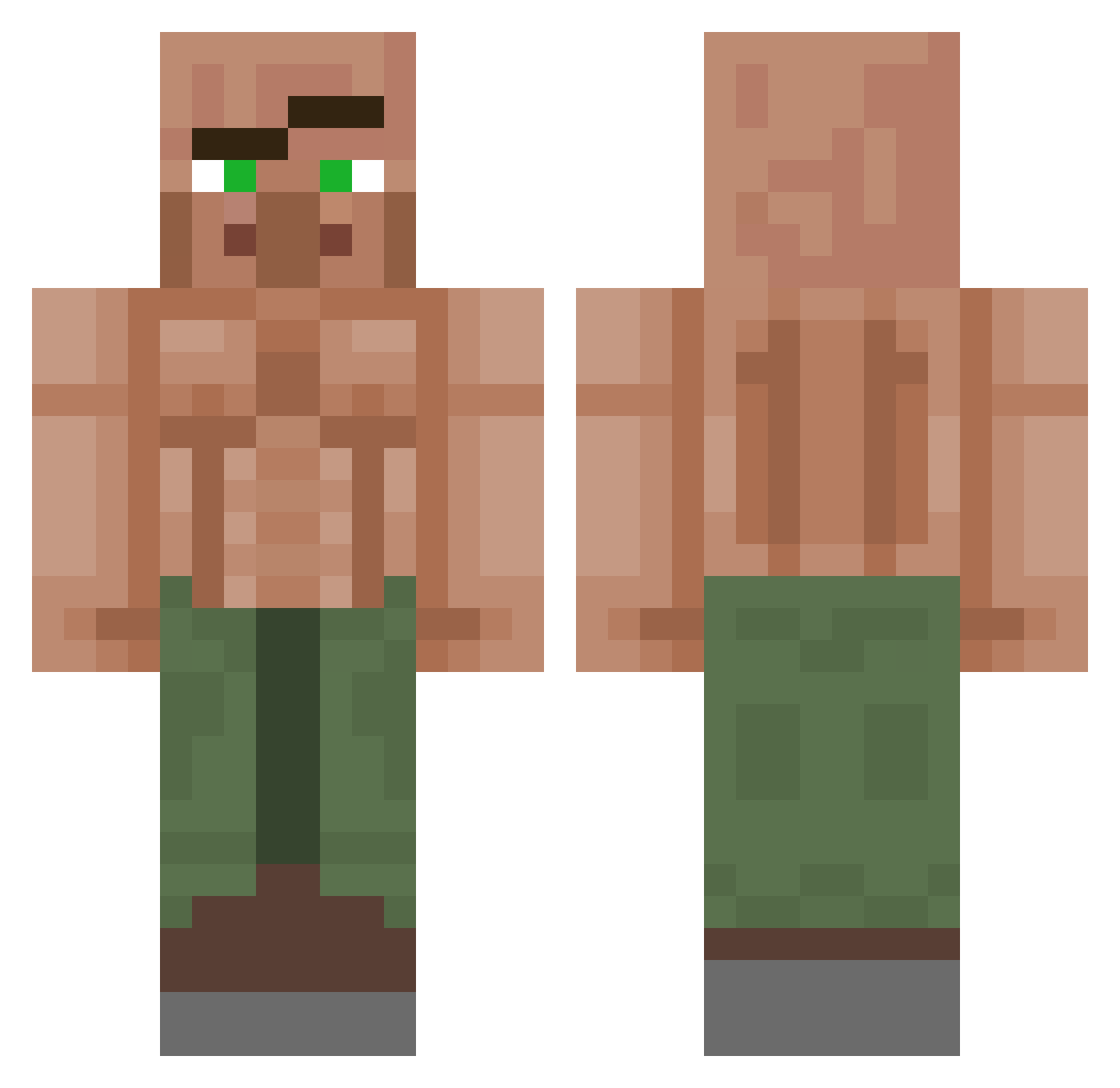
Current Minecraft skin of the player teresa0118, loaded from the official Mojang API. Rotate the 3D model with your mouse or finger, then download the skin as a PNG file and use it in Minecraft: Bedrock Edition or Java Edition for free. When teresa0118 changes their skin, this page updates automatically and the old skin stays in the history below.
Other players with this skin (1150)
teresa0118 was the 1077th player we have seen with this skin, first spotted on 26.10.2026. The same skin was seen on these players. Open a nickname to see their current skin and skin history.
 BigEiEiTH dadMod toegoblein LOSTY_Q8 Lauxinator_ careboytwins KrEge MrClean1211 redokit Vaz08133 ramune_00 teymote kaudoo Yeeerrrrrr Zetul Noahbager12 the_giant_nugget MrZetro ALIF4 DaChefDak federico1967 Aspect68 bananenbieger12 Asadista mrkim12 ExtraCuomosome eyesulu Feinchecker Spalte81 Kyle_Reeves MONKEYGOMAD willma345 Loganx216 Sua00 Imther3allnoob dave5278 Happysmile1998 dahab014 Conn33377 tommyishanson tylerjcc Bombs_21 straightanswer etileos D3sTr0y33rZ IrvingGTs BevoDevo Nighty312 f_eel FrankoU_ Gurnakk Zank SenseiOnii narizao PhilTimeTVV Grainderis Chinpuuk s2xmh Napyto TheBryGuyy
More Buff Villager Minecraft skins
See all 40 Buff Villager skins
How to install the teresa0118 skin
- Press the Download button above to save the skin as a PNG file.
- Minecraft: Bedrock Edition (PE): open the Dressing Room from the main menu (or tap your character → Edit Character), go to Classic Skins → Owned, press the + (new skin) button, choose the downloaded PNG and pick the Classic (Steve) model. Works on PC and mobile; consoles cannot import custom skins.
- Minecraft: Java Edition: open the Minecraft Launcher, go to the Skins tab, click New Skin, load the PNG, pick the Classic (Steve) model and press Save & Use. You can also upload it at minecraft.net → Profile → Change Skin.
The skin does not show up after import - what should I do?
Restart Minecraft and open the Dressing Room again - imported skins sometimes appear only after a restart. Also make sure you selected the imported skin and picked the Classic (Steve) model.
Which model should I choose, Classic or Slim?
This skin is designed for the Classic (Steve) model. If you pick the wrong model, the arms of the skin will look stretched or squeezed.
Is the skin of teresa0118 free to download?
Yes. Press Download, save the PNG file and use it in Minecraft: Bedrock Edition or Java Edition - no payment or registration needed. The skin also works on multiplayer servers and Realms.
More skins
Looking for more? Go back to all Minecraft skins and check the top skins of the week, month and all time, or find any player's skin by nickname.