
tehunseen - Minecraft Skins & Skin History
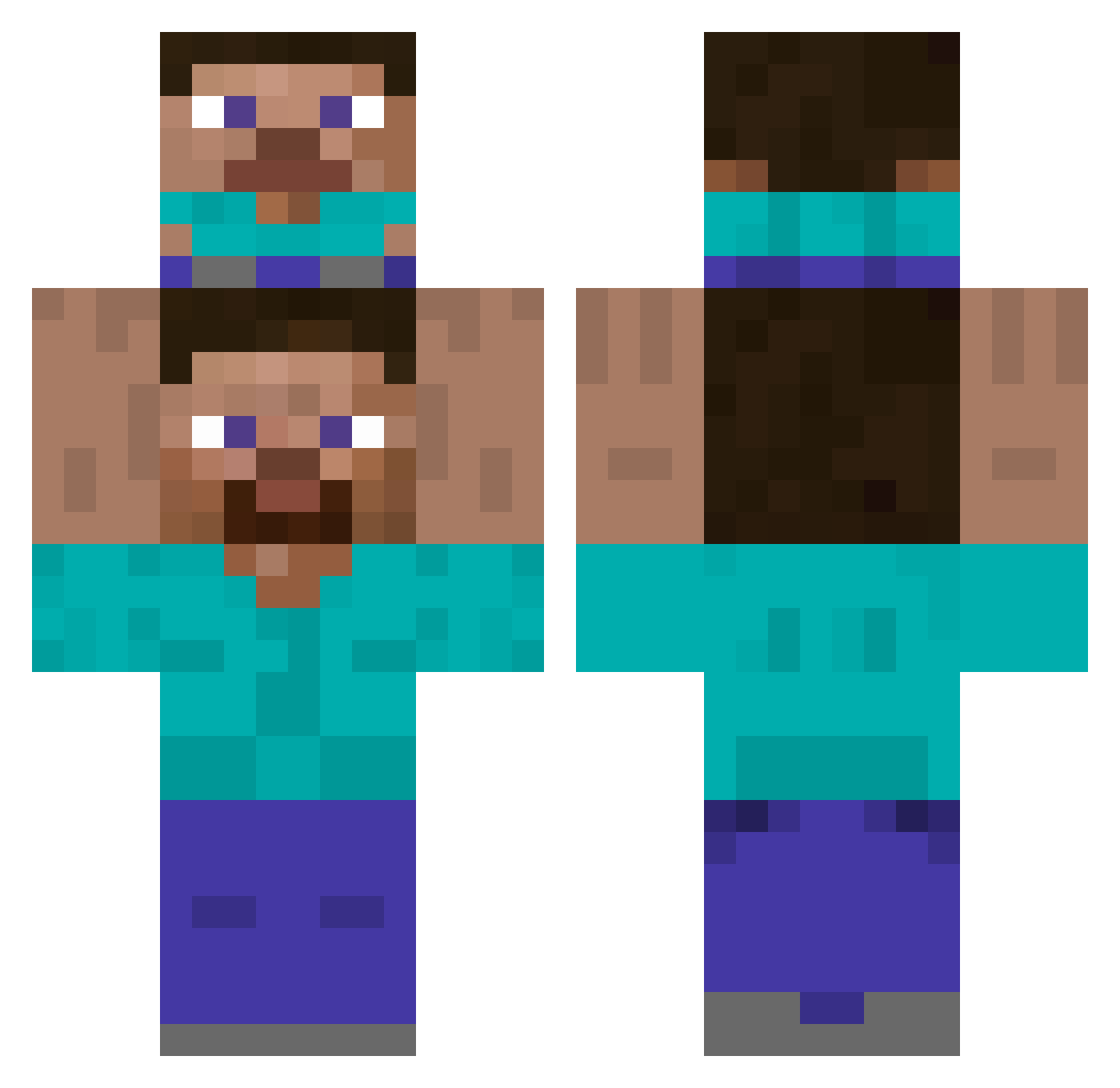
Current Minecraft skin of the player tehunseen, loaded from the official Mojang API. Rotate the 3D model with your mouse or finger, then download the skin as a PNG file and use it in Minecraft: Bedrock Edition or Java Edition for free. When tehunseen changes their skin, this page updates automatically and the old skin stays in the history below.
Other players with this skin (360)
tehunseen was the 41st player we have seen with this skin, first spotted on 03.08.2026. The same skin was seen on these players. Open a nickname to see their current skin and skin history.
 MrSpegetti SoulYa13 TLPie Bigsausageboy CRM42 lolyeetminecraf zmjjkk_GG Speckbaeckchen Janis44 17asp Abottleofcat Neacsu7 Liisoouille Nomm1s rocketto_o Zeke_Von_Kenbu iSaMEL_ Weekoh Krelle_manden YuhanLars FunkeF Maxinozka 6ou_Hin ZacXZin TaiTai212 Tedd_IO Sabali_ FLANKEY10 Drackedust Tzukver Bassura97 DaddyWigglyJigg SpoonyKaiba haridemihari
 Xirree B0BBy8gaming TwojStory robin_smth _justMarek_ HairyCaulk mariovirt Cavlinx lukajaa Tort926 Uribank matee2301 AnOriginalUser Petizero Fera69 SharpWate_r oreosss leechangjun kakos567 SusMH ErinMF TheMilkshakeBoi Kellnaz uclaboi WardRX RODO2110
How to install the tehunseen skin
- Press the Download button above to save the skin as a PNG file.
- Minecraft: Bedrock Edition (PE): open the Dressing Room from the main menu (or tap your character → Edit Character), go to Classic Skins → Owned, press the + (new skin) button, choose the downloaded PNG and pick the Classic (Steve) model. Works on PC and mobile; consoles cannot import custom skins.
- Minecraft: Java Edition: open the Minecraft Launcher, go to the Skins tab, click New Skin, load the PNG, pick the Classic (Steve) model and press Save & Use. You can also upload it at minecraft.net → Profile → Change Skin.
The skin does not show up after import - what should I do?
Restart Minecraft and open the Dressing Room again - imported skins sometimes appear only after a restart. Also make sure you selected the imported skin and picked the Classic (Steve) model.
Which model should I choose, Classic or Slim?
This skin is designed for the Classic (Steve) model. If you pick the wrong model, the arms of the skin will look stretched or squeezed.
Is the skin of tehunseen free to download?
Yes. Press Download, save the PNG file and use it in Minecraft: Bedrock Edition or Java Edition - no payment or registration needed. The skin also works on multiplayer servers and Realms.
More skins
Looking for more? Go back to all Minecraft skins and check the top skins of the week, month and all time, or find any player's skin by nickname.