
tecnot - Minecraft Skins & Skin History
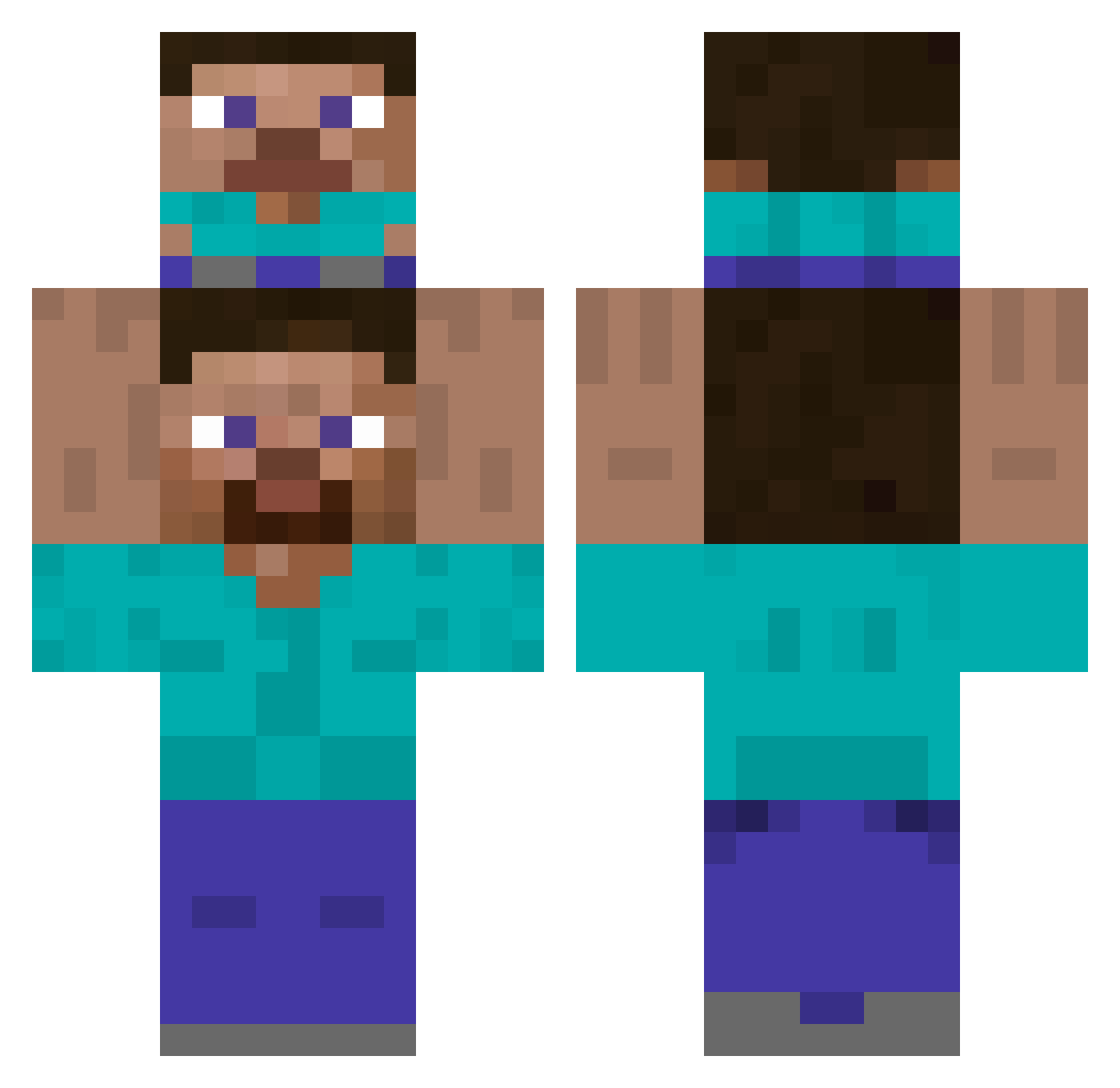
Current Minecraft skin of the player tecnot, loaded from the official Mojang API. Rotate the 3D model with your mouse or finger, then download the skin as a PNG file and use it in Minecraft: Bedrock Edition or Java Edition for free. When tecnot changes their skin, this page updates automatically and the old skin stays in the history below.
Other players with this skin (419)
tecnot was the 302nd player we have seen with this skin, first spotted on 08.10.2026. The same skin was seen on these players. Open a nickname to see their current skin and skin history.
 AstroxOn Paranoia36 MrSnowDorito nerdemojilover PatitoDFC blinyadebil VerQu Lollicore UnchainedSpec mugiwara220901 MarieKL 0zyu zeam18 jeffrey_com Mauzer2704 cdbrahh Dojuxxx Baxyle ole334 Naashob Comatozzee FatBatMan420 tlrs27 presto913 ThunderPP Mqtiii Insomn1aaa Milkar__ Breadandbutter_ KahnDK HakroMerlins Mjay2k ZarTeekk vitinho_69 Sanglee AUG5326 Esk1m0 Doublebladed paradazRD RunkarSnoppen Liviolezigoto ItzFused Gamerbelles2 CENTURION_mc SleshFox thubn theONLYmarz Bumbekalo IdiotvonNebenan limbicfish Habuke SpaceMonkey55 7355608 Kyoko______ Heidoco ViniciusGRAFT MNIsMinnn Jurkey64 The_Boggie_Man Jake7459
How to install the tecnot skin
- Press the Download button above to save the skin as a PNG file.
- Minecraft: Bedrock Edition (PE): open the Dressing Room from the main menu (or tap your character → Edit Character), go to Classic Skins → Owned, press the + (new skin) button, choose the downloaded PNG and pick the Classic (Steve) model. Works on PC and mobile; consoles cannot import custom skins.
- Minecraft: Java Edition: open the Minecraft Launcher, go to the Skins tab, click New Skin, load the PNG, pick the Classic (Steve) model and press Save & Use. You can also upload it at minecraft.net → Profile → Change Skin.
The skin does not show up after import - what should I do?
Restart Minecraft and open the Dressing Room again - imported skins sometimes appear only after a restart. Also make sure you selected the imported skin and picked the Classic (Steve) model.
Which model should I choose, Classic or Slim?
This skin is designed for the Classic (Steve) model. If you pick the wrong model, the arms of the skin will look stretched or squeezed.
Is the skin of tecnot free to download?
Yes. Press Download, save the PNG file and use it in Minecraft: Bedrock Edition or Java Edition - no payment or registration needed. The skin also works on multiplayer servers and Realms.
More skins
Looking for more? Go back to all Minecraft skins and check the top skins of the week, month and all time, or find any player's skin by nickname.