
teamrocketk - Minecraft Skins & Skin History
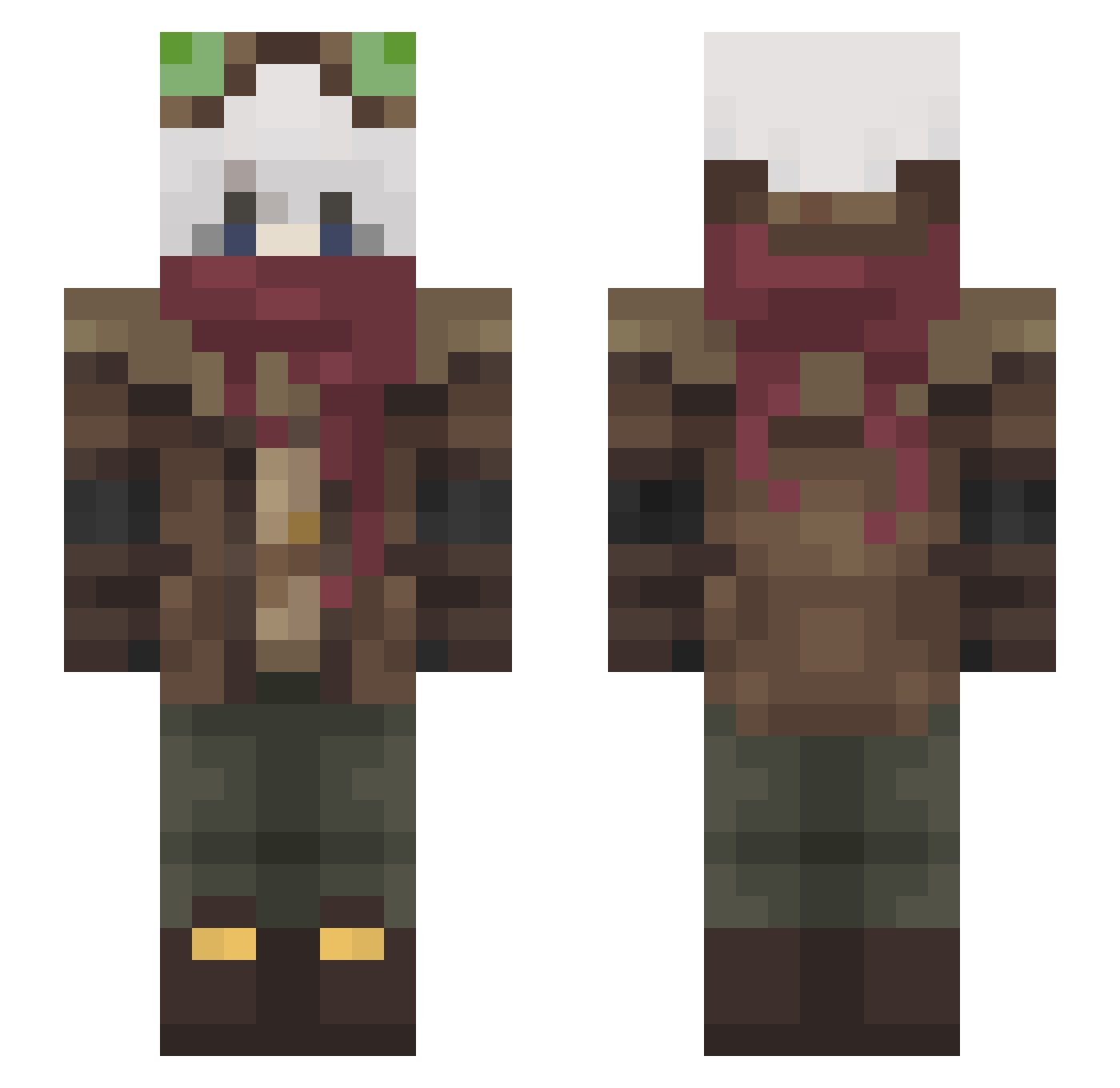
Current Minecraft skin of the player teamrocketk, loaded from the official Mojang API. Rotate the 3D model with your mouse or finger, then download the skin as a PNG file and use it in Minecraft: Bedrock Edition or Java Edition for free. When teamrocketk changes their skin, this page updates automatically and the old skin stays in the history below.
Other players with this skin (465)
teamrocketk was the 140th player we have seen with this skin, first spotted on 25.08.2026. The same skin was seen on these players. Open a nickname to see their current skin and skin history.
 MaxPain69 WACOMAS DollyWoodFire Mexican27 NiccoRex_xd sjkwr mirul69 L1nNox Keithhhh Treely6 Koahst leha4 Enx1va Tempelton Glintwise ThePunConoisseur Marshmellow2046 nottodaymate Spookiest___ _Selyne_ SnowPandemic Vitallty MrSkelll Shoyo555 Solcratic xForasterox
 Yaggitarius JonasWithASupra Tarabasovo_Doupe P4R3S rOrphic IamKO1 AnimoRex Marco_3331 Z3NJ1 TOONBLAST Game_x33 StalBurtTost its0Yan ToastGoat80085 MrCBOGamer budgie1616 lydian_augmented OO0oo0oOOooo LastKnight000 rybs00 Teo_99 vexriom SioPolr Weisheng228 V_1nc3nt Hank_da_tank8779 DarkAEsir Boxbuddy24 HD_213 Yuqi_iu elqueduerme Yueigh AdrianTheNoob Oomile
More Pilot Minecraft skins
How to install the teamrocketk skin
- Press the Download button above to save the skin as a PNG file.
- Minecraft: Bedrock Edition (PE): open the Dressing Room from the main menu (or tap your character → Edit Character), go to Classic Skins → Owned, press the + (new skin) button, choose the downloaded PNG and pick the Slim (Alex) model. Works on PC and mobile; consoles cannot import custom skins.
- Minecraft: Java Edition: open the Minecraft Launcher, go to the Skins tab, click New Skin, load the PNG, pick the Slim (Alex) model and press Save & Use. You can also upload it at minecraft.net → Profile → Change Skin.
The skin does not show up after import - what should I do?
Restart Minecraft and open the Dressing Room again - imported skins sometimes appear only after a restart. Also make sure you selected the imported skin and picked the Slim (Alex) model.
Which model should I choose, Classic or Slim?
This skin is designed for the Slim (Alex) model. If you pick the wrong model, the arms of the skin will look stretched or squeezed.
Is the skin of teamrocketk free to download?
Yes. Press Download, save the PNG file and use it in Minecraft: Bedrock Edition or Java Edition - no payment or registration needed. The skin also works on multiplayer servers and Realms.
More skins
Looking for more? Go back to all Minecraft skins and check the top skins of the week, month and all time, or find any player's skin by nickname.