
tazzzy - Minecraft Skins & Skin History
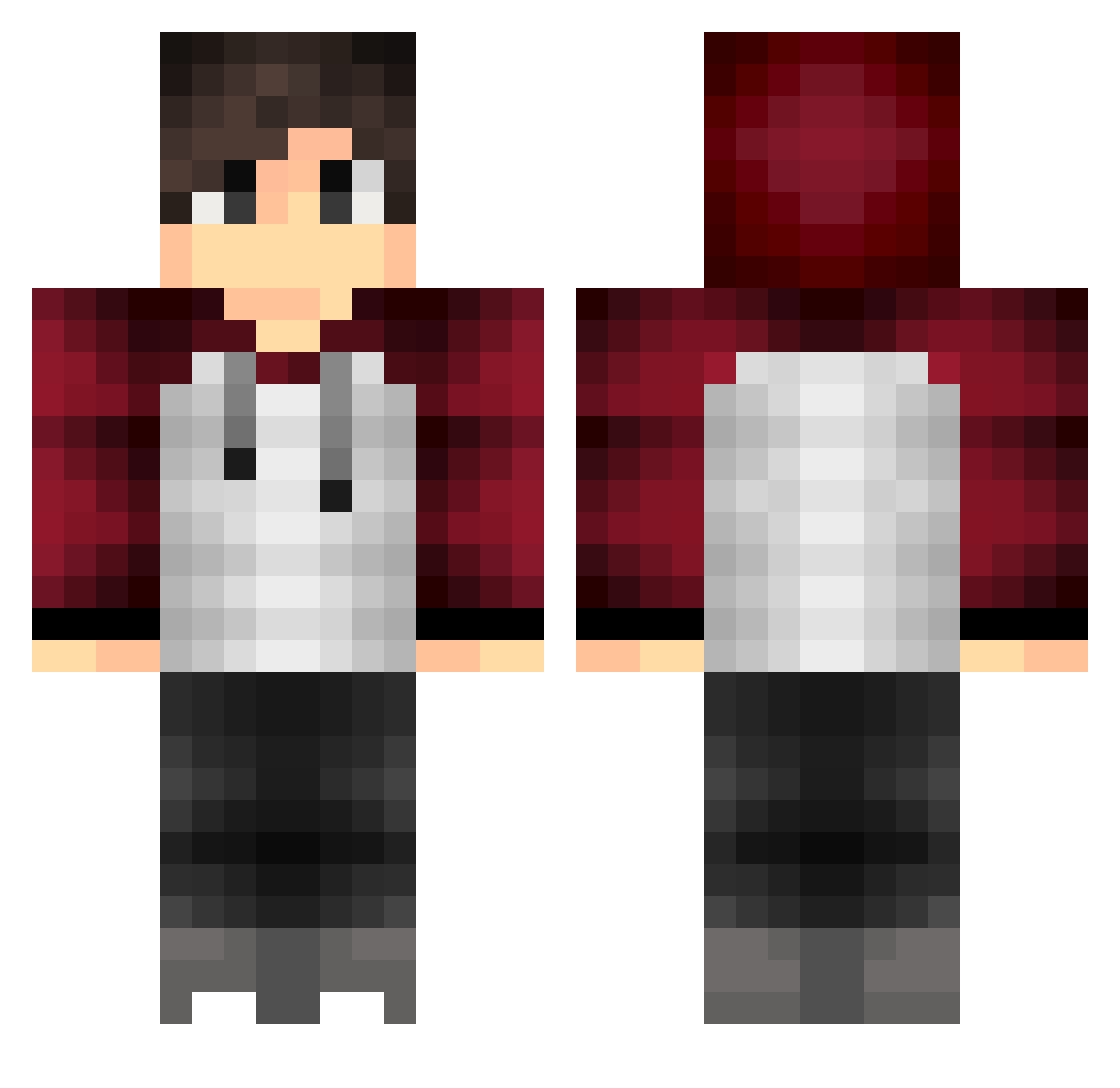
Current Minecraft skin of the player tazzzy, loaded from the official Mojang API. Rotate the 3D model with your mouse or finger, then download the skin as a PNG file and use it in Minecraft: Bedrock Edition or Java Edition for free. When tazzzy changes their skin, this page updates automatically and the old skin stays in the history below.
Other players with this skin (201)
tazzzy was the 164th player we have seen with this skin, first spotted on 29.10.2026. The same skin was seen on these players. Open a nickname to see their current skin and skin history.
 Ziegrand FENG_SI Seayno SupersJ glard Ethymeth PotterKung wannacry823 ozanfiliz1902 Falcao0404 DabOSRS thanhlt ABRAHAM_FIRE Le_Cooke volitanbeeft pednoii iLikeMyHits Netsch st00ny chuyproYT767 Metcoler CGBenny22 twin192 MrTheMixZaTV aTryHard xiao_hai_zi Anxzy_1600 Btwin23 BARBECOS _PrimeYT_ Holybacca Eduardo_Felipe M0R3SC0 Pruuds KQWang qsfe AceK29 Skyz68 rhyno2424 e55_YT Eannn DanielPlays 10000spa Annerice morishi0721 PapaWall TRGQS pedroportugal21 ofi11 Faller_Angel Master_Osama_ stqf_ Uliginosum WhySky Darkzaf RayanRR murillozip1236 FiveHeadAlex CRAFTFLO10 lJankyl
More Raglan Minecraft skins
How to install the tazzzy skin
- Press the Download button above to save the skin as a PNG file.
- Minecraft: Bedrock Edition (PE): open the Dressing Room from the main menu (or tap your character → Edit Character), go to Classic Skins → Owned, press the + (new skin) button, choose the downloaded PNG and pick the Classic (Steve) model. Works on PC and mobile; consoles cannot import custom skins.
- Minecraft: Java Edition: open the Minecraft Launcher, go to the Skins tab, click New Skin, load the PNG, pick the Classic (Steve) model and press Save & Use. You can also upload it at minecraft.net → Profile → Change Skin.
The skin does not show up after import - what should I do?
Restart Minecraft and open the Dressing Room again - imported skins sometimes appear only after a restart. Also make sure you selected the imported skin and picked the Classic (Steve) model.
Which model should I choose, Classic or Slim?
This skin is designed for the Classic (Steve) model. If you pick the wrong model, the arms of the skin will look stretched or squeezed.
Is the skin of tazzzy free to download?
Yes. Press Download, save the PNG file and use it in Minecraft: Bedrock Edition or Java Edition - no payment or registration needed. The skin also works on multiplayer servers and Realms.
More skins
Looking for more? Go back to all Minecraft skins and check the top skins of the week, month and all time, or find any player's skin by nickname.