
taylormyrick - Minecraft Skins & Skin History
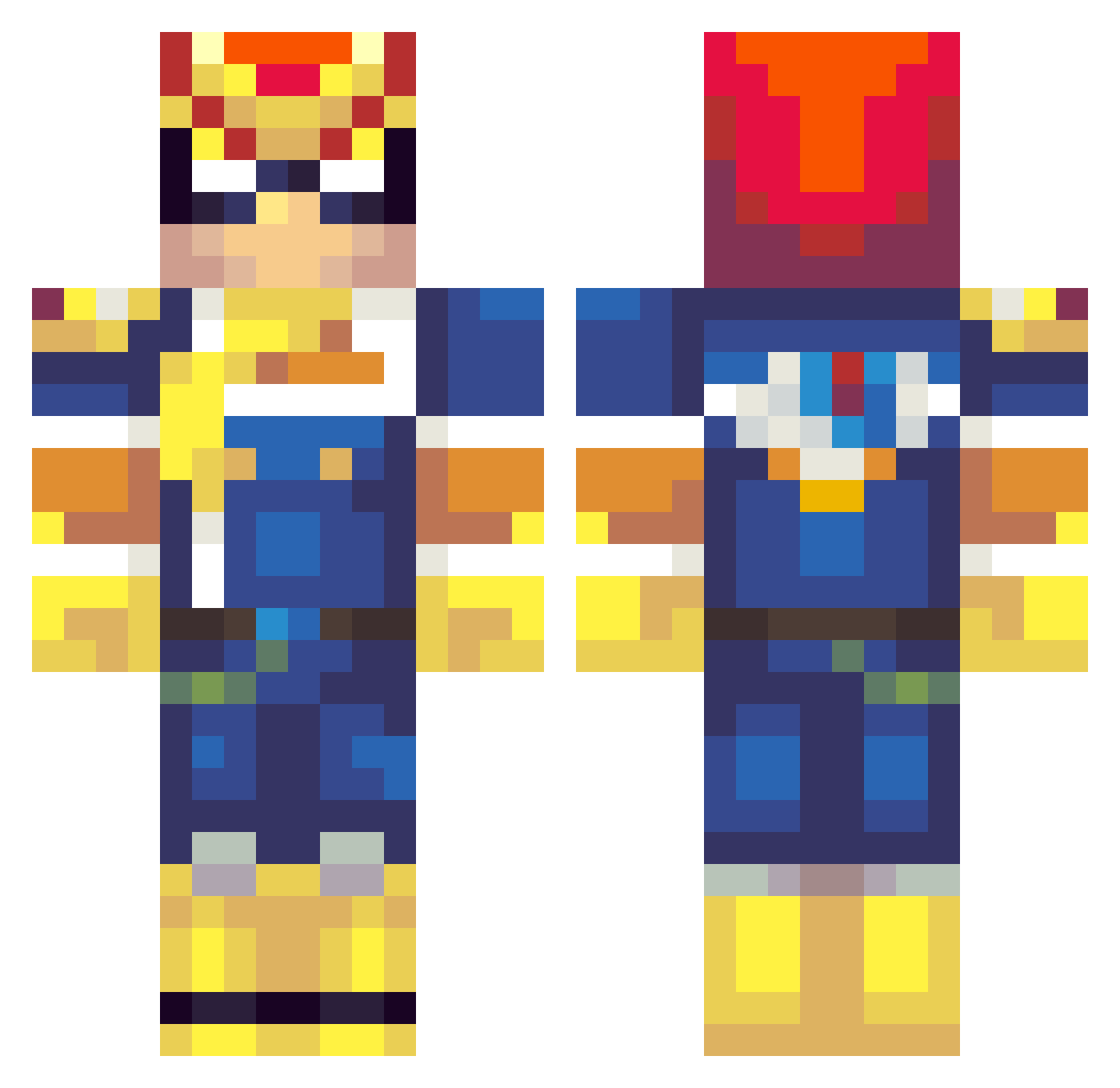
Current Minecraft skin of the player taylormyrick, loaded from the official Mojang API. Rotate the 3D model with your mouse or finger, then download the skin as a PNG file and use it in Minecraft: Bedrock Edition or Java Edition for free. When taylormyrick changes their skin, this page updates automatically and the old skin stays in the history below.
Other players with this skin (189)
taylormyrick was the 80th player we have seen with this skin, first spotted on 02.09.2026. The same skin was seen on these players. Open a nickname to see their current skin and skin history.
 stomp_box PokaCola Maxpec Asianlord101 Reid4rn aArinZ Wesorca Methewe omnibusdriver Barisaxman DEDEEN3 FushigiBus bilit_ Jinnho Septer14 itstael BunnersBunners Isaiahtjee Disckkk SkeezerJo JimboRichards MochiJin Dougan8 _Vitamin_D Nathanieil MetalreduX SwoofHasLemon ElTanque69 firsov04 Bric03 Cowboypaul2 thejackson5 RYY108 VOLODYADOM just_SMTH Falsetag YummyGreenTea DOMtheHACKER MVBowserBrutus FossilASP Golden1804 guthale weakspartan Magwe25 aea27 Ldela98 Ezreal543 Alecadian TheHerbz Skiffymcgui JShizzzle PinkySam BigGnomeo JINSATOU ellenmou Friskoh AuxelFoley LakeM0NSTER JCKarma Pancholand18
More F-Zero Minecraft skins
How to install the taylormyrick skin
- Press the Download button above to save the skin as a PNG file.
- Minecraft: Bedrock Edition (PE): open the Dressing Room from the main menu (or tap your character → Edit Character), go to Classic Skins → Owned, press the + (new skin) button, choose the downloaded PNG and pick the Classic (Steve) model. Works on PC and mobile; consoles cannot import custom skins.
- Minecraft: Java Edition: open the Minecraft Launcher, go to the Skins tab, click New Skin, load the PNG, pick the Classic (Steve) model and press Save & Use. You can also upload it at minecraft.net → Profile → Change Skin.
The skin does not show up after import - what should I do?
Restart Minecraft and open the Dressing Room again - imported skins sometimes appear only after a restart. Also make sure you selected the imported skin and picked the Classic (Steve) model.
Which model should I choose, Classic or Slim?
This skin is designed for the Classic (Steve) model. If you pick the wrong model, the arms of the skin will look stretched or squeezed.
Is the skin of taylormyrick free to download?
Yes. Press Download, save the PNG file and use it in Minecraft: Bedrock Edition or Java Edition - no payment or registration needed. The skin also works on multiplayer servers and Realms.
More skins
Looking for more? Go back to all Minecraft skins and check the top skins of the week, month and all time, or find any player's skin by nickname.