
tangtang_520 - Minecraft Skins & Skin History
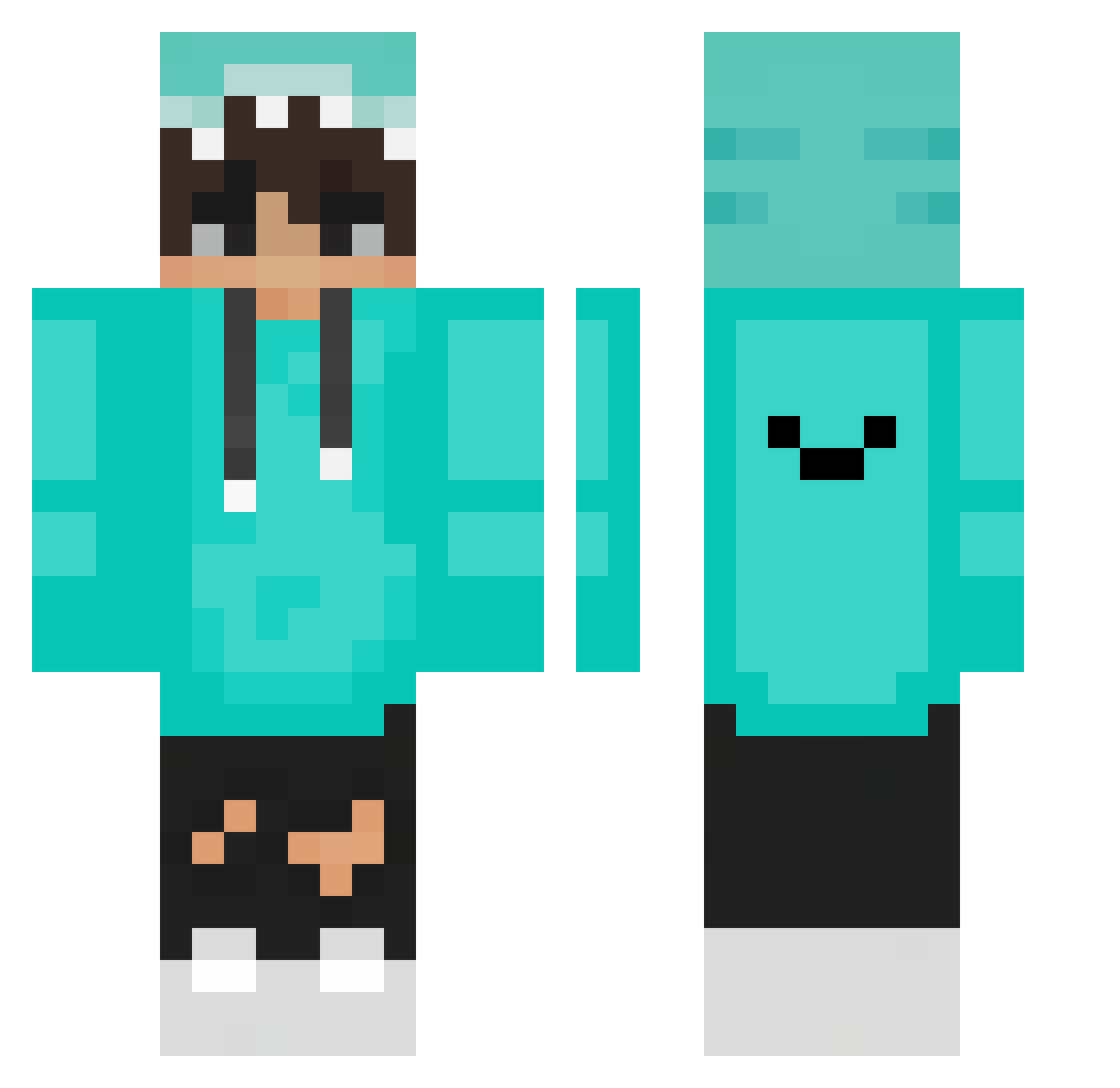
Current Minecraft skin of the player tangtang_520, loaded from the official Mojang API. Rotate the 3D model with your mouse or finger, then download the skin as a PNG file and use it in Minecraft: Bedrock Edition or Java Edition for free. When tangtang_520 changes their skin, this page updates automatically and the old skin stays in the history below.
Other players with this skin (273)
tangtang_520 was the 150th player we have seen with this skin, first spotted on 29.09.2026. The same skin was seen on these players. Open a nickname to see their current skin and skin history.
 cratoonin XDTresor HesitantMuse534 FlyingWarDragon AEM_GI Megalodeli CALL3K1NG simpleNo1 aWhitewalker03 I_aM_Hit Zicke_auf_crack topheeeer GW_juninho pawelo147 LingYu007 eye_cream Iiza3toot FormiczeQ Drakonzz ___jhon___ PlushyCeiling85 KangMinWoong199 FhilaTV PeakChill showfaithful Jupiter_H Tamisaurio Jondo181 I_Fico_I ForegoneSum7 Neg1shi Narbous08 GroozyD Wakaro _MiXa0 Vzxy Xampe82 Thomaaxxx Histerical Zenex_LOL_ITA yuyouya hUgRoDu25 berke5257 La10oz Galahad0473 mini0309 FrkTong YuaZer Divjyot 1Suter1 VLG1234 Hwolf16 Andy2o2oo101 chankangun FinbarCraft xTamee LINFONG824 TheLuCK14 Minecraft123413 Bartix168
How to install the tangtang_520 skin
- Press the Download button above to save the skin as a PNG file.
- Minecraft: Bedrock Edition (PE): open the Dressing Room from the main menu (or tap your character → Edit Character), go to Classic Skins → Owned, press the + (new skin) button, choose the downloaded PNG and pick the Classic (Steve) model. Works on PC and mobile; consoles cannot import custom skins.
- Minecraft: Java Edition: open the Minecraft Launcher, go to the Skins tab, click New Skin, load the PNG, pick the Classic (Steve) model and press Save & Use. You can also upload it at minecraft.net → Profile → Change Skin.
The skin does not show up after import - what should I do?
Restart Minecraft and open the Dressing Room again - imported skins sometimes appear only after a restart. Also make sure you selected the imported skin and picked the Classic (Steve) model.
Which model should I choose, Classic or Slim?
This skin is designed for the Classic (Steve) model. If you pick the wrong model, the arms of the skin will look stretched or squeezed.
Is the skin of tangtang_520 free to download?
Yes. Press Download, save the PNG file and use it in Minecraft: Bedrock Edition or Java Edition - no payment or registration needed. The skin also works on multiplayer servers and Realms.
More skins
Looking for more? Go back to all Minecraft skins and check the top skins of the week, month and all time, or find any player's skin by nickname.