
takaizaint - Minecraft Skins & Skin History
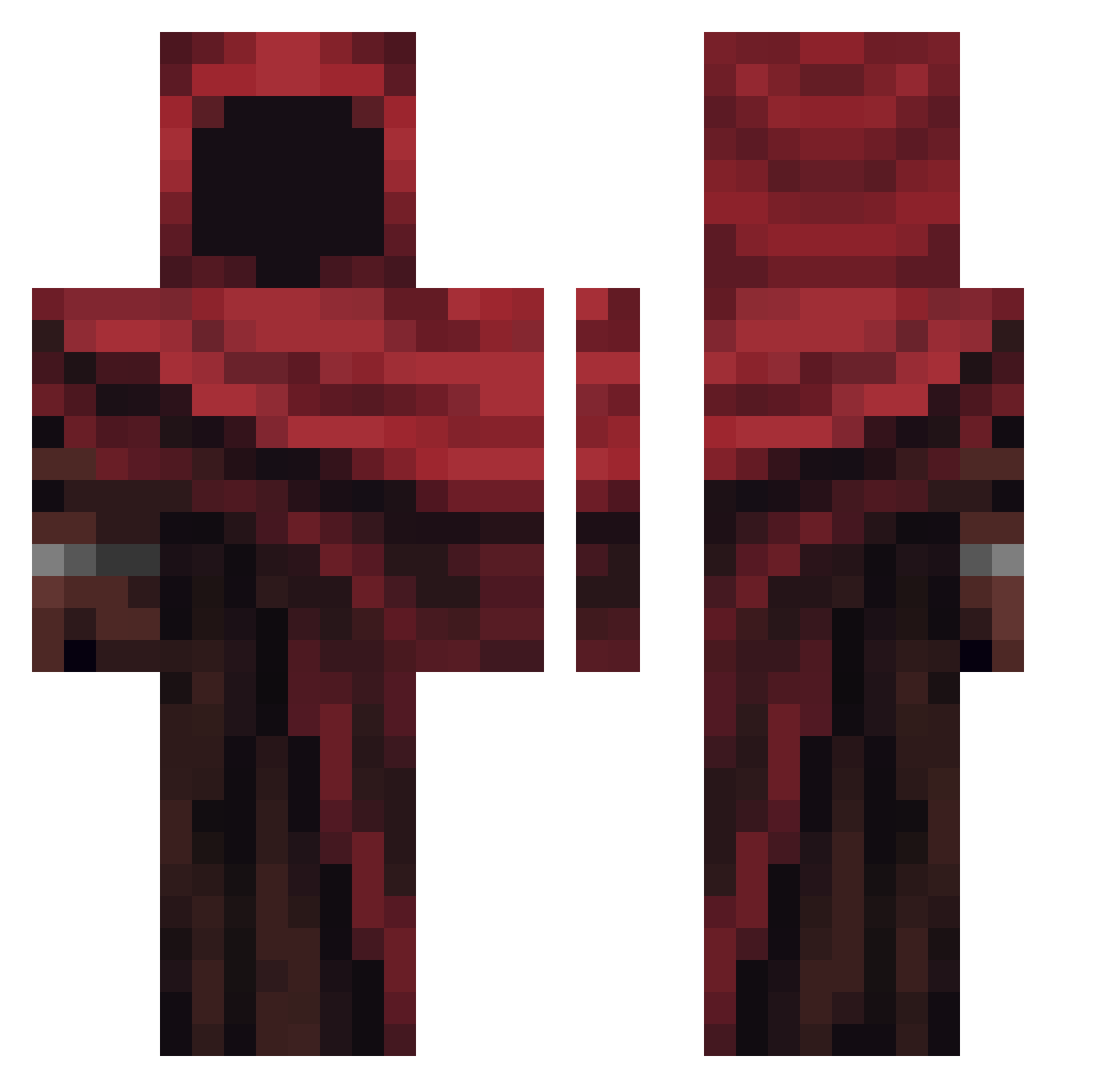
Current Minecraft skin of the player takaizaint, loaded from the official Mojang API. Rotate the 3D model with your mouse or finger, then download the skin as a PNG file and use it in Minecraft: Bedrock Edition or Java Edition for free. When takaizaint changes their skin, this page updates automatically and the old skin stays in the history below.
Other players with this skin (364)
takaizaint was the 268th player we have seen with this skin, first spotted on 09.10.2026. The same skin was seen on these players. Open a nickname to see their current skin and skin history.
 IceIsntLucky ShinkuWinku Booty_Consumer01 b0le Machin2009 imau_20 Pablodermo987 Marcello485 wibze pashateremok01 HataHayka Iama4 DoopMoose Mantras_ Nyurro Kebab_PLN Pinkumiku DieFault firechipdip Lantsey jontix21 Undefined_d Influbiz Bokuto4fu italainelf azbvas lindoso_ C17H20N4S loganID SomeRayy Washiii00 HeosterJK Meczko CzLrr leitinggb VeniaGG Marek666 Kvochur KZM0723 Mayans_ Ossideo so7u Linvyxai Noahtropolis CainoBL22 Depolarisation nemonemo0192 34kenny Moronically XThruReturn LottaDudes 1failedgamer hotAvocado BirdWhite DasLiugur jyllis Prodiged Nscy Mvtrin BoleBank1
More Rogue Minecraft skins
How to install the takaizaint skin
- Press the Download button above to save the skin as a PNG file.
- Minecraft: Bedrock Edition (PE): open the Dressing Room from the main menu (or tap your character → Edit Character), go to Classic Skins → Owned, press the + (new skin) button, choose the downloaded PNG and pick the Classic (Steve) model. Works on PC and mobile; consoles cannot import custom skins.
- Minecraft: Java Edition: open the Minecraft Launcher, go to the Skins tab, click New Skin, load the PNG, pick the Classic (Steve) model and press Save & Use. You can also upload it at minecraft.net → Profile → Change Skin.
The skin does not show up after import - what should I do?
Restart Minecraft and open the Dressing Room again - imported skins sometimes appear only after a restart. Also make sure you selected the imported skin and picked the Classic (Steve) model.
Which model should I choose, Classic or Slim?
This skin is designed for the Classic (Steve) model. If you pick the wrong model, the arms of the skin will look stretched or squeezed.
Is the skin of takaizaint free to download?
Yes. Press Download, save the PNG file and use it in Minecraft: Bedrock Edition or Java Edition - no payment or registration needed. The skin also works on multiplayer servers and Realms.
More skins
Looking for more? Go back to all Minecraft skins and check the top skins of the week, month and all time, or find any player's skin by nickname.