
tai921 - Minecraft Skins & Skin History
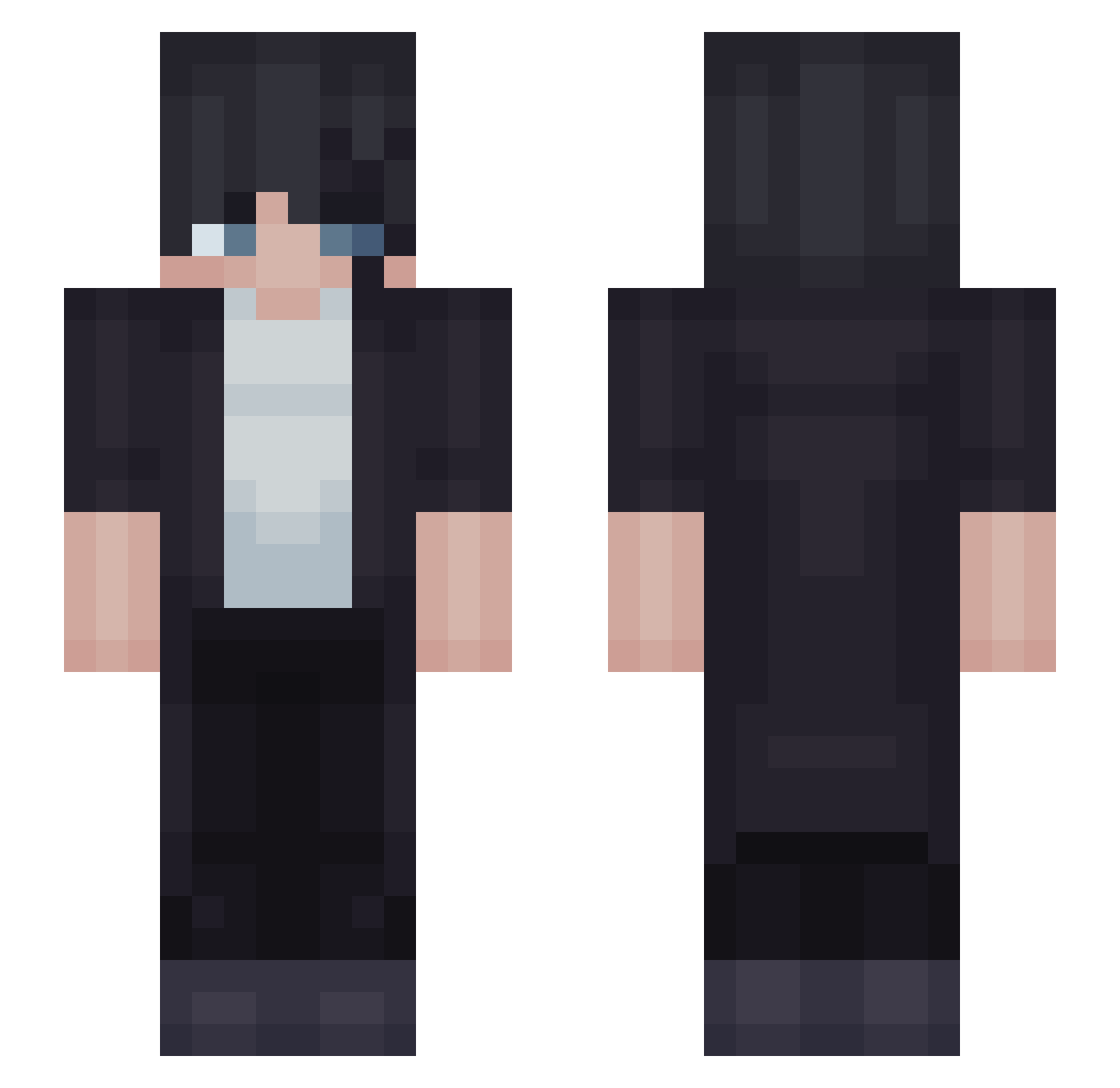
Current Minecraft skin of the player tai921, loaded from the official Mojang API. Rotate the 3D model with your mouse or finger, then download the skin as a PNG file and use it in Minecraft: Bedrock Edition or Java Edition for free. When tai921 changes their skin, this page updates automatically and the old skin stays in the history below.
Other players with this skin (51)
tai921 was the 48th player we have seen with this skin, first spotted on 13.11.2026. The same skin was seen on these players. Open a nickname to see their current skin and skin history.
 AMR37 naubA_ x_Kiro_x femboyfling garrigays253 33FY NoZaRoC EdinTapak AXZACK _iCate_ KuyDong 6IX19INE Bolioco iTeK_Fr PakkiLakki SkySlayer2467 AsteroidFall287 dumplingg_ Acaiaba vexxax DavidWhite igris_shadow051 Zeno_Sama1 KnightDylan KaisenMC Dauntless_01 SHIBAINE Beamkmt CrystalDry Vincenzo78 OriginRoute Max6095 IsaccMC Al3xzzs Tkkj1337 Tiltez Simply_Star ZETSU101 OnyxFengVT
 Fruffy_04 Thiago192 benny094 kaichair KazuhaNakamura Sygan TNSGeorge NonToxicOg_ Aaronk7 Nik0sT Farzadbrine Stinger1206
How to install the tai921 skin
- Press the Download button above to save the skin as a PNG file.
- Minecraft: Bedrock Edition (PE): open the Dressing Room from the main menu (or tap your character → Edit Character), go to Classic Skins → Owned, press the + (new skin) button, choose the downloaded PNG and pick the Slim (Alex) model. Works on PC and mobile; consoles cannot import custom skins.
- Minecraft: Java Edition: open the Minecraft Launcher, go to the Skins tab, click New Skin, load the PNG, pick the Slim (Alex) model and press Save & Use. You can also upload it at minecraft.net → Profile → Change Skin.
The skin does not show up after import - what should I do?
Restart Minecraft and open the Dressing Room again - imported skins sometimes appear only after a restart. Also make sure you selected the imported skin and picked the Slim (Alex) model.
Which model should I choose, Classic or Slim?
This skin is designed for the Slim (Alex) model. If you pick the wrong model, the arms of the skin will look stretched or squeezed.
Is the skin of tai921 free to download?
Yes. Press Download, save the PNG file and use it in Minecraft: Bedrock Edition or Java Edition - no payment or registration needed. The skin also works on multiplayer servers and Realms.
More skins
Looking for more? Go back to all Minecraft skins and check the top skins of the week, month and all time, or find any player's skin by nickname.