
tagalong - Minecraft Skins & Skin History
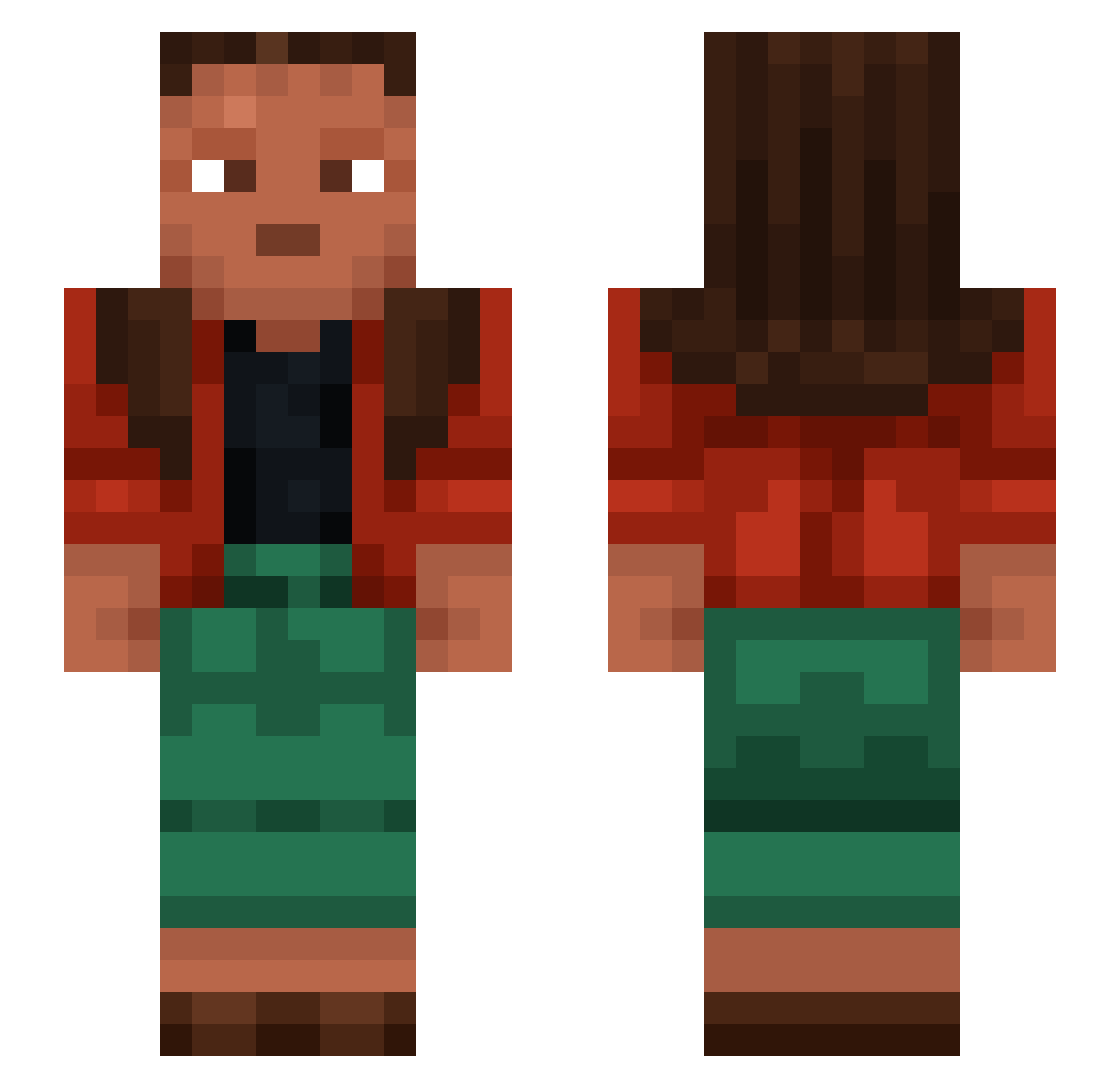
Current Minecraft skin of the player tagalong, loaded from the official Mojang API. Rotate the 3D model with your mouse or finger, then download the skin as a PNG file and use it in Minecraft: Bedrock Edition or Java Edition for free. When tagalong changes their skin, this page updates automatically and the old skin stays in the history below.
Other players with this skin (1222)
tagalong was the 450th player we have seen with this skin, first spotted on 06.09.2026. The same skin was seen on these players. Open a nickname to see their current skin and skin history.
 Jahnluke Magnanimities MalGan_ Friederich123 neostigmine EF3RA Goodluck20260622 Inlio lordoflasanya Ruthenic cockswain FlexDon IronmanZayas82 Huckleberry NFM VinceInDisguise kwhr Flooder Vqlture Van_Wizzle Thung_Rac Ericius Forgery Den_Za Wrot iCeTiChauD__i Achatinidae Questeur sabeuo Freakpot Azodar sellywin ItzPaulo Syagush claustrum Egged Chromolithograph DoctorHood Hypohidrosis Asgerdc Potacziii savation Hatcheller DrongoL Charger Stellary Volkazy wangyoujun0 SimplyQNA 17ayala Berendo Shimmylynx hello_rex_ move77747 Swatifyy Prigger Ownxy BigManWolf KingKazma5 Ponhov
How to install the tagalong skin
- Press the Download button above to save the skin as a PNG file.
- Minecraft: Bedrock Edition (PE): open the Dressing Room from the main menu (or tap your character → Edit Character), go to Classic Skins → Owned, press the + (new skin) button, choose the downloaded PNG and pick the Slim (Alex) model. Works on PC and mobile; consoles cannot import custom skins.
- Minecraft: Java Edition: open the Minecraft Launcher, go to the Skins tab, click New Skin, load the PNG, pick the Slim (Alex) model and press Save & Use. You can also upload it at minecraft.net → Profile → Change Skin.
The skin does not show up after import - what should I do?
Restart Minecraft and open the Dressing Room again - imported skins sometimes appear only after a restart. Also make sure you selected the imported skin and picked the Slim (Alex) model.
Which model should I choose, Classic or Slim?
This skin is designed for the Slim (Alex) model. If you pick the wrong model, the arms of the skin will look stretched or squeezed.
Is the skin of tagalong free to download?
Yes. Press Download, save the PNG file and use it in Minecraft: Bedrock Edition or Java Edition - no payment or registration needed. The skin also works on multiplayer servers and Realms.
More skins
Looking for more? Go back to all Minecraft skins and check the top skins of the week, month and all time, or find any player's skin by nickname.