
t12revs - Minecraft Skins & Skin History
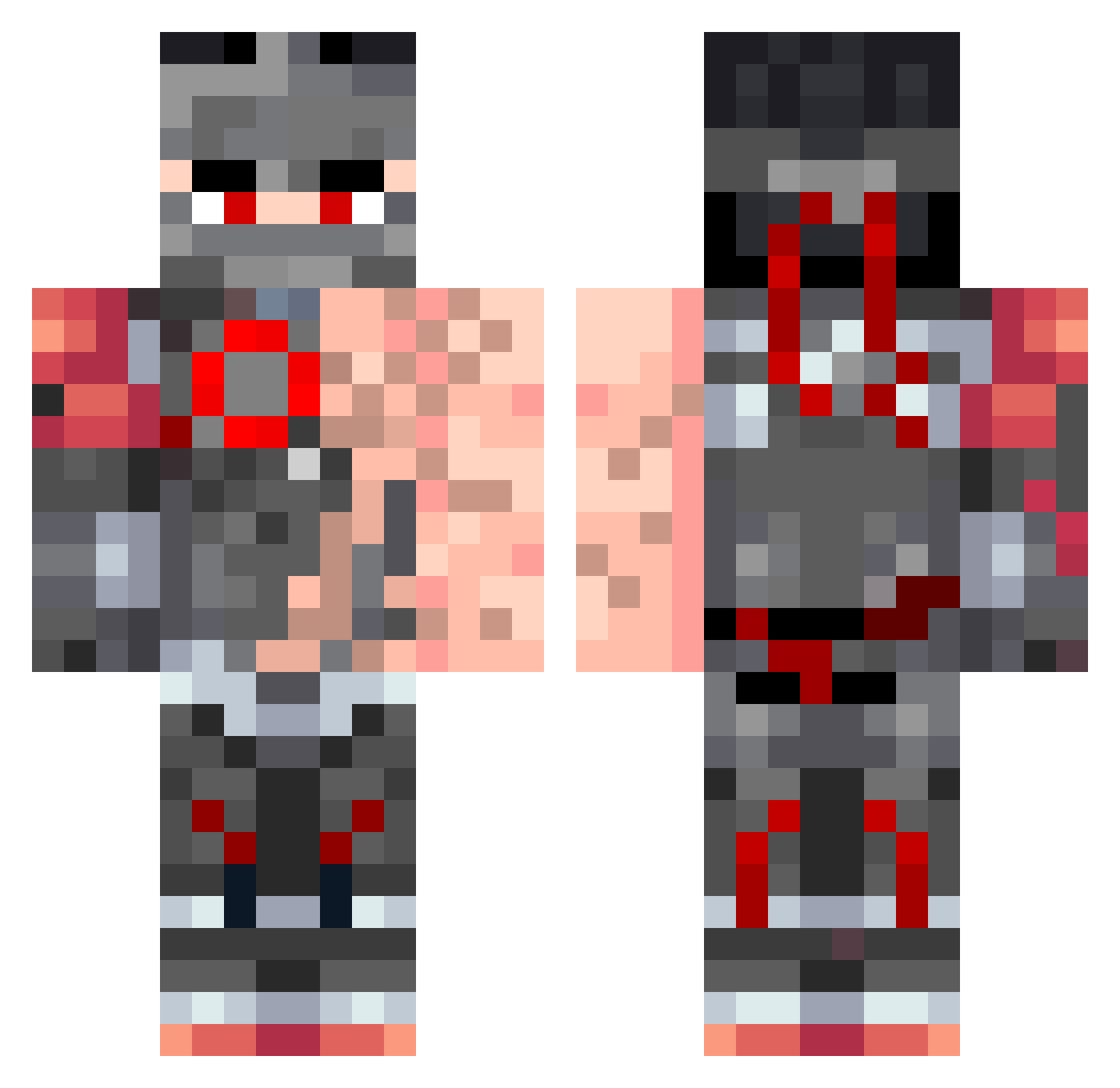
Current Minecraft skin of the player t12revs, loaded from the official Mojang API. Rotate the 3D model with your mouse or finger, then download the skin as a PNG file and use it in Minecraft: Bedrock Edition or Java Edition for free. When t12revs changes their skin, this page updates automatically and the old skin stays in the history below.
Other players with this skin (58)
t12revs was the 32nd player we have seen with this skin, first spotted on 20.09.2026. The same skin was seen on these players. Open a nickname to see their current skin and skin history.
 alfjcj OutTheShadow2 ZoidMC MonumentSB ReHabitize SilverFox2007 Tsarcasm1978 hzne Psikopat ongalaxygas JesusLover98 xZeiwan_Twitch winagamer659 Artif3ct JURJUS Agatepolecat ghoul_axaxaxa Bablu_jani JONANSAR Gluooo BulkyJynx Exabyten Refraction2 DarkF1re5368 karol123polska shadder5k TKG_AHMED varun_batra Koekjeskoala N1ghtLancer Haojiahuoa Xx_Genji_xX Kr11111s Flamez7_ bbaun MegaTiago9767 Dwkb _Matvey KiminoTsunTsun BackOffImAvas WSPeralta Astaria2 yakudzo Kinity _Natoon_ Outreach Octadecagon debiut Robin_hazebroek hazelellie1 kuudrartifact
 ReallySusNgl NotHERO_ airiellx Omnisej CrimsonLifez _Shadow_Reaper_ Refraction
More Armored Warrior Minecraft skins
See all 218 Armored Warrior skins
How to install the t12revs skin
- Press the Download button above to save the skin as a PNG file.
- Minecraft: Bedrock Edition (PE): open the Dressing Room from the main menu (or tap your character → Edit Character), go to Classic Skins → Owned, press the + (new skin) button, choose the downloaded PNG and pick the Classic (Steve) model. Works on PC and mobile; consoles cannot import custom skins.
- Minecraft: Java Edition: open the Minecraft Launcher, go to the Skins tab, click New Skin, load the PNG, pick the Classic (Steve) model and press Save & Use. You can also upload it at minecraft.net → Profile → Change Skin.
The skin does not show up after import - what should I do?
Restart Minecraft and open the Dressing Room again - imported skins sometimes appear only after a restart. Also make sure you selected the imported skin and picked the Classic (Steve) model.
Which model should I choose, Classic or Slim?
This skin is designed for the Classic (Steve) model. If you pick the wrong model, the arms of the skin will look stretched or squeezed.
Is the skin of t12revs free to download?
Yes. Press Download, save the PNG file and use it in Minecraft: Bedrock Edition or Java Edition - no payment or registration needed. The skin also works on multiplayer servers and Realms.
More skins
Looking for more? Go back to all Minecraft skins and check the top skins of the week, month and all time, or find any player's skin by nickname.