
synapse008 - Minecraft Skins & Skin History
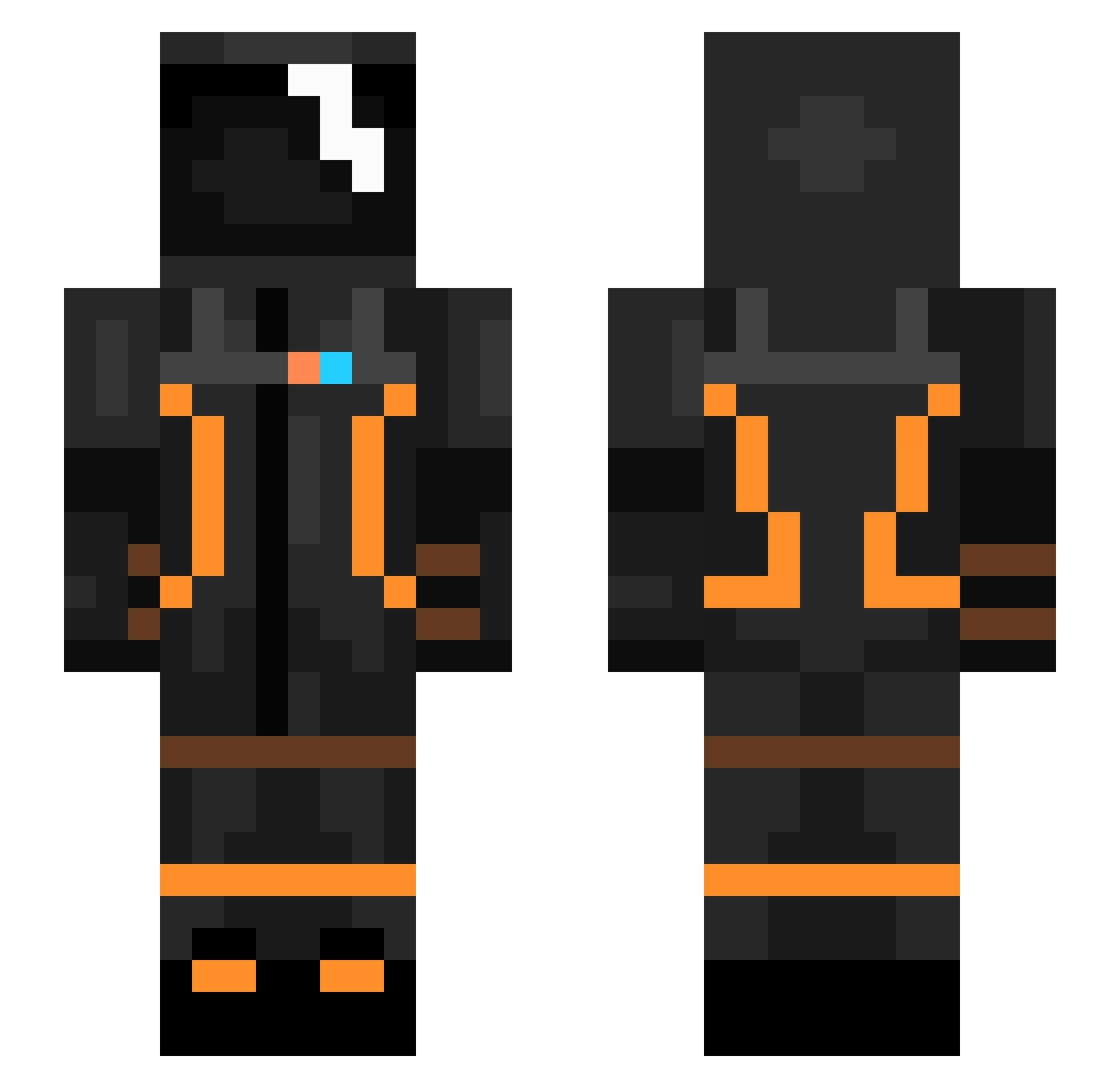
Current Minecraft skin of the player synapse008, loaded from the official Mojang API. Rotate the 3D model with your mouse or finger, then download the skin as a PNG file and use it in Minecraft: Bedrock Edition or Java Edition for free. When synapse008 changes their skin, this page updates automatically and the old skin stays in the history below.
Other players with this skin (103)
synapse008 was the 22nd player we have seen with this skin, first spotted on 18.08.2026. The same skin was seen on these players. Open a nickname to see their current skin and skin history.
 uHTeJlekTyAJl sameTHC MonetaryCobra7 Umante 1volt_ Sanse600 Astro_Ak speedbuilder007 Eensert Wari_TV Rolo732 Crunchychicken2 Aryogs GTXMartian KevRM11 itsJKtime uwantsumlunch GlitchQ_O RGBeeN1 EggNuts5537 BDB63 LilThompsy Halcyoning HowYouDoinn Rheighn EmeryzaBeast13 jajebie MRolek321 somodan Fede240809 KevN98 jsp444 money43 hankspank11 foo2018 DJay_Madness ThrillScottH Jpanzer bulletGT21 Waze99 Itzmylifestyle MIXENO Lextredis jfraxxx ScorpianViper12 100Sachn80 ClappedByLollo xsanderbg oRFolkz BigBlizzys RichardMiix ale_X11X lieTOMti SpaceWalker2077 Citric03 Sp33dyyy hc415 Meteorizer Tom_Slader NotMikhail
More Isaac Clarke Minecraft skins
See all 1072 Isaac Clarke skins
How to install the synapse008 skin
- Press the Download button above to save the skin as a PNG file.
- Minecraft: Bedrock Edition (PE): open the Dressing Room from the main menu (or tap your character → Edit Character), go to Classic Skins → Owned, press the + (new skin) button, choose the downloaded PNG and pick the Slim (Alex) model. Works on PC and mobile; consoles cannot import custom skins.
- Minecraft: Java Edition: open the Minecraft Launcher, go to the Skins tab, click New Skin, load the PNG, pick the Slim (Alex) model and press Save & Use. You can also upload it at minecraft.net → Profile → Change Skin.
The skin does not show up after import - what should I do?
Restart Minecraft and open the Dressing Room again - imported skins sometimes appear only after a restart. Also make sure you selected the imported skin and picked the Slim (Alex) model.
Which model should I choose, Classic or Slim?
This skin is designed for the Slim (Alex) model. If you pick the wrong model, the arms of the skin will look stretched or squeezed.
Is the skin of synapse008 free to download?
Yes. Press Download, save the PNG file and use it in Minecraft: Bedrock Edition or Java Edition - no payment or registration needed. The skin also works on multiplayer servers and Realms.
More skins
Looking for more? Go back to all Minecraft skins and check the top skins of the week, month and all time, or find any player's skin by nickname.