
syizi - Minecraft Skins & Skin History
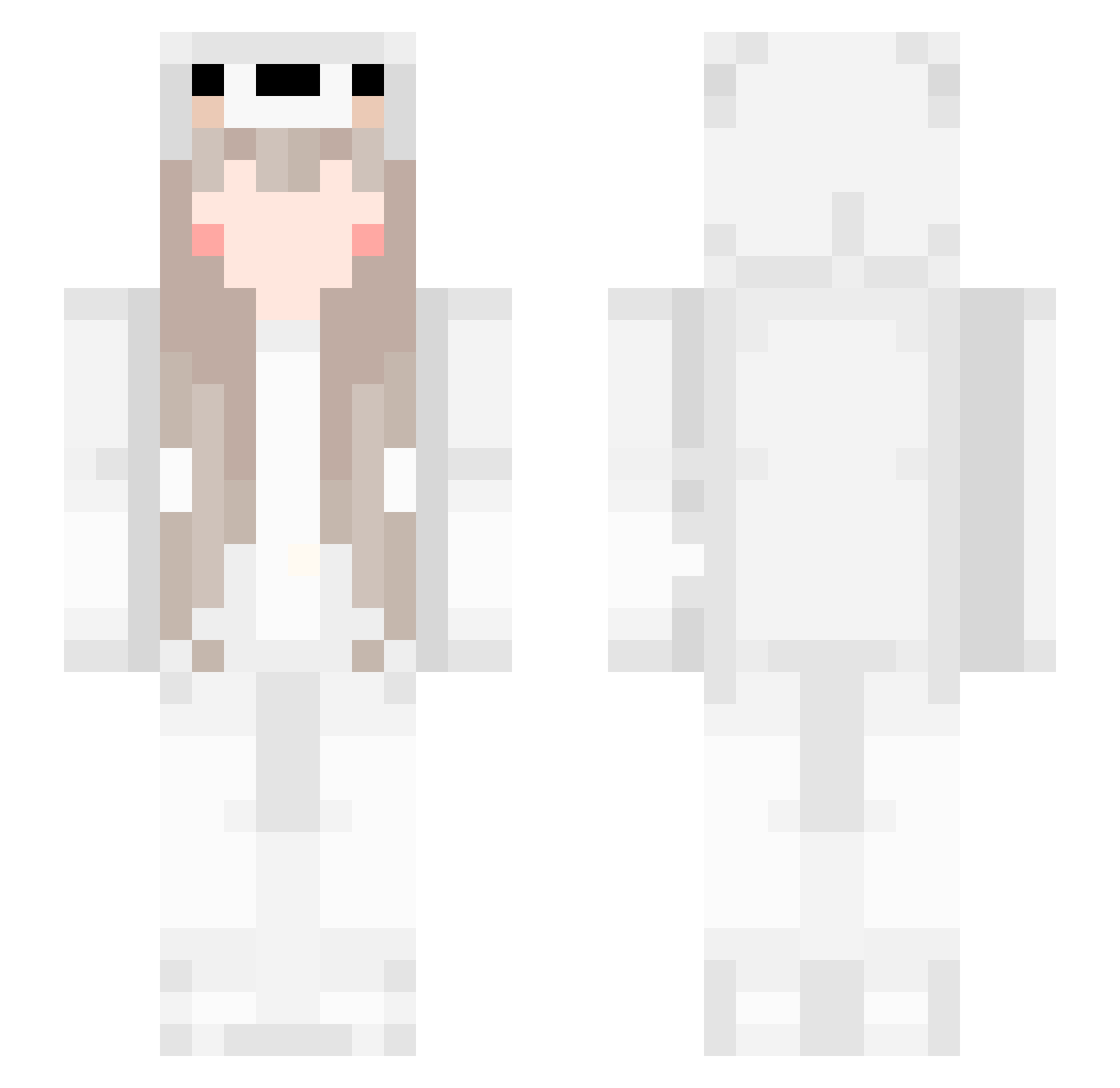
Current Minecraft skin of the player syizi, loaded from the official Mojang API. Rotate the 3D model with your mouse or finger, then download the skin as a PNG file and use it in Minecraft: Bedrock Edition or Java Edition for free. When syizi changes their skin, this page updates automatically and the old skin stays in the history below.
Other players with this skin (226)
syizi was the 139th player we have seen with this skin, first spotted on 02.10.2026. The same skin was seen on these players. Open a nickname to see their current skin and skin history.
 5uki FarAstra Coflito Maniac____ guangming_ itz_in3sss Chiao__o doggiey propheteBB8 PolllarBear DREAM_AND_FLOWER Dushes11 amanxxwicz Mandant Cloudleaf_deer Tarrah angelnyanya wh_666 BlackPink1234 Noqel notHalstead ExactPvP DogTheKiller Joobileeee zoidsman GaGaSB80308 Mike_Literos Seanchoung lilbumbles007 ku_ssss gingypapa hyuckgon www_makin_ccc tomoyan1578 CHITOSS Herschel_9527 Yummiebitez DonJulieo Lunderman96 HaGum TobascoT SH1MCEN Nateman_01 Meowxk Brinicle177 ReU0524 Nutnum20115 otyaduke1031 Puppiii678 bleeeshh _Kazyke_ Orchideen _MrFlocke_ Origami_Iko lizzielie 0Chelsea LvpingzT Kyomii Mindy_tt Ruoxvan
More Cute Minecraft skins
How to install the syizi skin
- Press the Download button above to save the skin as a PNG file.
- Minecraft: Bedrock Edition (PE): open the Dressing Room from the main menu (or tap your character → Edit Character), go to Classic Skins → Owned, press the + (new skin) button, choose the downloaded PNG and pick the Slim (Alex) model. Works on PC and mobile; consoles cannot import custom skins.
- Minecraft: Java Edition: open the Minecraft Launcher, go to the Skins tab, click New Skin, load the PNG, pick the Slim (Alex) model and press Save & Use. You can also upload it at minecraft.net → Profile → Change Skin.
The skin does not show up after import - what should I do?
Restart Minecraft and open the Dressing Room again - imported skins sometimes appear only after a restart. Also make sure you selected the imported skin and picked the Slim (Alex) model.
Which model should I choose, Classic or Slim?
This skin is designed for the Slim (Alex) model. If you pick the wrong model, the arms of the skin will look stretched or squeezed.
Is the skin of syizi free to download?
Yes. Press Download, save the PNG file and use it in Minecraft: Bedrock Edition or Java Edition - no payment or registration needed. The skin also works on multiplayer servers and Realms.
More skins
Looking for more? Go back to all Minecraft skins and check the top skins of the week, month and all time, or find any player's skin by nickname.