
syamersx - Minecraft Skins & Skin History
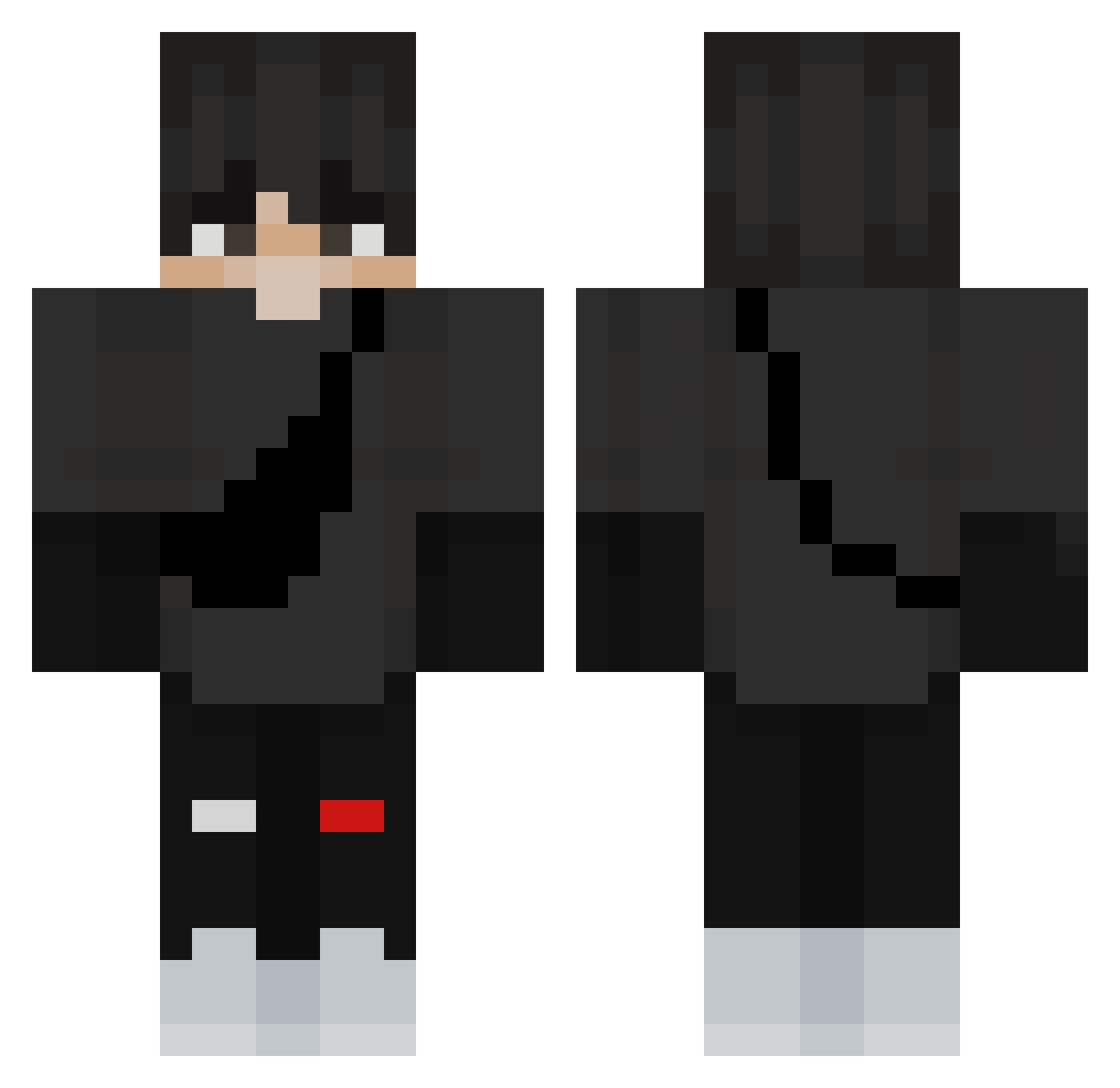
Current Minecraft skin of the player syamersx, loaded from the official Mojang API. Rotate the 3D model with your mouse or finger, then download the skin as a PNG file and use it in Minecraft: Bedrock Edition or Java Edition for free. When syamersx changes their skin, this page updates automatically and the old skin stays in the history below.
Other players with this skin (361)
syamersx was the 204th player we have seen with this skin, first spotted on 24.09.2026. The same skin was seen on these players. Open a nickname to see their current skin and skin history.
 trickery1014 Legendeo YusufEymenALT FireFungus6027 ADDSW21 CrushX22 LittleEvey8888 CGKIM hydro_209 Darkowsky2 matytran SaKaToKunG _M0ReS_ Liedsondelas Skinek11xd TheMatez BianXingGanJun XPapiez Snapachka 3rd4l minbeom0127 Dada200910 Damm11 xXNOVAXxx LxckyYT SirSquishy CoolPuffin15 aleandrea0206 Ytik4eb Suposed m4hd Spynette SuperLao66 Sehaj__ Witheshadow666 Kayfar6k ch4veLo GioviFN WhyMeOmg Gorila_Na_Divane yoyopotatoes hubabuba1029 Kiks_s Angelus__ La_Presion23 FaNaTiiK0 Kuba43562 RotaryBard3245 Jammyyyyyyy 1_KeH_1 Dcusasi Fumetsu16_ Lousynest DomiHrajeCZ tckzoo chriistiian_ R3KT_guest porksmith LOLtti Xiang_chen923
More Messenger Bag Minecraft skins
See all 535 Messenger Bag skins
How to install the syamersx skin
- Press the Download button above to save the skin as a PNG file.
- Minecraft: Bedrock Edition (PE): open the Dressing Room from the main menu (or tap your character → Edit Character), go to Classic Skins → Owned, press the + (new skin) button, choose the downloaded PNG and pick the Classic (Steve) model. Works on PC and mobile; consoles cannot import custom skins.
- Minecraft: Java Edition: open the Minecraft Launcher, go to the Skins tab, click New Skin, load the PNG, pick the Classic (Steve) model and press Save & Use. You can also upload it at minecraft.net → Profile → Change Skin.
The skin does not show up after import - what should I do?
Restart Minecraft and open the Dressing Room again - imported skins sometimes appear only after a restart. Also make sure you selected the imported skin and picked the Classic (Steve) model.
Which model should I choose, Classic or Slim?
This skin is designed for the Classic (Steve) model. If you pick the wrong model, the arms of the skin will look stretched or squeezed.
Is the skin of syamersx free to download?
Yes. Press Download, save the PNG file and use it in Minecraft: Bedrock Edition or Java Edition - no payment or registration needed. The skin also works on multiplayer servers and Realms.
More skins
Looking for more? Go back to all Minecraft skins and check the top skins of the week, month and all time, or find any player's skin by nickname.