
swag2chainz - Minecraft Skins & Skin History
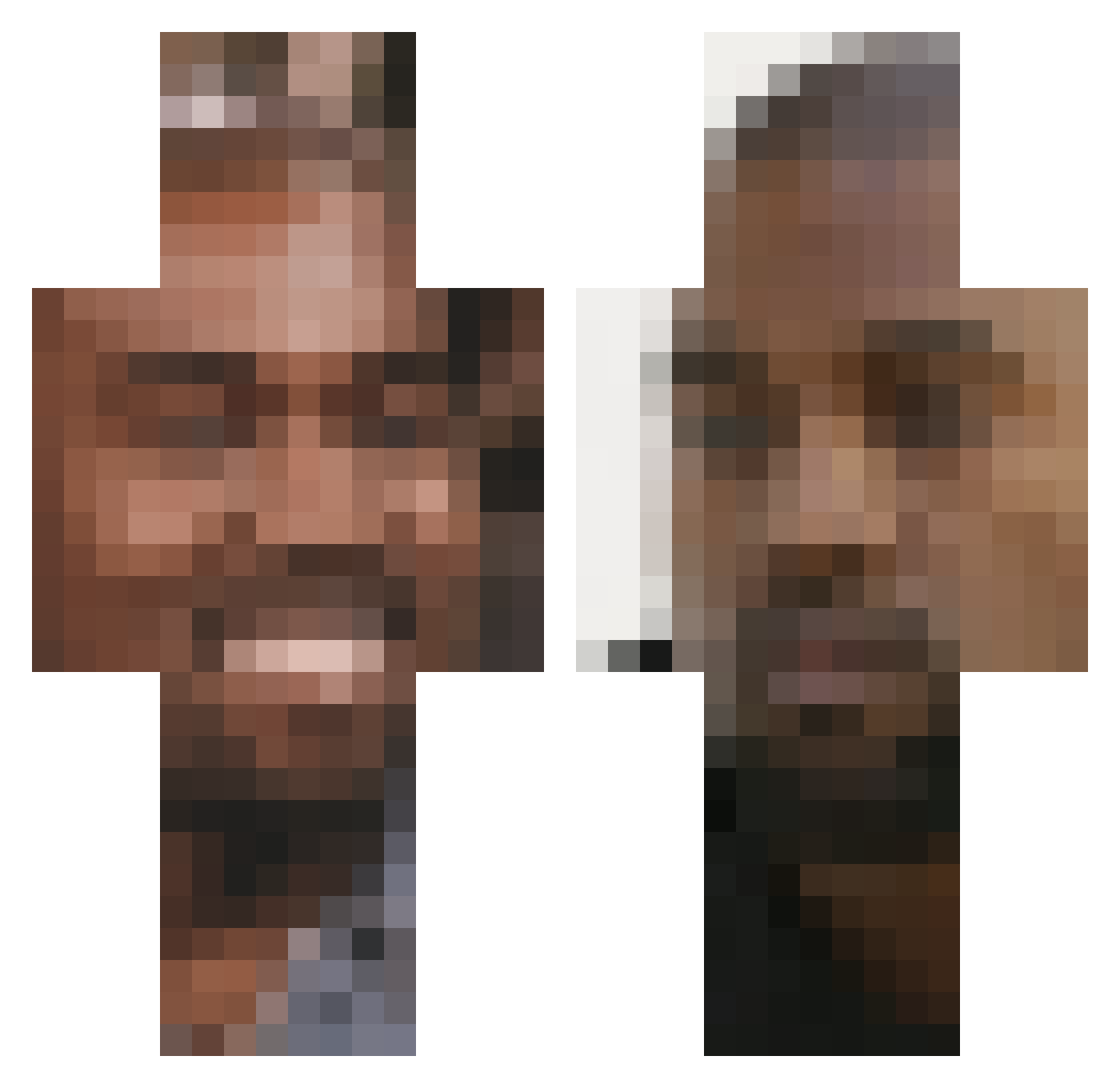
Current Minecraft skin of the player swag2chainz, loaded from the official Mojang API. Rotate the 3D model with your mouse or finger, then download the skin as a PNG file and use it in Minecraft: Bedrock Edition or Java Edition for free. When swag2chainz changes their skin, this page updates automatically and the old skin stays in the history below.
Other players with this skin (248)
swag2chainz was the 239th player we have seen with this skin, first spotted on 27.10.2026. The same skin was seen on these players. Open a nickname to see their current skin and skin history.
 ImHam7k brothers_smb Blue_T0ad Luxean Sorry4TheClap Jeroen_Plz Ambatukam31Zenci mvparon Mfinda 0uterspass UserVIII mlanglois33682 Sternjunge Paaat69 inspecc Im_A_Cracker mac_54 biscuit_united NotRokx KanyeWestsPits cjv512 cloneman108 Da_Go0g jessicajjdai JedD427 TunaFresh43 TurkishHamood Pynomite ParrotUnique skrrskrrgang slattyslatty H0E69 SavvasA KeeChip LGT_Striker wodge420 min3craftp0rn Blueballsbillie yeeezyflacko hivtrey ElliottSt KobTheOneAndOnly Inthetrapbbn hyfish Kanyo_Quest zucccc Jude256 FierceFruit Mr1nfamous IwanCgn uuliana Bert_Hak Hayleesoot1 Eazy_duz_it brokenslander PigGonjko IschFischDisch SdoubleU4Syth ZortMars420 vxorx
More Kanye West Minecraft skins
How to install the swag2chainz skin
- Press the Download button above to save the skin as a PNG file.
- Minecraft: Bedrock Edition (PE): open the Dressing Room from the main menu (or tap your character → Edit Character), go to Classic Skins → Owned, press the + (new skin) button, choose the downloaded PNG and pick the Classic (Steve) model. Works on PC and mobile; consoles cannot import custom skins.
- Minecraft: Java Edition: open the Minecraft Launcher, go to the Skins tab, click New Skin, load the PNG, pick the Classic (Steve) model and press Save & Use. You can also upload it at minecraft.net → Profile → Change Skin.
The skin does not show up after import - what should I do?
Restart Minecraft and open the Dressing Room again - imported skins sometimes appear only after a restart. Also make sure you selected the imported skin and picked the Classic (Steve) model.
Which model should I choose, Classic or Slim?
This skin is designed for the Classic (Steve) model. If you pick the wrong model, the arms of the skin will look stretched or squeezed.
Is the skin of swag2chainz free to download?
Yes. Press Download, save the PNG file and use it in Minecraft: Bedrock Edition or Java Edition - no payment or registration needed. The skin also works on multiplayer servers and Realms.
More skins
Looking for more? Go back to all Minecraft skins and check the top skins of the week, month and all time, or find any player's skin by nickname.