
svff - Minecraft Skins & Skin History
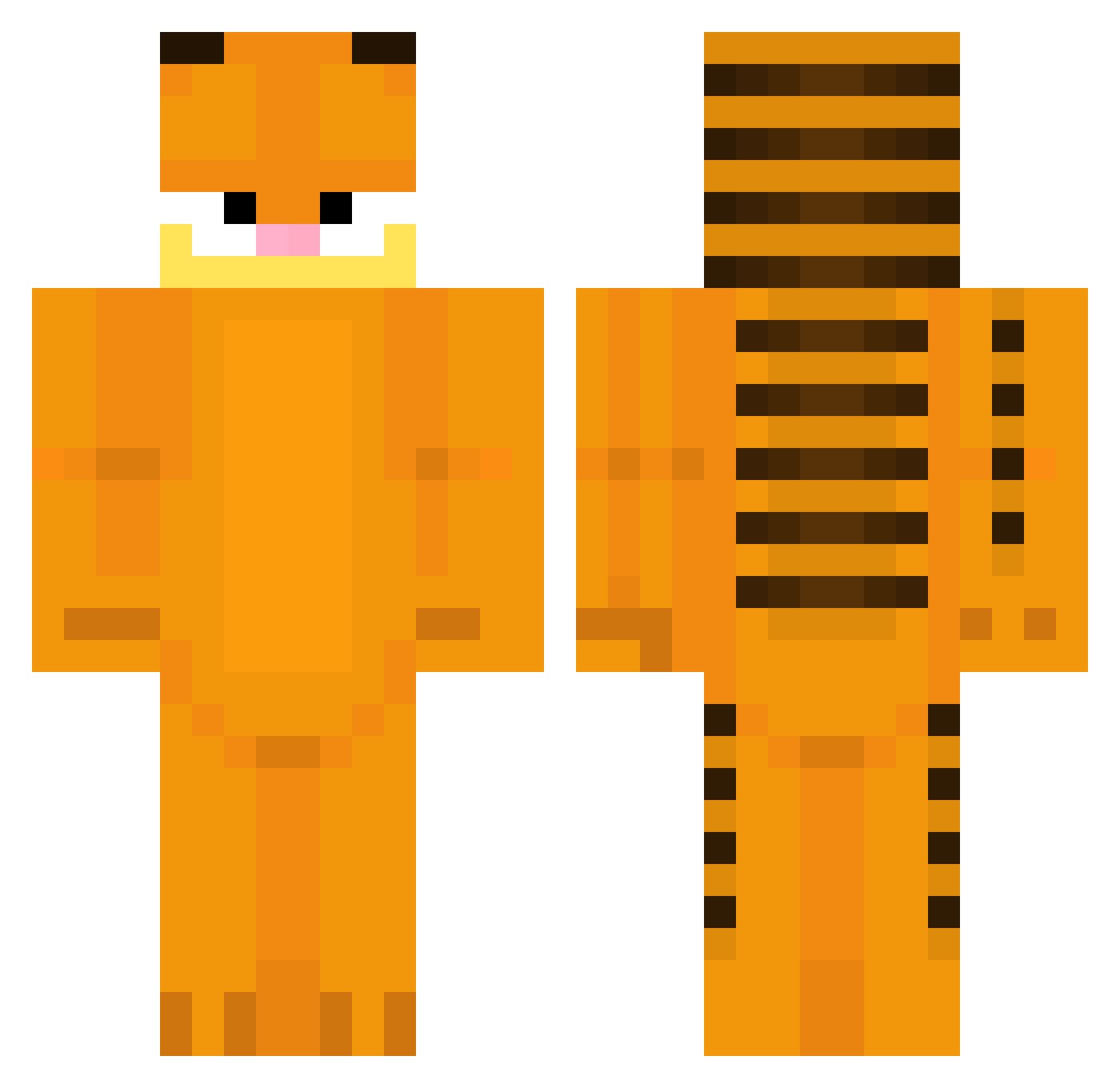
Current Minecraft skin of the player svff, loaded from the official Mojang API. Rotate the 3D model with your mouse or finger, then download the skin as a PNG file and use it in Minecraft: Bedrock Edition or Java Edition for free. When svff changes their skin, this page updates automatically and the old skin stays in the history below.
Other players with this skin (383)
svff was the 320th player we have seen with this skin, first spotted on 04.11.2026. The same skin was seen on these players. Open a nickname to see their current skin and skin history.
 meeepxy ggarfieldd MaxouTheCat KingEthelstan Al3xW163 fajne_konto jeongdory Sshumik rajatkiinni cloudy0905 weineris halfabet LZLUS Kisiel22 Jack_Taylor julianwastkn Cat_On_Da_Mic OreoTheCaty 23cmJJ JJJ48 gu1si MANAO13 Snowy135 Zemus01 PrivateBee ElkRose wlemons1 dealermiauw Orangekatt FerchoPa_ PureEmi yourfriendamber kajtek280 FlamingWolf823 AWF2k cLmQLH Lowqen Peanut6_9 sickbrick101 Karzel317 FroggeMushrooms Rapido_ytb ItIsWhatItIs706 Seputar Mijkzurr juneho guack_man rkdgo Alex99PT Ontays FreePoPm LELE23312 Calemeon IndigoPwr Zuzia_0411 Stackcat KuroiTsukki Markland46 user1354222 OatleyTheBean
More Garfield Minecraft skins
How to install the svff skin
- Press the Download button above to save the skin as a PNG file.
- Minecraft: Bedrock Edition (PE): open the Dressing Room from the main menu (or tap your character → Edit Character), go to Classic Skins → Owned, press the + (new skin) button, choose the downloaded PNG and pick the Classic (Steve) model. Works on PC and mobile; consoles cannot import custom skins.
- Minecraft: Java Edition: open the Minecraft Launcher, go to the Skins tab, click New Skin, load the PNG, pick the Classic (Steve) model and press Save & Use. You can also upload it at minecraft.net → Profile → Change Skin.
The skin does not show up after import - what should I do?
Restart Minecraft and open the Dressing Room again - imported skins sometimes appear only after a restart. Also make sure you selected the imported skin and picked the Classic (Steve) model.
Which model should I choose, Classic or Slim?
This skin is designed for the Classic (Steve) model. If you pick the wrong model, the arms of the skin will look stretched or squeezed.
Is the skin of svff free to download?
Yes. Press Download, save the PNG file and use it in Minecraft: Bedrock Edition or Java Edition - no payment or registration needed. The skin also works on multiplayer servers and Realms.
More skins
Looking for more? Go back to all Minecraft skins and check the top skins of the week, month and all time, or find any player's skin by nickname.