
superluigi209 - Minecraft Skins & Skin History
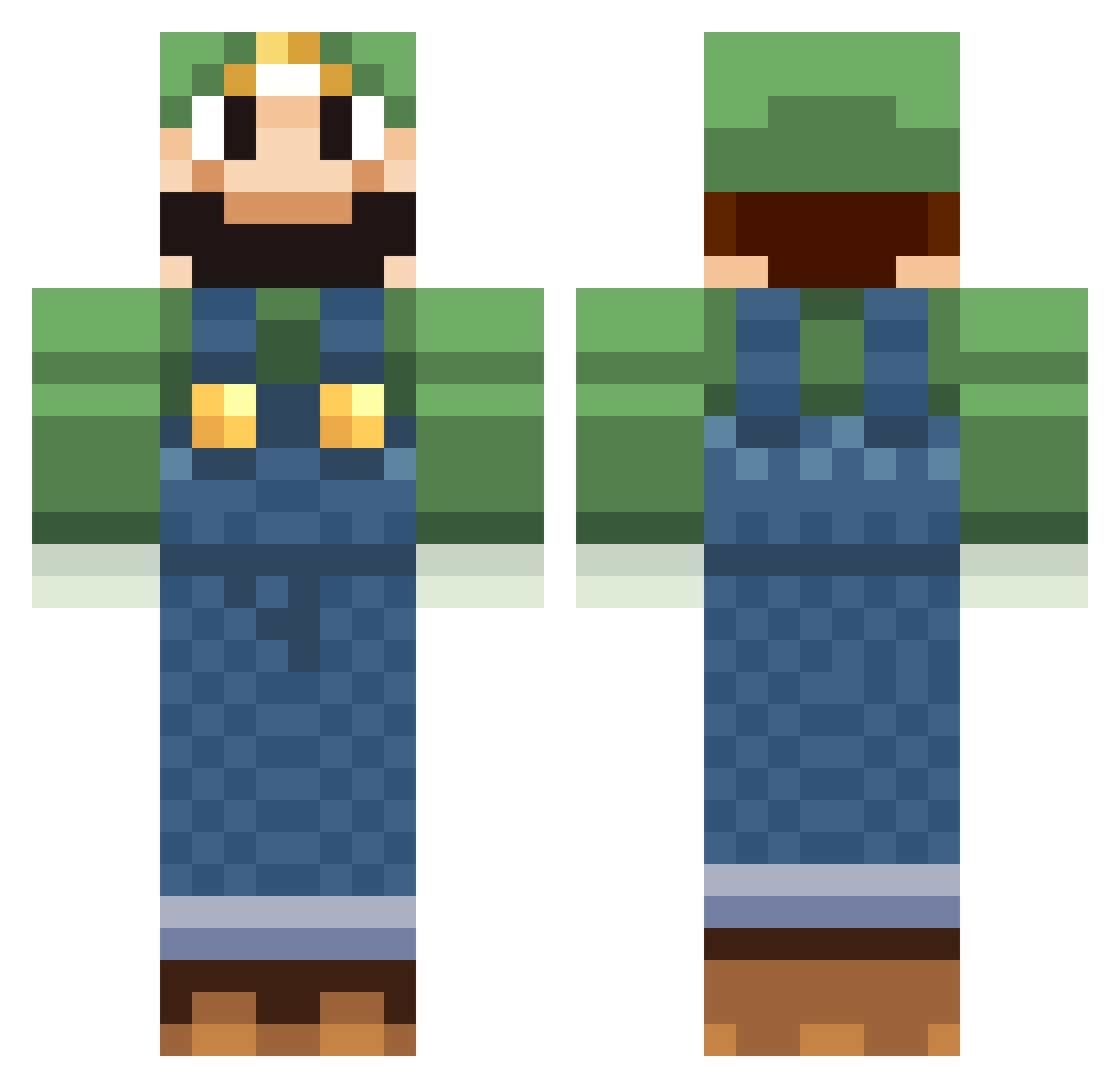
Current Minecraft skin of the player superluigi209, loaded from the official Mojang API. Rotate the 3D model with your mouse or finger, then download the skin as a PNG file and use it in Minecraft: Bedrock Edition or Java Edition for free. When superluigi209 changes their skin, this page updates automatically and the old skin stays in the history below.
Other players with this skin (65)
superluigi209 was the 13th player we have seen with this skin, first spotted on 16.08.2026. The same skin was seen on these players. Open a nickname to see their current skin and skin history.
 OswaldoSimmons DanFairs lizzylunatic HeyItsAshley Colerw8 CamYoung20 gingerhit Dead_Luigi Jovie8 sider990 kartingstig eggedcorn ItsmeLuiGGiv1 RemyC2220 PICASSO_7 luigistar2 _TheFrog_ bigbadscarecrow ojdrank Kevsecraft kidcolorz7 jurix1888 MarcoPolon1 guoingonline Striker45_6 Felidan rushall98 Paul2001010 Reyarch velcroman13 harpster05 Timbukt0 Rockmann25 Vitzri AnulApocalypse jimenezd93 xMichey64 Mexicano3 LuigiWorld Zickezack MisterMori laszlo1999 iop908 FutureTrunks101 Lemon_Zest CookieDuck Ekrajewski aredsheep toonlink98 GusseStar spaghettiman30 MENMARU itininnsyou TheMovie12 Hausmeisterfisch AwEsOmeEthAn_13 w33333d tylerw8 Spaacedog scturtle
More Luigi Minecraft skins
How to install the superluigi209 skin
- Press the Download button above to save the skin as a PNG file.
- Minecraft: Bedrock Edition (PE): open the Dressing Room from the main menu (or tap your character → Edit Character), go to Classic Skins → Owned, press the + (new skin) button, choose the downloaded PNG and pick the Classic (Steve) model. Works on PC and mobile; consoles cannot import custom skins.
- Minecraft: Java Edition: open the Minecraft Launcher, go to the Skins tab, click New Skin, load the PNG, pick the Classic (Steve) model and press Save & Use. You can also upload it at minecraft.net → Profile → Change Skin.
The skin does not show up after import - what should I do?
Restart Minecraft and open the Dressing Room again - imported skins sometimes appear only after a restart. Also make sure you selected the imported skin and picked the Classic (Steve) model.
Which model should I choose, Classic or Slim?
This skin is designed for the Classic (Steve) model. If you pick the wrong model, the arms of the skin will look stretched or squeezed.
Is the skin of superluigi209 free to download?
Yes. Press Download, save the PNG file and use it in Minecraft: Bedrock Edition or Java Edition - no payment or registration needed. The skin also works on multiplayer servers and Realms.
More skins
Looking for more? Go back to all Minecraft skins and check the top skins of the week, month and all time, or find any player's skin by nickname.