
superdupermaann - Minecraft Skins & Skin History
Current Minecraft skin of the player superdupermaann, loaded from the official Mojang API. Rotate the 3D model with your mouse or finger, then download the skin as a PNG file and use it in Minecraft: Bedrock Edition or Java Edition for free. When superdupermaann changes their skin, this page updates automatically and the old skin stays in the history below.
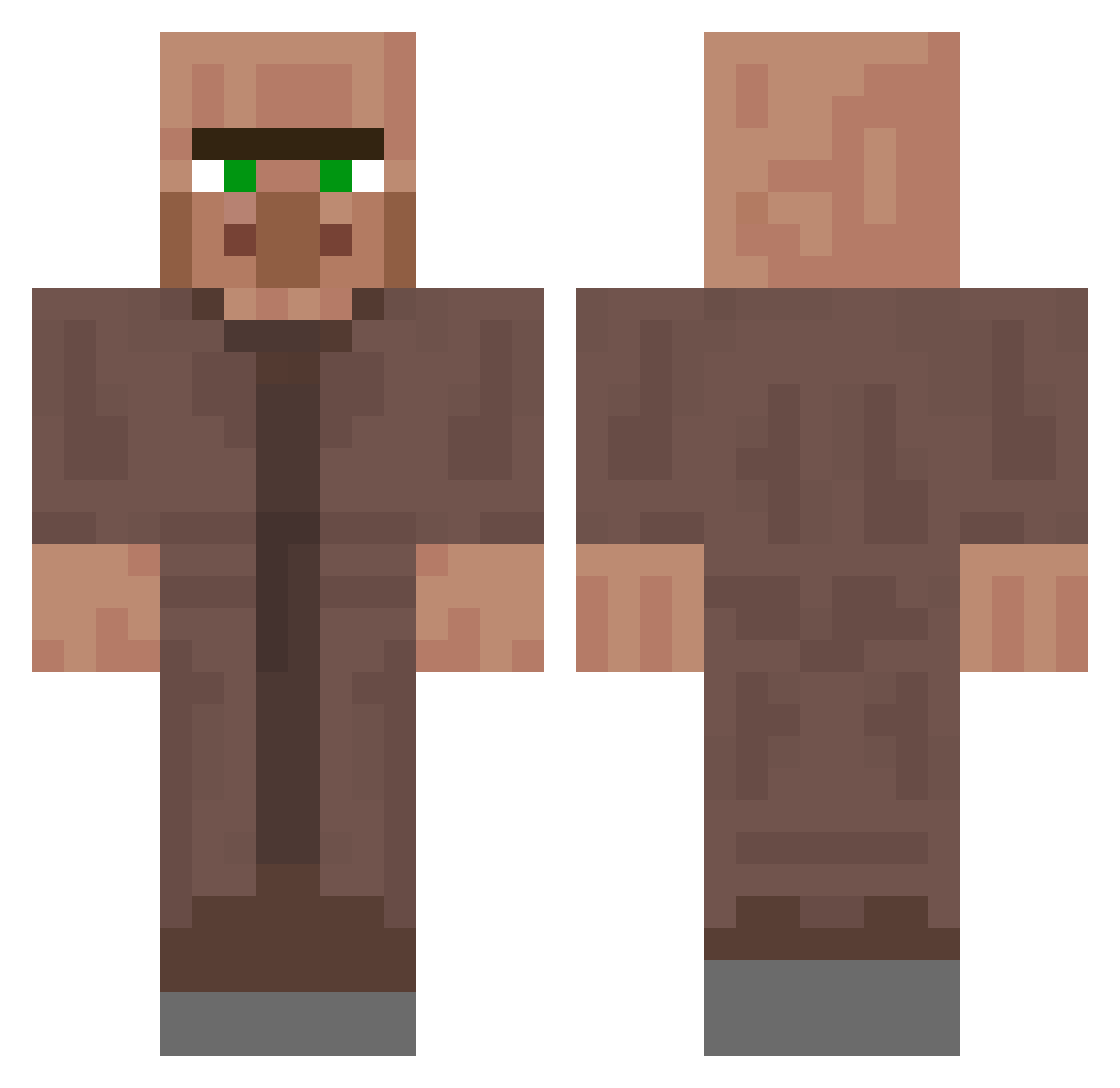
Other players with this skin (250)
superdupermaann was the 38th player we have seen with this skin, first spotted on 08.08.2026. The same skin was seen on these players. Open a nickname to see their current skin and skin history.
 nayuta333 coopthetroop88
 AilTron Ziggizigzag mtishi KondSmeagol kermi2019 mysterymase6 Evzoo1 lilpop74 zBatita Mastabaita69420 BonzoMask IsaiahGtz100 Pro_53 Squigs08
 zacado9189 Swagirl69 Sriiko n1tsu Xilus411 jessieharper0 lepoisson28 AdhocEvening668 EnvyJr2nd kektus_v2 7maaaaaaaas T2_Faker DAVIDMAKER3000 MaggyFiX GGKMAN89
 Squaschiboy Moirsh Kai86862687 MicroSchnurpf Tikali12 yanliz_ayak Kailele
 manlover9 Kaymay619er V_Bence Jun4Num CuriousMunk Shaun_64 OsherPlaysMC
 loynez littlebbing ShadowbotboiYT ddwiajs kingbiss itachi_w Julius020 CBerk ShadowslayerLP DaddelAlfe camiiy Gibon_69 Dukenc kleinerhl2 AOE59
More NPC Minecraft skins
How to install the superdupermaann skin
- Press the Download button above to save the skin as a PNG file.
- Minecraft: Bedrock Edition (PE): open the Dressing Room from the main menu (or tap your character → Edit Character), go to Classic Skins → Owned, press the + (new skin) button, choose the downloaded PNG and pick the Classic (Steve) model. Works on PC and mobile; consoles cannot import custom skins.
- Minecraft: Java Edition: open the Minecraft Launcher, go to the Skins tab, click New Skin, load the PNG, pick the Classic (Steve) model and press Save & Use. You can also upload it at minecraft.net → Profile → Change Skin.
The skin does not show up after import - what should I do?
Restart Minecraft and open the Dressing Room again - imported skins sometimes appear only after a restart. Also make sure you selected the imported skin and picked the Classic (Steve) model.
Which model should I choose, Classic or Slim?
This skin is designed for the Classic (Steve) model. If you pick the wrong model, the arms of the skin will look stretched or squeezed.
Is the skin of superdupermaann free to download?
Yes. Press Download, save the PNG file and use it in Minecraft: Bedrock Edition or Java Edition - no payment or registration needed. The skin also works on multiplayer servers and Realms.
More skins
Looking for more? Go back to all Minecraft skins and check the top skins of the week, month and all time, or find any player's skin by nickname.