
sunyzz - Minecraft Skins & Skin History
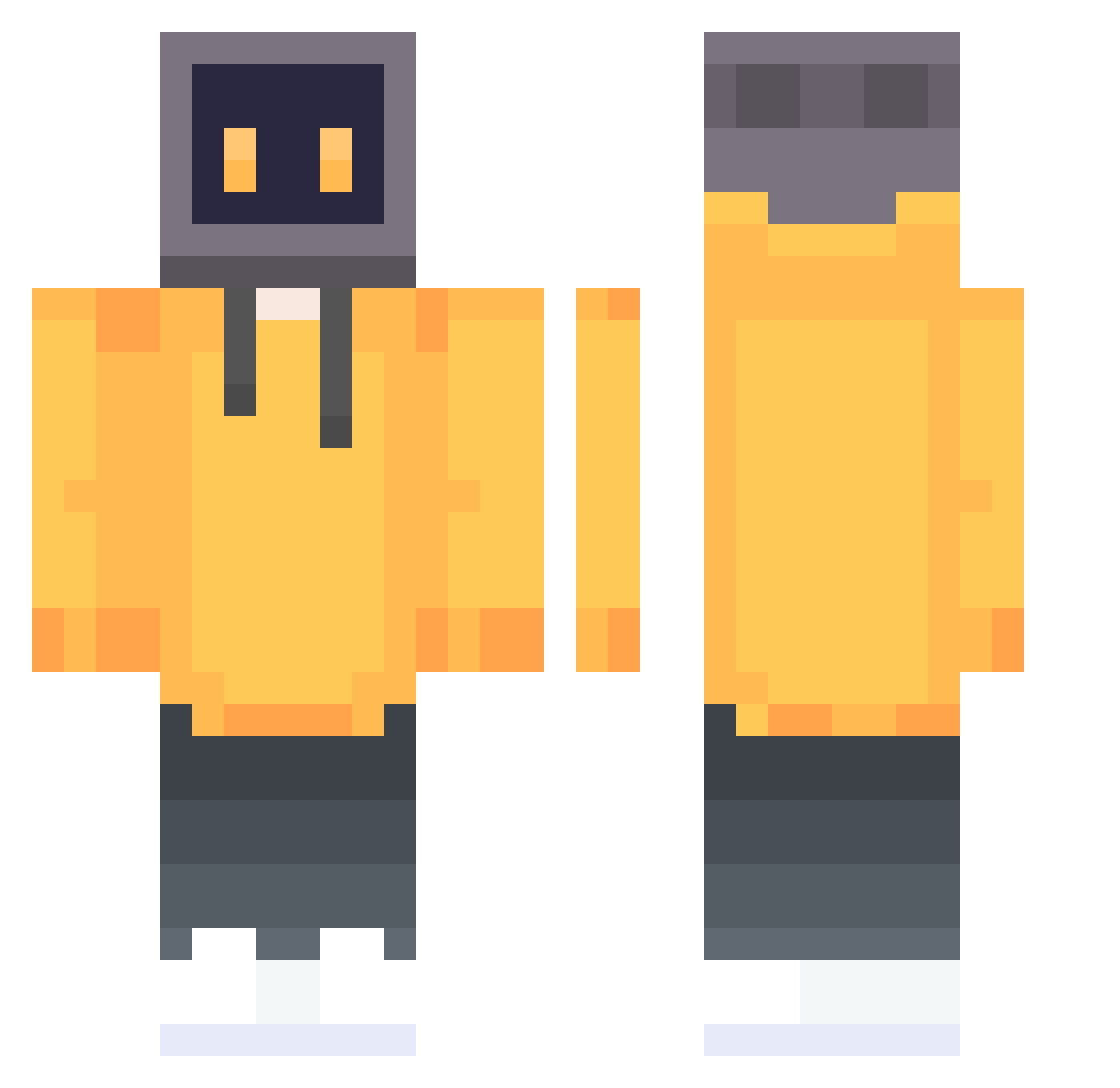
Current Minecraft skin of the player sunyzz, loaded from the official Mojang API. Rotate the 3D model with your mouse or finger, then download the skin as a PNG file and use it in Minecraft: Bedrock Edition or Java Edition for free. When sunyzz changes their skin, this page updates automatically and the old skin stays in the history below.
Other players with this skin (647)
sunyzz was the 221st player we have seen with this skin, first spotted on 27.08.2026. The same skin was seen on these players. Open a nickname to see their current skin and skin history.
 Minionchik Skrygen unSikko Sp22ks dolphin_kk Flippy544 hades7777 Saxen18 roxdragon Di_QiYe chamber1124 DaBaoXIAO Fan_Z_M IshikawaKaito Daivinci_ ZOUXX GangstaTost RozeEven
 GGG0414 Lem0n1001 Lbing1216 s1_mpl3_e wtnlQWQ pluto1577 fxdzzx dwefews ManBearPiq EighteenForever Chirashi atangw BlackLitter Culty48 Dennys96 BailyKen Zombysquat TimeTraveler447 yinseven fore0911 Nicolinhas61 BeLugagaga Icejiu Day83 Burns234 ccw__ ramuth1988 Lee1666 Droprain_ Xi_Feng7 Matto3056 mc_liu_li Feidragon JingGai_ Aka1_ fgooqq CanYU_dd july_5th phtry LH77 Blood_flow Polinator
More TV Head Minecraft skins
How to install the sunyzz skin
- Press the Download button above to save the skin as a PNG file.
- Minecraft: Bedrock Edition (PE): open the Dressing Room from the main menu (or tap your character → Edit Character), go to Classic Skins → Owned, press the + (new skin) button, choose the downloaded PNG and pick the Classic (Steve) model. Works on PC and mobile; consoles cannot import custom skins.
- Minecraft: Java Edition: open the Minecraft Launcher, go to the Skins tab, click New Skin, load the PNG, pick the Classic (Steve) model and press Save & Use. You can also upload it at minecraft.net → Profile → Change Skin.
The skin does not show up after import - what should I do?
Restart Minecraft and open the Dressing Room again - imported skins sometimes appear only after a restart. Also make sure you selected the imported skin and picked the Classic (Steve) model.
Which model should I choose, Classic or Slim?
This skin is designed for the Classic (Steve) model. If you pick the wrong model, the arms of the skin will look stretched or squeezed.
Is the skin of sunyzz free to download?
Yes. Press Download, save the PNG file and use it in Minecraft: Bedrock Edition or Java Edition - no payment or registration needed. The skin also works on multiplayer servers and Realms.
More skins
Looking for more? Go back to all Minecraft skins and check the top skins of the week, month and all time, or find any player's skin by nickname.