
sucumbiremos - Minecraft Skins & Skin History
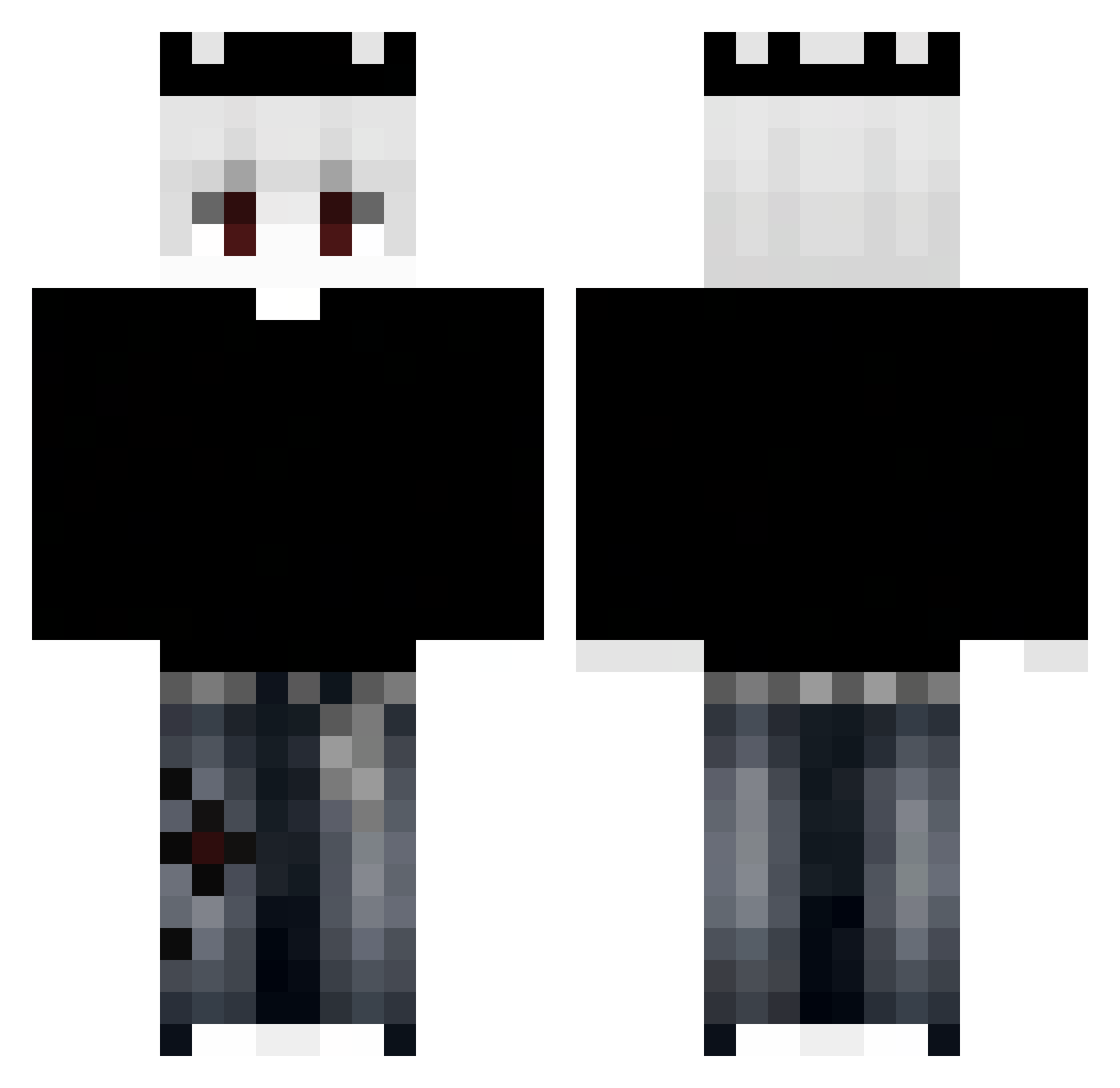
Current Minecraft skin of the player sucumbiremos, loaded from the official Mojang API. Rotate the 3D model with your mouse or finger, then download the skin as a PNG file and use it in Minecraft: Bedrock Edition or Java Edition for free. When sucumbiremos changes their skin, this page updates automatically and the old skin stays in the history below.
Other players with this skin (345)
sucumbiremos was the 260th player we have seen with this skin, first spotted on 10.10.2026. The same skin was seen on these players. Open a nickname to see their current skin and skin history.
 VisceralCat9804 Tajqo Cabzy KartikIssProo69 angpao54 ITz_Ashu F4ReZ AL0N3B0Y BASEPARTY65877 Al3xzz_ Glaxim ademmbeyyy WALNSSA ATHOTIC NathanS5528 bielskiii Taz_0 RekeSenpai MoonWatcher_67 deaxdi1 Yeison_ez drift_br alexroro14 bisheng02 kedzierskaaj Lonxwin Malydziad123 Stoepsel_X janeczqa F080 Shiny14324 smoluss SantiagoO4567 queirozjl jeongjea05 Phong555 DiggieXD Resiqn Jvsads Re_75 Yolo_xx MaxAnseDeSac Beenle_Aroma RuybVb _k0rd3k Kaiser_Zero NatWicked ItzProttoy66 edodix Vrazzz Boldiii Buqmi Sebaa19 MebinsD xDark_King1709 Trxhexa ktos_14 Donghyun0726 BarbieCultik Isme_Rith
More Grunge Minecraft skins
How to install the sucumbiremos skin
- Press the Download button above to save the skin as a PNG file.
- Minecraft: Bedrock Edition (PE): open the Dressing Room from the main menu (or tap your character → Edit Character), go to Classic Skins → Owned, press the + (new skin) button, choose the downloaded PNG and pick the Classic (Steve) model. Works on PC and mobile; consoles cannot import custom skins.
- Minecraft: Java Edition: open the Minecraft Launcher, go to the Skins tab, click New Skin, load the PNG, pick the Classic (Steve) model and press Save & Use. You can also upload it at minecraft.net → Profile → Change Skin.
The skin does not show up after import - what should I do?
Restart Minecraft and open the Dressing Room again - imported skins sometimes appear only after a restart. Also make sure you selected the imported skin and picked the Classic (Steve) model.
Which model should I choose, Classic or Slim?
This skin is designed for the Classic (Steve) model. If you pick the wrong model, the arms of the skin will look stretched or squeezed.
Is the skin of sucumbiremos free to download?
Yes. Press Download, save the PNG file and use it in Minecraft: Bedrock Edition or Java Edition - no payment or registration needed. The skin also works on multiplayer servers and Realms.
More skins
Looking for more? Go back to all Minecraft skins and check the top skins of the week, month and all time, or find any player's skin by nickname.