
stzu - Minecraft Skins & Skin History
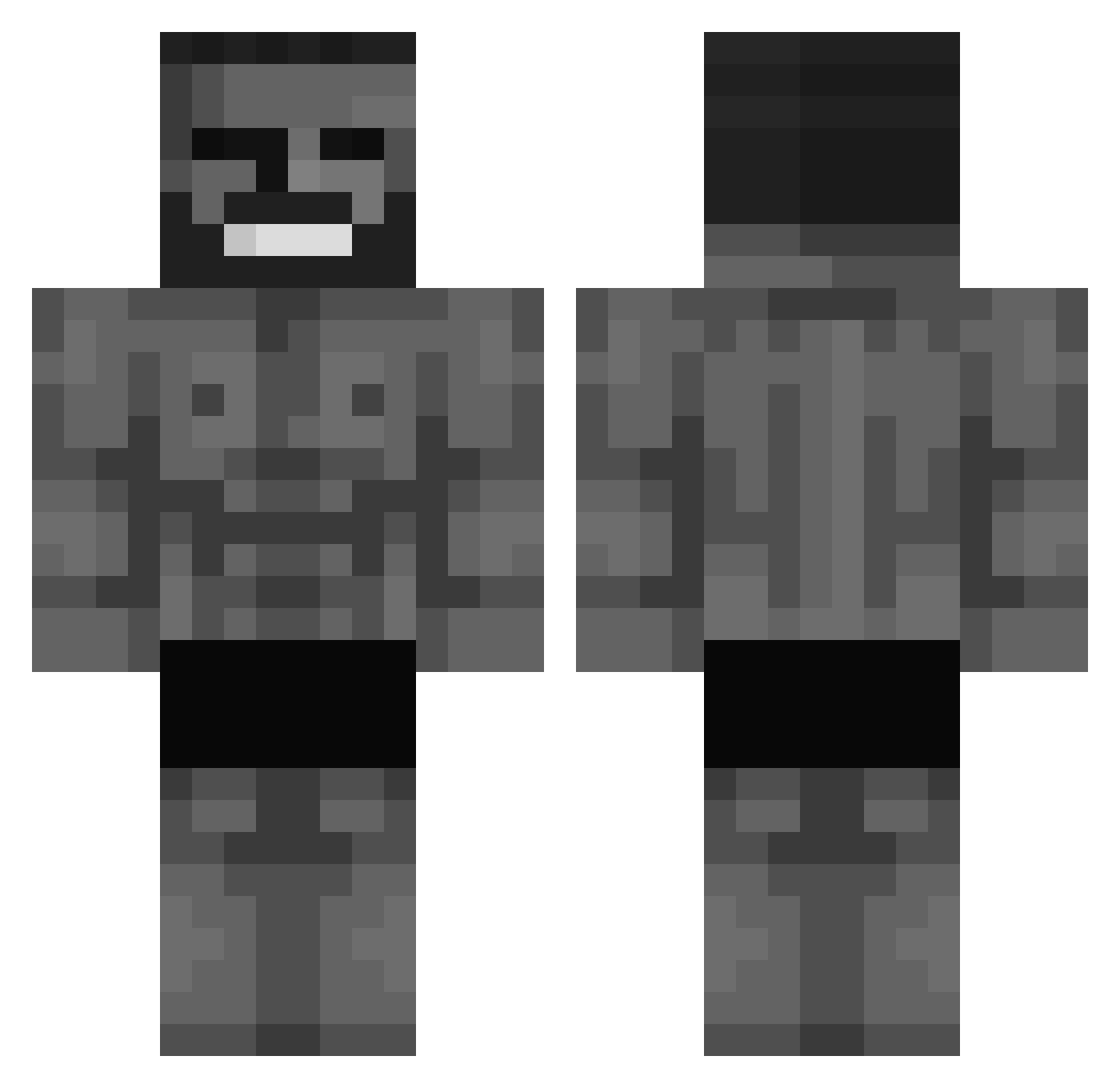
Current Minecraft skin of the player stzu, loaded from the official Mojang API. Rotate the 3D model with your mouse or finger, then download the skin as a PNG file and use it in Minecraft: Bedrock Edition or Java Edition for free. When stzu changes their skin, this page updates automatically and the old skin stays in the history below.
Other players with this skin (693)
stzu was the 573rd player we have seen with this skin, first spotted on 31.10.2026. The same skin was seen on these players. Open a nickname to see their current skin and skin history.
 R0T4G 0bsidian totomane275 Dambldor01 ronaldo_massi Killerro_ ChitoSklp Viders1234 Hyperionis Le442 FireStar_236 man4soul JubaZK Kitasugii mathmouth299 deecnt_ mnikitosu Dorba R3ALdough MonsterCampa Croockedng RageRentner69 JackedChad feidah m1enjoyer Mihawk_Prime Specter_3k mushi1234 Sidmalion SK_Ghabby Lemonman135 Trojkapazar q9klomc Ol1vo OmerEfeAybas Luarfer Kingucrimson ItroublveTSC 500er_Batzen cattang SharkAstick bandaprogamer Raiden_xyz JCjacko kvasoyob r1cxrdx Copkorn GreatGigaChad RafaelRM05 PonchoTZ sojikoo iAmVez MIXSTORM05 Emil_Louis Omg_Laessig dipstick49er INilowI AdnanPasha31 U2F_Ryflo batesss7
More Gigachad Minecraft skins
How to install the stzu skin
- Press the Download button above to save the skin as a PNG file.
- Minecraft: Bedrock Edition (PE): open the Dressing Room from the main menu (or tap your character → Edit Character), go to Classic Skins → Owned, press the + (new skin) button, choose the downloaded PNG and pick the Classic (Steve) model. Works on PC and mobile; consoles cannot import custom skins.
- Minecraft: Java Edition: open the Minecraft Launcher, go to the Skins tab, click New Skin, load the PNG, pick the Classic (Steve) model and press Save & Use. You can also upload it at minecraft.net → Profile → Change Skin.
The skin does not show up after import - what should I do?
Restart Minecraft and open the Dressing Room again - imported skins sometimes appear only after a restart. Also make sure you selected the imported skin and picked the Classic (Steve) model.
Which model should I choose, Classic or Slim?
This skin is designed for the Classic (Steve) model. If you pick the wrong model, the arms of the skin will look stretched or squeezed.
Is the skin of stzu free to download?
Yes. Press Download, save the PNG file and use it in Minecraft: Bedrock Edition or Java Edition - no payment or registration needed. The skin also works on multiplayer servers and Realms.
More skins
Looking for more? Go back to all Minecraft skins and check the top skins of the week, month and all time, or find any player's skin by nickname.