
stween - Minecraft Skins & Skin History
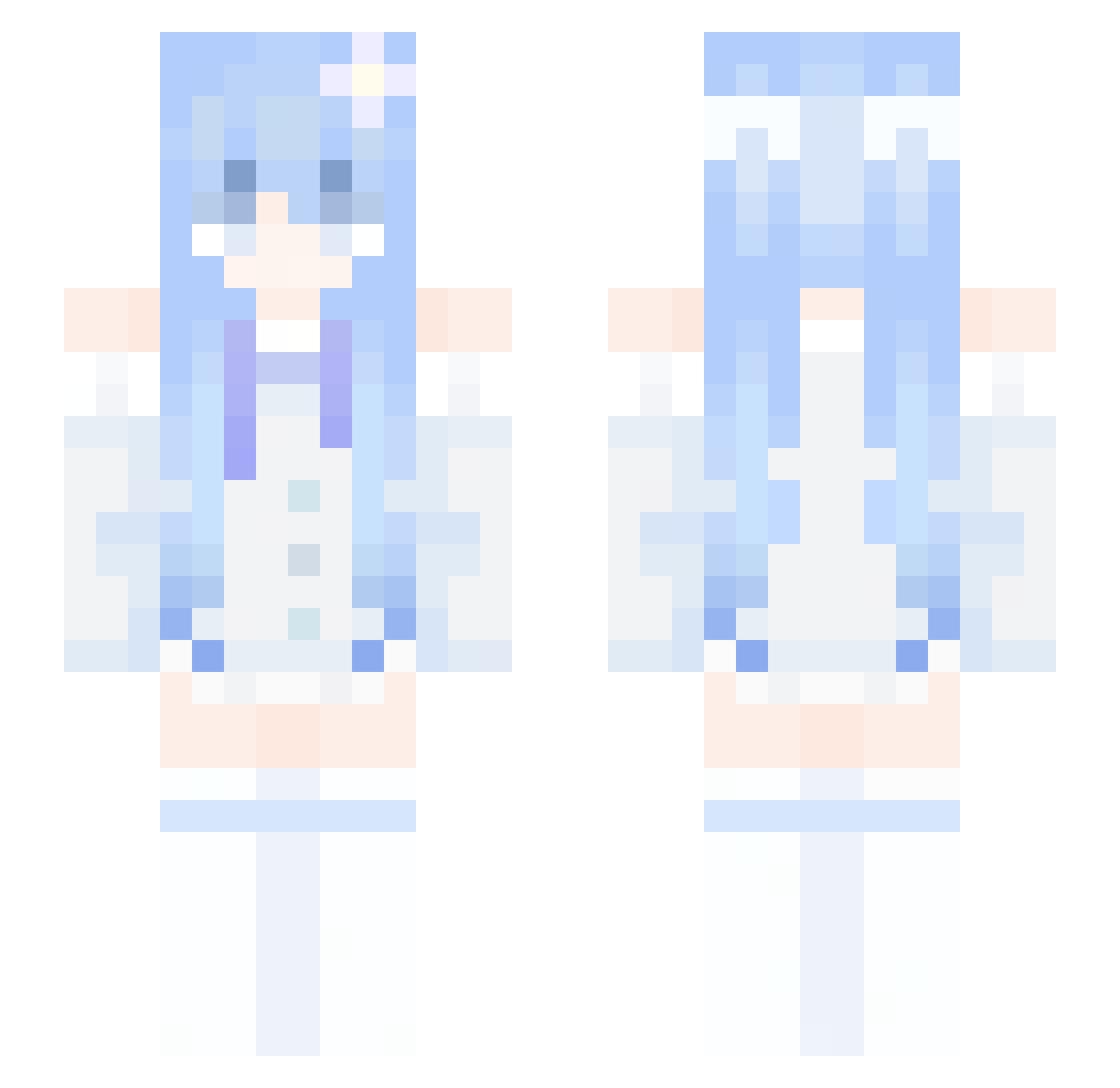
Current Minecraft skin of the player stween, loaded from the official Mojang API. Rotate the 3D model with your mouse or finger, then download the skin as a PNG file and use it in Minecraft: Bedrock Edition or Java Edition for free. When stween changes their skin, this page updates automatically and the old skin stays in the history below.
Other players with this skin (280)
stween was the 54th player we have seen with this skin, first spotted on 10.08.2026. The same skin was seen on these players. Open a nickname to see their current skin and skin history.
 yali_MC
 yukino711 wangxinwen iceman_dkcb zbouy LegoMegaMCYT LuckyNoob_TW MZZHANG
 _Levv_ Zyler__ Karoloss zaoo_ Anastasca ADCCCC
 Utakata_san shihi666 clio1_ Hustinson yop1021
 VerTix_EU
 Urufu_Iriamu CzarnyBaron69 Simplicity93
 humrt Excaliburxxxx LmGa _LynrNeedB AetherByteMC GladHappy IUsef 30029 Felixlin_awa Nanika_UwU Aguss48 LueYing781 MorganaVampyr ekora DougName read_chill
 Soren127_ wudidawang21 RICK108739 Nyfill BeuNhatMC J1_ta0 ohRainee learner24519 fyc1013 Im_Rut dragonboy1269 wyw2 RamMunchingGal EarniBakaGirl67 e05_12 Moon_Skylar mamaddgoly Czzzzzzh YUMETAT
 enpashi __sylvie
More Flower Hair Clip Minecraft skins
See all 61 Flower Hair Clip skins
How to install the stween skin
- Press the Download button above to save the skin as a PNG file.
- Minecraft: Bedrock Edition (PE): open the Dressing Room from the main menu (or tap your character → Edit Character), go to Classic Skins → Owned, press the + (new skin) button, choose the downloaded PNG and pick the Slim (Alex) model. Works on PC and mobile; consoles cannot import custom skins.
- Minecraft: Java Edition: open the Minecraft Launcher, go to the Skins tab, click New Skin, load the PNG, pick the Slim (Alex) model and press Save & Use. You can also upload it at minecraft.net → Profile → Change Skin.
The skin does not show up after import - what should I do?
Restart Minecraft and open the Dressing Room again - imported skins sometimes appear only after a restart. Also make sure you selected the imported skin and picked the Slim (Alex) model.
Which model should I choose, Classic or Slim?
This skin is designed for the Slim (Alex) model. If you pick the wrong model, the arms of the skin will look stretched or squeezed.
Is the skin of stween free to download?
Yes. Press Download, save the PNG file and use it in Minecraft: Bedrock Edition or Java Edition - no payment or registration needed. The skin also works on multiplayer servers and Realms.
More skins
Looking for more? Go back to all Minecraft skins and check the top skins of the week, month and all time, or find any player's skin by nickname.