
stujj - Minecraft Skins & Skin History
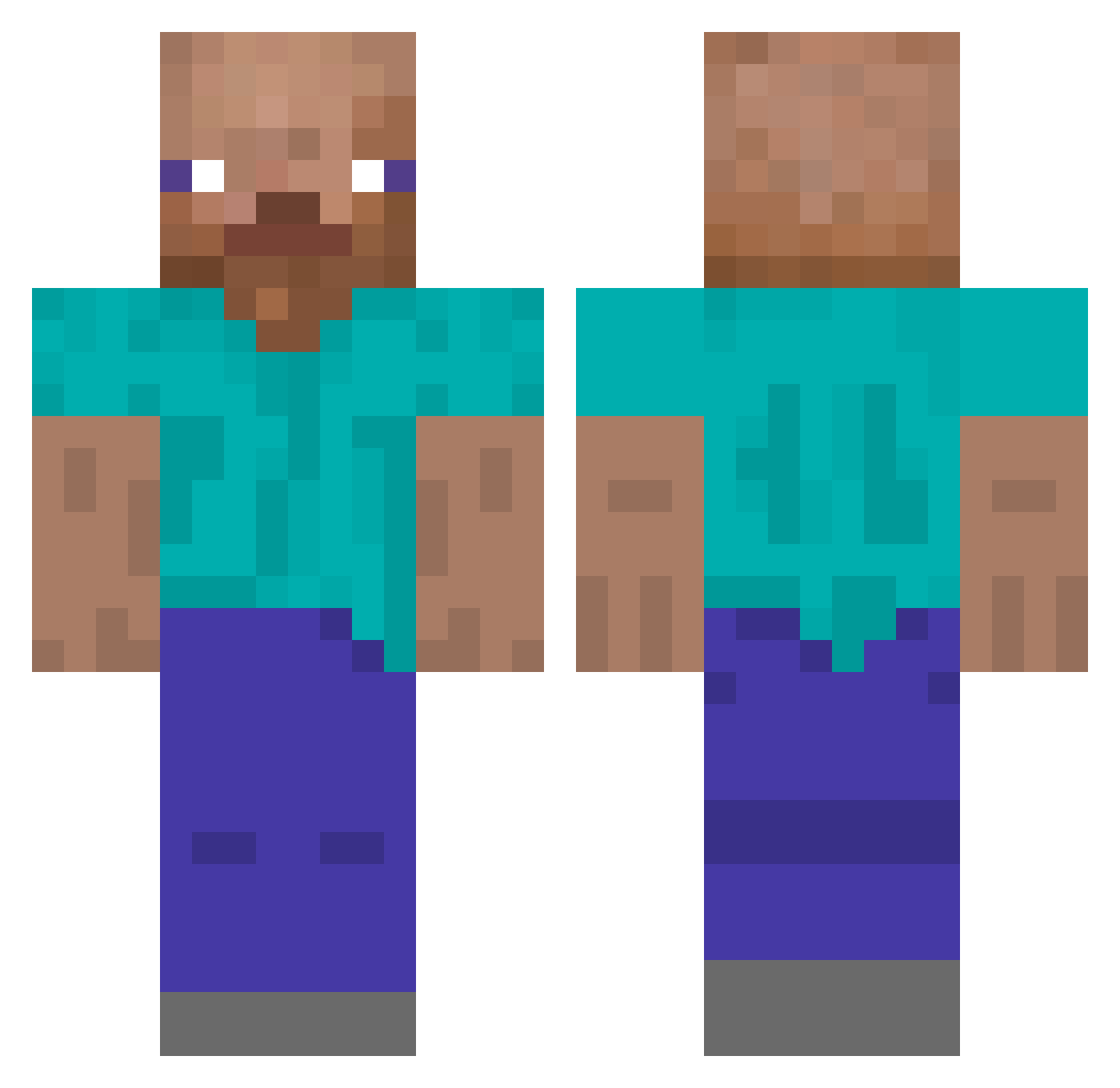
Current Minecraft skin of the player stujj, loaded from the official Mojang API. Rotate the 3D model with your mouse or finger, then download the skin as a PNG file and use it in Minecraft: Bedrock Edition or Java Edition for free. When stujj changes their skin, this page updates automatically and the old skin stays in the history below.
Other players with this skin (167)
stujj was the 153rd player we have seen with this skin, first spotted on 15.10.2026. The same skin was seen on these players. Open a nickname to see their current skin and skin history.
 MrScan6 federamiroo KrackedKrim TimPlayzz mlodyy88 Shiiro666 wsangh__ tmdgns1177 theconnor562 401rsx kisa228_ the_may0 AwEEEE qterms Subzay TwinsPL Yosrin0 Sfahh webit1440 Yickz PedroFachita pedrobearo JukeCity Yonaka_XD elputitrulli Rafyx7 Vsyred sa50cata19 N30nDee Dolmaeg SoulFile GayPatrol3 logicRAW Fortite_BabyCake Mishock Dark_Escuro TaeBae00 MMIIDD QualityBlood payer_ _dpy TreuArgi hdwalnut MLXTN13 Greatgorian rolabosta Vinecars Picho6 GoKoRoKu EnormeSchlag downy69 Zcr4ft AVIROX pjw0609 Shiw_Shalifa ItsAwKen KrucyyFajniak ForbidJester934 D1PPYx smakota
How to install the stujj skin
- Press the Download button above to save the skin as a PNG file.
- Minecraft: Bedrock Edition (PE): open the Dressing Room from the main menu (or tap your character → Edit Character), go to Classic Skins → Owned, press the + (new skin) button, choose the downloaded PNG and pick the Classic (Steve) model. Works on PC and mobile; consoles cannot import custom skins.
- Minecraft: Java Edition: open the Minecraft Launcher, go to the Skins tab, click New Skin, load the PNG, pick the Classic (Steve) model and press Save & Use. You can also upload it at minecraft.net → Profile → Change Skin.
The skin does not show up after import - what should I do?
Restart Minecraft and open the Dressing Room again - imported skins sometimes appear only after a restart. Also make sure you selected the imported skin and picked the Classic (Steve) model.
Which model should I choose, Classic or Slim?
This skin is designed for the Classic (Steve) model. If you pick the wrong model, the arms of the skin will look stretched or squeezed.
Is the skin of stujj free to download?
Yes. Press Download, save the PNG file and use it in Minecraft: Bedrock Edition or Java Edition - no payment or registration needed. The skin also works on multiplayer servers and Realms.
More skins
Looking for more? Go back to all Minecraft skins and check the top skins of the week, month and all time, or find any player's skin by nickname.