
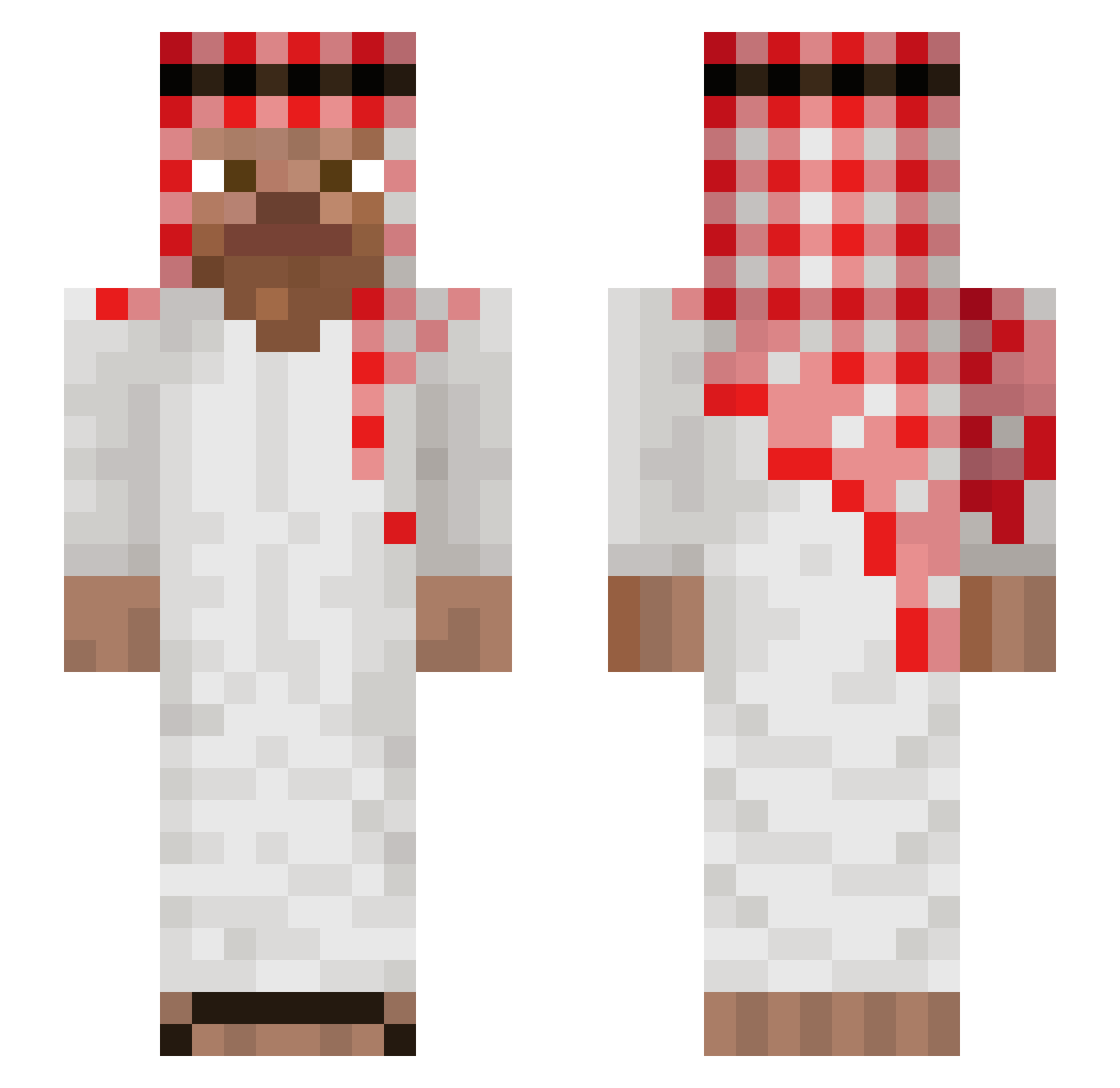
Current Minecraft skin of the player strockx, loaded from the official Mojang API. Rotate the 3D model with your mouse or finger, then download the skin as a PNG file and use it in Minecraft: Bedrock Edition or Java Edition for free. When strockx changes their skin, this page updates automatically and the old skin stays in the history below.
Other players with this skin (761)
strockx was the 329th player we have seen with this skin, first spotted on 29.08.2026. The same skin was seen on these players. Open a nickname to see their current skin and skin history.
 yunankk THEB0X5341 Ciprian_16 EmirKtlmn HermeS1109 renatinxz_sahur tonicag maarcoss Batmainn Kingoliver50 arabicmahmut Chaknu _Pyra747_ Baxton2000 lightSpy284 derMalocher
 ramonzzito Puch_Loris klucha666 MarcelChapman BDMelvin MLeo01 Alaaaan12 caglarkos Kibwerco D4IP_1jacob3 TheLemba Imoogi0420 ReyPJ12 s2mle100lesh_01 ESCOB4RO Pioneer0223 Onikazama21 kluska2331 NovaTheBolt bifxcal Pelushe012 Jannot_56 ToughRachelle boe1fies Petyo97 noam1313 AntonioIRL miranosapnu OKKUB LuDada1er Bek1ffter braijay Laaasek CapitanBoliniDMC flexed154 Alberto1510 shimofuri1129 Glitchas zenox78 hame___ vio1291 Pandabaer1234 Julidvc Costaburro
More Arabic Minecraft skins
How to install the strockx skin
- Press the Download button above to save the skin as a PNG file.
- Minecraft: Bedrock Edition (PE): open the Dressing Room from the main menu (or tap your character → Edit Character), go to Classic Skins → Owned, press the + (new skin) button, choose the downloaded PNG and pick the Slim (Alex) model. Works on PC and mobile; consoles cannot import custom skins.
- Minecraft: Java Edition: open the Minecraft Launcher, go to the Skins tab, click New Skin, load the PNG, pick the Slim (Alex) model and press Save & Use. You can also upload it at minecraft.net → Profile → Change Skin.
The skin does not show up after import - what should I do?
Restart Minecraft and open the Dressing Room again - imported skins sometimes appear only after a restart. Also make sure you selected the imported skin and picked the Slim (Alex) model.
Which model should I choose, Classic or Slim?
This skin is designed for the Slim (Alex) model. If you pick the wrong model, the arms of the skin will look stretched or squeezed.
Is the skin of strockx free to download?
Yes. Press Download, save the PNG file and use it in Minecraft: Bedrock Edition or Java Edition - no payment or registration needed. The skin also works on multiplayer servers and Realms.
More skins
Looking for more? Go back to all Minecraft skins and check the top skins of the week, month and all time, or find any player's skin by nickname.