
storo231 - Minecraft Skins & Skin History
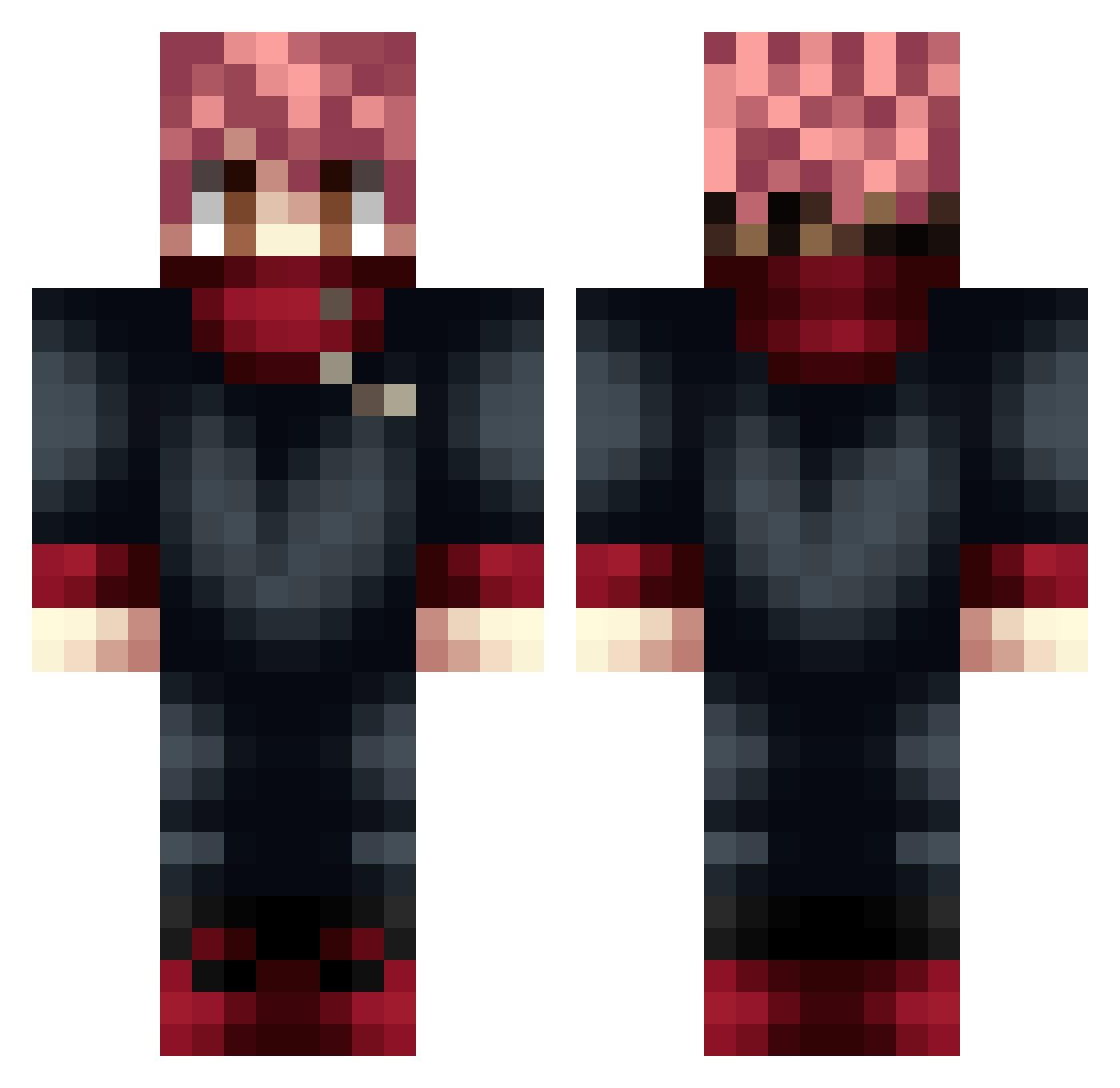
Current Minecraft skin of the player storo231, loaded from the official Mojang API. Rotate the 3D model with your mouse or finger, then download the skin as a PNG file and use it in Minecraft: Bedrock Edition or Java Edition for free. When storo231 changes their skin, this page updates automatically and the old skin stays in the history below.
Other players with this skin (52)
storo231 was the 23rd player we have seen with this skin, first spotted on 05.09.2026. The same skin was seen on these players. Open a nickname to see their current skin and skin history.
 TheLastSlayer420 Swinxy_ Erynio PappaEraPreso COES_BRU Stocki_Sky
 slxgab Solelord hyunalove24 Thonycr14 Matatias1309 gangstapanda968 BrzydkiPies esqueletron yordan4o Zander1219 Envy_Jpg xThommy117x
 danielichu12 BakiHanma24 _NgmLiga_ ER0NNE Tynanator psw1003 sktas Ruierfg Gael20 Dragon4747 ZxMxrkoo Bro_97 CiambellaCotta
 piksyYT Freezy200 Luk_Pro_2010 Rabow Tigella YB080207 SuperGabi14 chunma1025 hellsingdany678 Darkwarrior3924 KamadoKraken ELGALLOJIRO Sup3rm1g Prohackzz fory_03 0tiZakS Rapha_XP
 ansgusalsqudtls Envinsibal Mendosan IcySoba
More Yuji Itadori Minecraft skins
See all 225 Yuji Itadori skins
How to install the storo231 skin
- Press the Download button above to save the skin as a PNG file.
- Minecraft: Bedrock Edition (PE): open the Dressing Room from the main menu (or tap your character → Edit Character), go to Classic Skins → Owned, press the + (new skin) button, choose the downloaded PNG and pick the Classic (Steve) model. Works on PC and mobile; consoles cannot import custom skins.
- Minecraft: Java Edition: open the Minecraft Launcher, go to the Skins tab, click New Skin, load the PNG, pick the Classic (Steve) model and press Save & Use. You can also upload it at minecraft.net → Profile → Change Skin.
The skin does not show up after import - what should I do?
Restart Minecraft and open the Dressing Room again - imported skins sometimes appear only after a restart. Also make sure you selected the imported skin and picked the Classic (Steve) model.
Which model should I choose, Classic or Slim?
This skin is designed for the Classic (Steve) model. If you pick the wrong model, the arms of the skin will look stretched or squeezed.
Is the skin of storo231 free to download?
Yes. Press Download, save the PNG file and use it in Minecraft: Bedrock Edition or Java Edition - no payment or registration needed. The skin also works on multiplayer servers and Realms.
More skins
Looking for more? Go back to all Minecraft skins and check the top skins of the week, month and all time, or find any player's skin by nickname.